Overtime is the most expensive hour on a fleet's payroll, and for a field workforce it is the hardest one to explain. The timesheet says one thing, dispatch remembers another, and the vehicle that carried the crew all day has no say in it.
Geotab gives the vehicle a say. One of our clients, T&D Solutions in Alexandria, LA, put what they found this way:
“We found so much time wasted in every vehicle, and with every driver. It took us literally one week to understand the impact and reality of our return. We are saving 40 to 45% on overtime payroll, over $18,000 per month. It is truly amazing.”T&D Solutions, Alexandria, LA
That is the labor side of GPS fleet tracking ROI. For a utility crew, a service contractor running dozens or hundreds of vans, or a public works department working out of several yards, the hours come back in four places: the time record, after-hours use, dispatch and routing.
ROI at a glance
GPS Tracking for Payroll: Start, Stop and On-Site Hours From the Vehicle
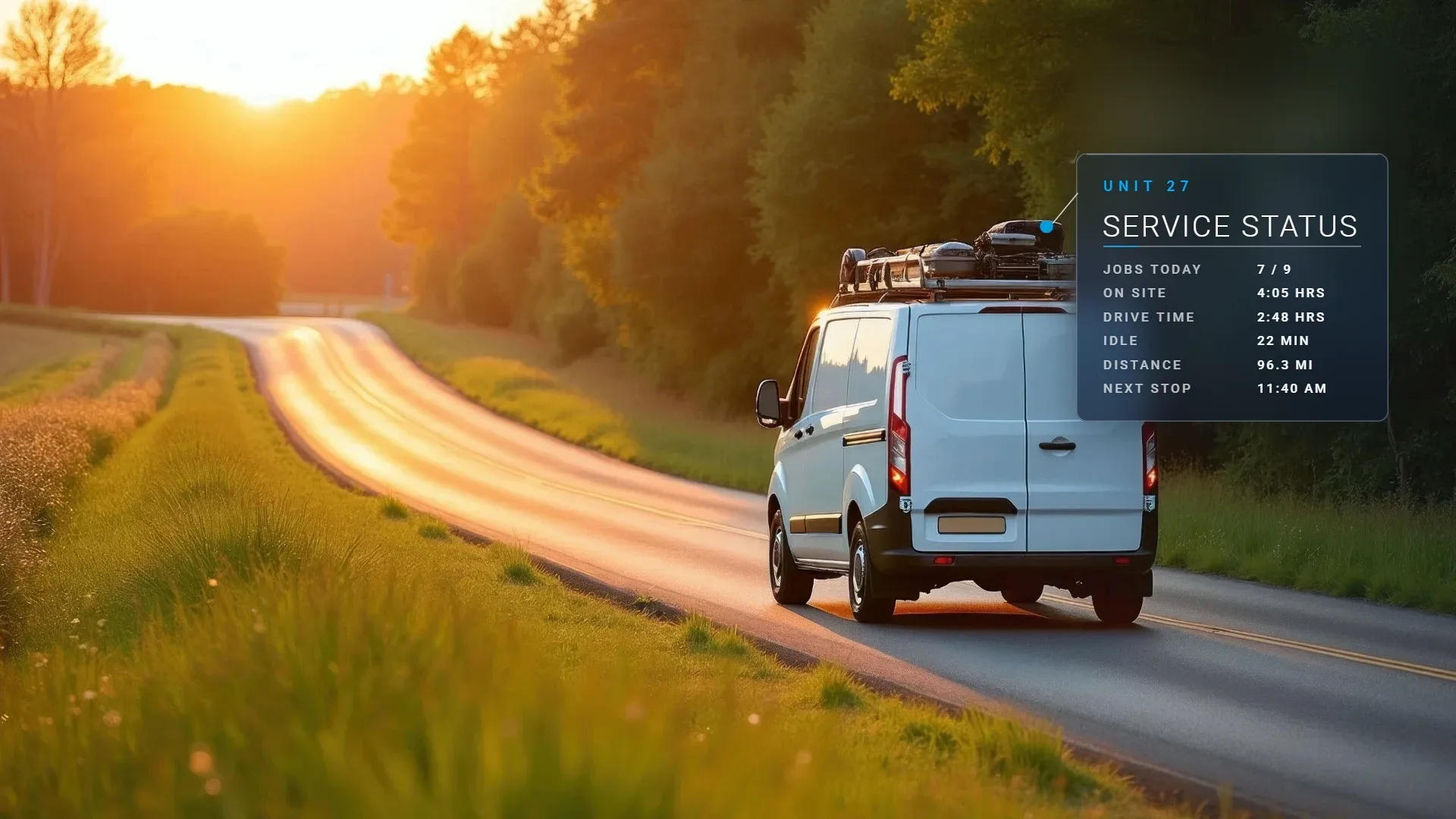
A paper timesheet records what people remember at the end of a long day. The vehicle records what happened, with a time stamp on every start, stop and visit.
The Time Card Report lays out each driver's day from first ignition to last ignition-off, as a payroll-ready timeline. Geofence each job site, yard and customer location, and every visit logs arrival, duration and departure automatically.
Driver ID puts a name on every trip. A key fob, tap card or the phone app ties each trip to the person driving, so the hours follow the employee from truck to truck.
It also retires the sign-out sheet: every pull-out ties to a person, and unassigned movement gets flagged, so a tech who swaps trucks at noon still ends the day with one time card.
When a timesheet and the vehicle disagree, the conversation starts from a record both sides can see, and the dispute closes on facts instead of memory. It is job documentation, and it protects good crews more often than it catches bad ones.
See how job tracking, Driver ID and zones build that record on our Geotab workforce management page.
Reduce Fleet Overtime by Finding Where the Paid Hours Go
Overtime builds in small pieces: a late roll-out from the yard, a long drive between jobs, a stop that ran past its time, a last call that went to the wrong truck. Small schedule leaks add up to whole positions.
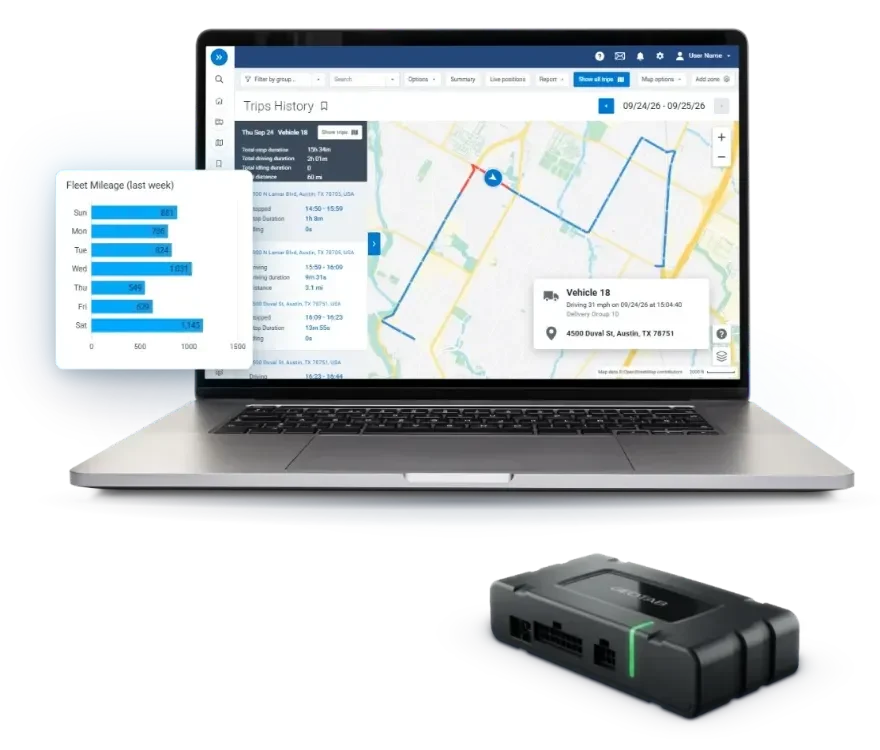
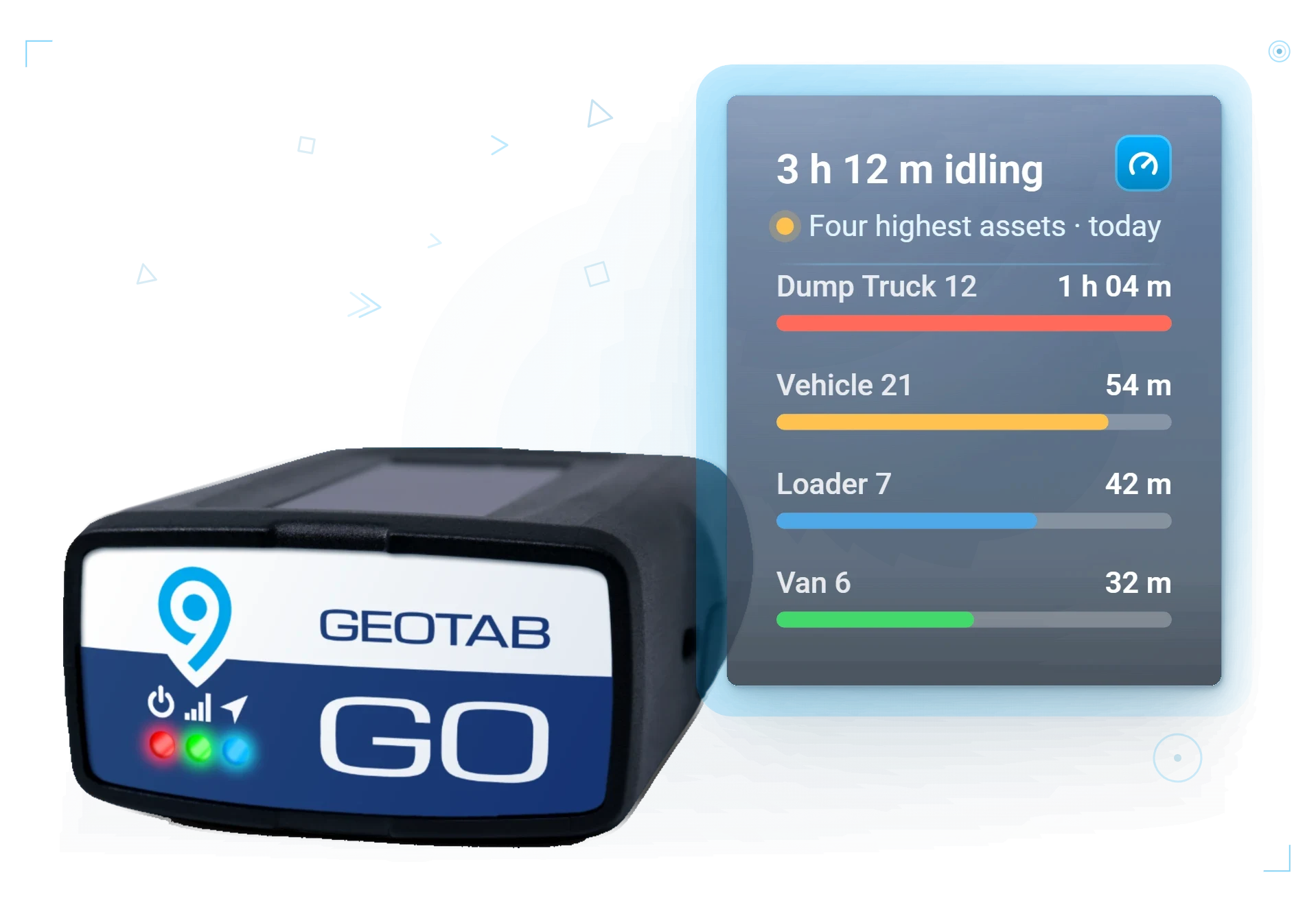
Geotab puts each of those pieces on the record. Trips History shows actual routes and stop times, the idling report ranks idle time by vehicle, driver and location, and scheduled reports email the figures to the managers who approve the hours.
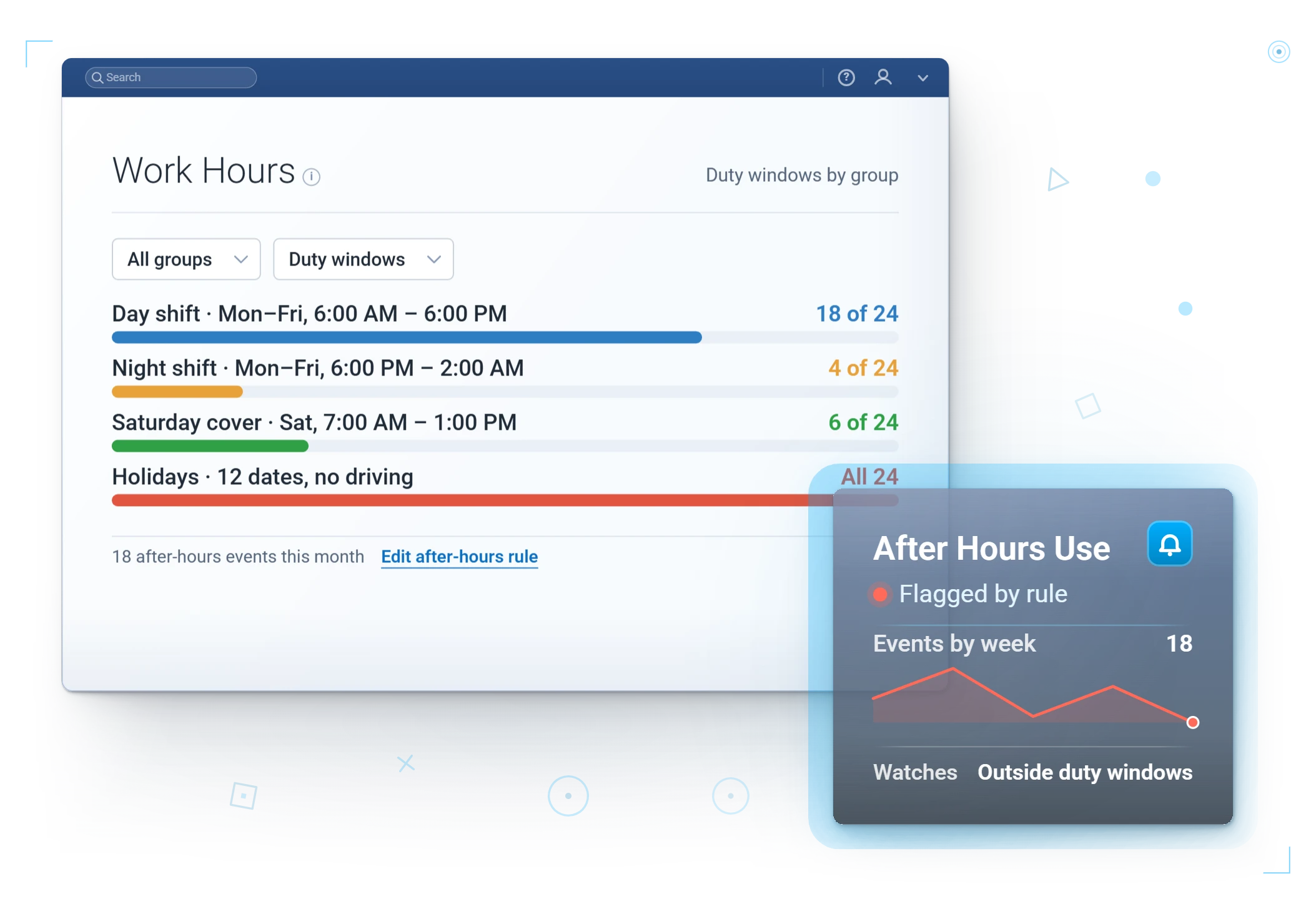
After-hours and personal use belong on the same list. Rules flag after-hours movement, unassigned drivers and off-route stops as they happen, and an alert fires the moment a vehicle reaches a yard or restricted area outside the shift.
Another client, Petrey Novelty Inc in Luverne, AL, described how much had been out of view:
“We were blind to a lot of the drivers’ activities, and really didn’t know if we were losing $1 million a year in wasted fuel charges or other inefficiencies. It was a real eye-opener for us on how many violations we were getting alerted to and how much of this was tied to personal use. The pre-trip and post-trip inspection reports have been invaluable. We’ve got some of the reporting turned on for hard-braking, speeding, that type of thing. We’re utilizing the email reports where we get a recap of the mileage, the violations, etc. They go out to management every day.”Petrey Novelty Inc, Luverne, AL
GPS Time Tracking Reports in MyGeotab
Finance will ask where the number came from. In MyGeotab, the answer sits on a handful of screens:
- Time Card Report: each driver's day, first ignition to last ignition-off, scheduled for every pay period.
- Zone Visits: arrival, minutes on site and departure at every job site, yard and customer location.
- Trips History and the weekly Trips Summary: miles, stops, drive time and idling by vehicle.
- Idling report: preventable idling split from warm-ups and power take-off work, ranked by vehicle, driver and location.
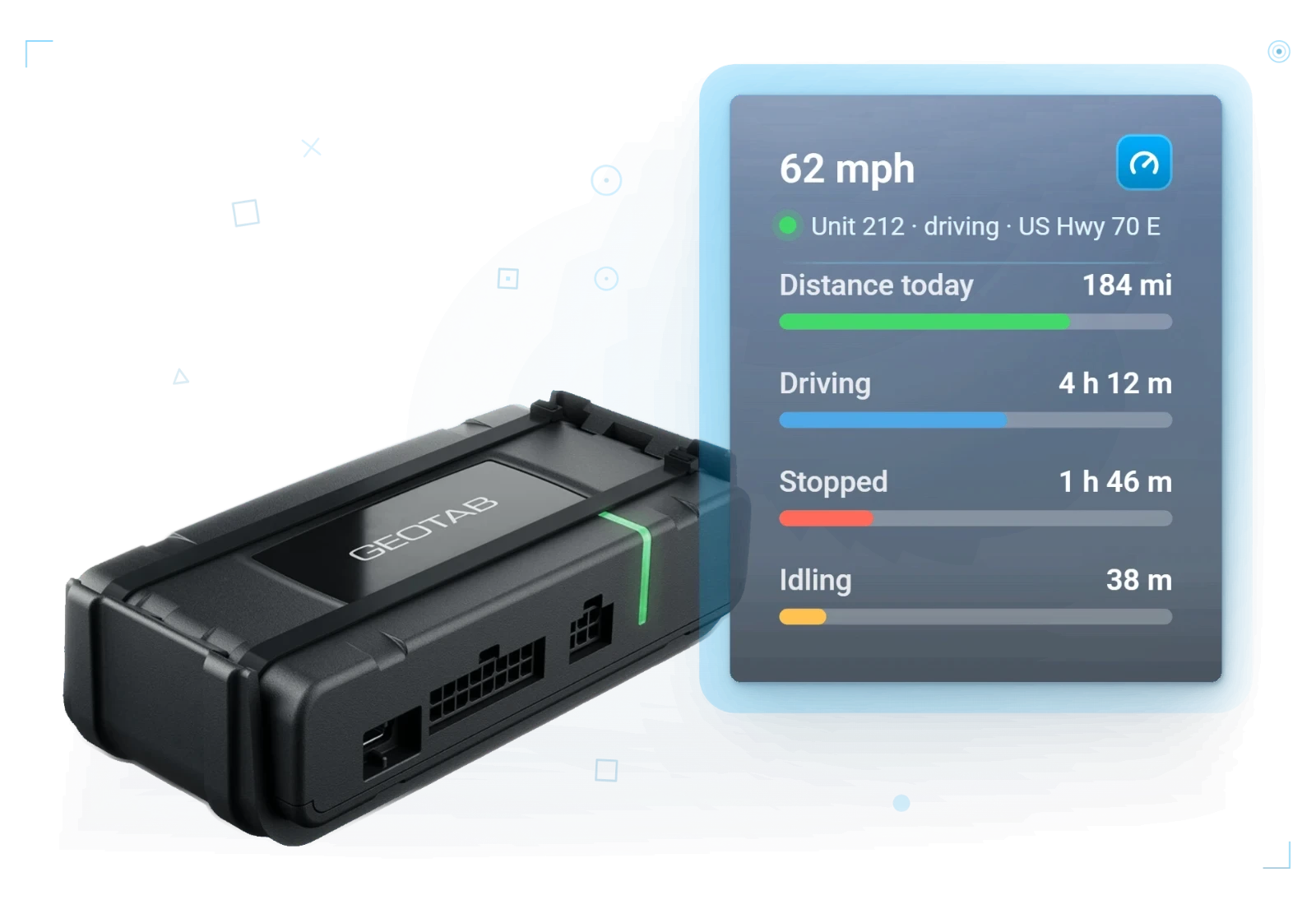
Scheduled fleet reports carry those numbers to the people who sign off on hours. Each one arrives as an email with the dashboard attached, filtered by group, vehicle or driver, so a yard manager sees their own crews without logging in. We set your first schedules up during the demo.
For a question no report answers, ask Geotab Ace in plain language. Every answer offers the data as a CSV download, and Show SQL reveals the exact query, so the controller can check the math.
Fleet Dispatch That Cuts Drive Time and Overtime
Every new job is a labor decision. Send a truck across town when another one is closer, and the extra drive time lands on payroll.
With every vehicle on one live map, dispatch sees who is closest, who is running late and who is free next. Dispatch sends the nearest available vehicle to every new job, and customers get real arrival times instead of a wide window.
The plan rarely survives the morning. Dispatch resequences or reassigns stops in near real time, the driver sees the change at once, and same-day time on site shows which crew is running long before the day runs into overtime.
The office answers where-is-everyone from the map, so radio chatter falls and drivers stay on the job.
“…we are able to see second-to-second, turn-by-turn location updates of our trucks in action. It has taken our live dispatch to another level.”Marshalls Locksmith, Raleigh, NC
See how dispatch, time on site and proof of service work together on our Geotab field service fleet management page.
Geotab Route Optimization: More Jobs Inside the Shift
Route optimization puts every stop in the best order, so each driver covers more jobs in the same paid hours.
Below about five stops per driver per day, built-in dispatch covers you. Above it, we add route optimization.
Geotab reports 15 to 30% fewer miles for fleets on Geotab Routing & Optimization. For a labor budget, the second figure matters more: Geotab reports 2 to 3 more jobs per technician per day with routing.
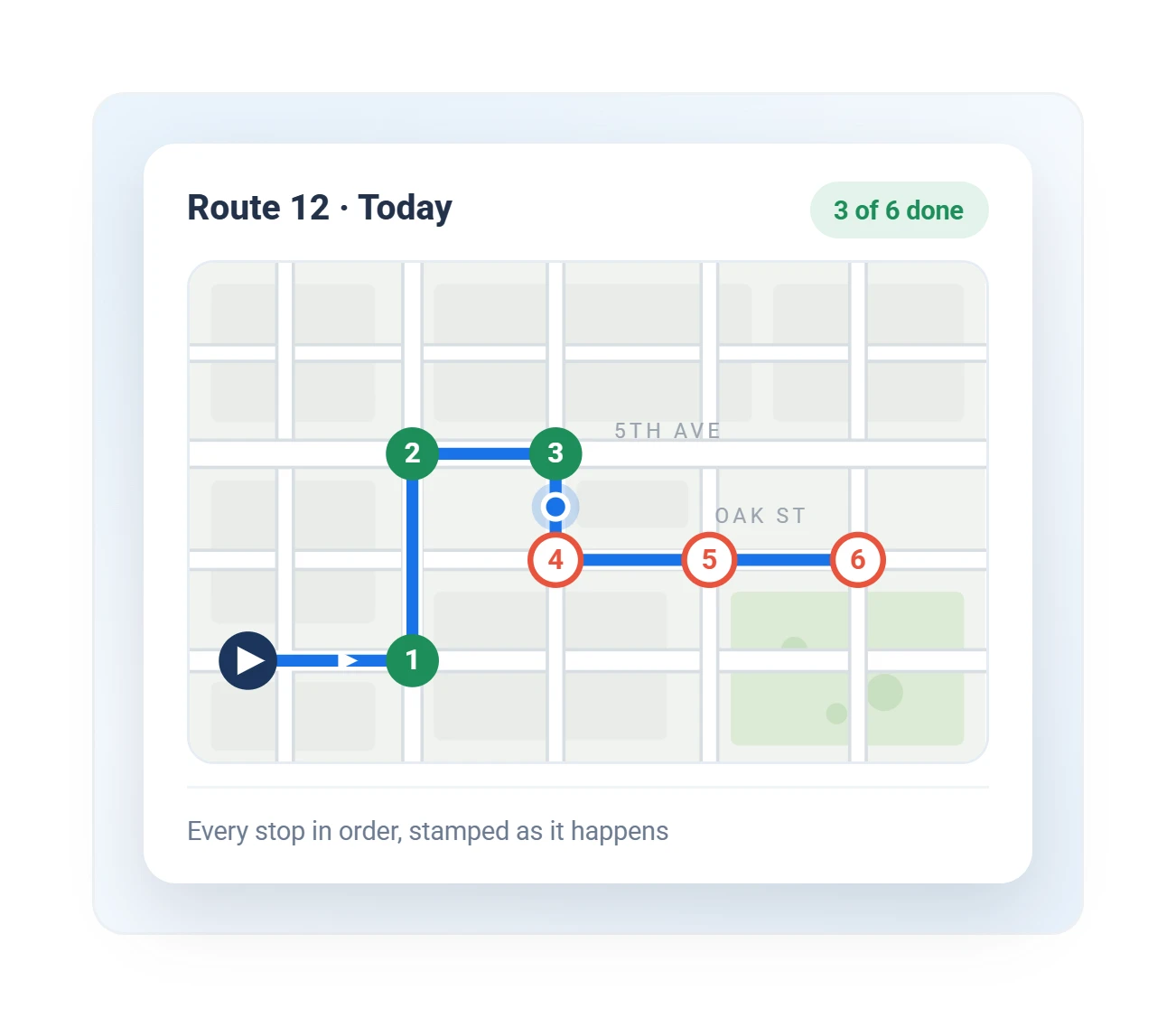
Each tech's optimized run lands on their phone, and Plan vs Actual checks every optimized route against what was driven, automatically. More jobs inside the shift means fewer jobs pushed past the end of it.
Geotab Drive App: Fewer Status Calls, More Time on the Job
Every status call to a driver is paid time on both ends of the line. The Geotab Drive app carries routes, job messages, inspections and driver logs, so drivers see their day without calling in.
Clock in and the app assigns the vehicle, walks the pre-trip, tracks hours, and closes with a post-trip at logout. One-tap replies let a driver acknowledge dispatch without typing at a job site, and dispatch can attach routes, zones and links to a message.
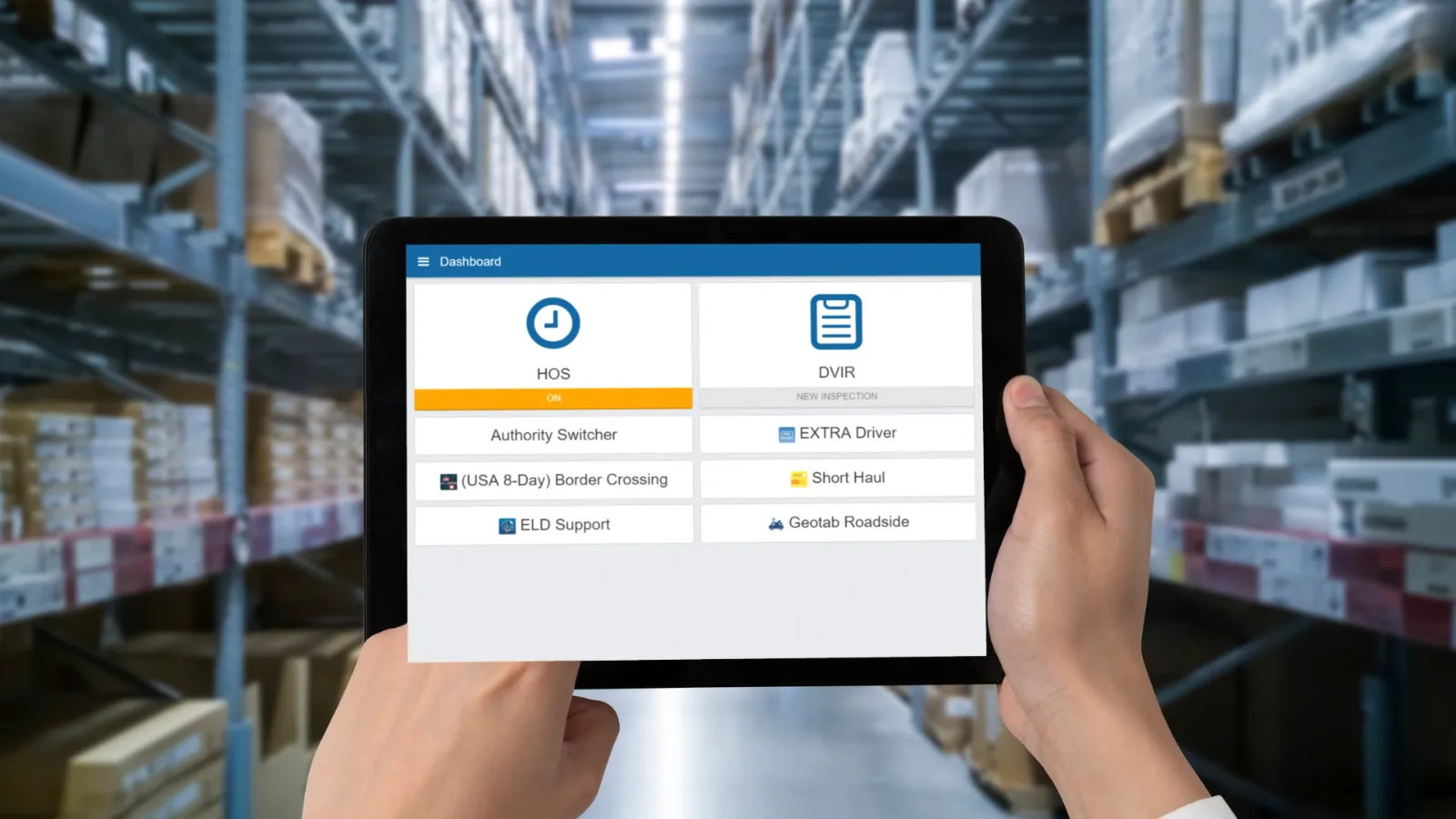
Everything syncs with MyGeotab, so the driver, dispatch and the office work from one record of the day.
One Time Record for Multi-Site and Mixed Fleets
Overtime rarely sits in one place: it leaks between yards, on job sites and on the long drive back from the far end of a territory.
One account covers all of it. Each yard, region or department gets its own view and its own scheduled reports, while leadership sees the whole fleet. Yards, customer sites and home bases become zones drawn once and reused everywhere.
Heavy equipment logs hours too. Machines without a factory feed get a GO Rugged tracker wired in. Zone each site, and every machine's engine hours and time in zone land on that job automatically.
Trailers and tools cost labor when they go missing. GO Anywhere battery trackers keep trailers and generators on the map between jobs, and Bluetooth tags on the costly tools are read by the trackers and cameras already in your fleet, so a meter left at the last job flags before the next stop instead of turning into a paid return trip.
Build the Fleet Overtime Business Case, Step by Step
Finance approves an overtime cut on your own payroll numbers, not a brochure's. Six steps build the case:
Pull overtime hours and dollars for recent pay periods from payroll, by crew or yard. That is the baseline every result is measured against.
the busiest vehicle on the crew that logs the most overtime.
They go in as zones before the device ships.
first ignition against the scheduled start, drive time between jobs, minutes on site against the time booked, after-hours movement and idle time by driver.
the time record, after-hours use, dispatch and routing.
Same format, same cadence, every pay period: numbers leadership trusts.
Three mistakes hide the return. Trips with no driver attached leave the hours on the truck, so turn on Driver ID first. A yard with no zone hides the late roll-out and the early return. And a report the approving manager never receives changes nothing, so send the time card to the person who signs the timesheet.
Our post on what to expect from your free Geotab demo covers the device side, from the form to the first trip.
See the Labor Return in Your Own Fleet With a Free Demo Device
As next year's labor budget takes shape, the numbers that matter are the ones from your own vehicles. Start with a free demo device. Keep it only if the numbers convince you.
We configure your demo device before it ships, and it ships within 72 hours. Everything ships Plug-N-Play, so your own crew installs it, with no installer to schedule and zero downtime.
Before the first device ships, we build your groups, zones and rules, and we stay on the phone until every device reports. Our dedicated U.S.-based team answers in minutes, and we have served fleets since 1999. Once you sign, the Fixed Pricing Guarantee locks your price for the rest of the contract, and public agencies can buy on Sourcewell.
Idle time is paid time too. Put your own fleet size, pump price and idling target into the idling calculator on our fleet fuel management and cost savings page, and read more results in our clients' own words on our client testimonials page.
FAQ
How does GPS tracking help with payroll?
GPS tracking gives payroll a time record from the vehicle itself. In Geotab, the Time Card Report shows each driver's day from first ignition to last ignition-off, geofenced job sites log arrival, time on site and departure, and Driver ID ties every trip to the person driving.
Can GPS tracking reduce fleet overtime?
Yes. GPS tracking reduces fleet overtime by showing where paid hours go: late roll-outs, long drives between jobs, stops that run long and after-hours use. One of our clients, T&D Solutions in Alexandria, LA, put it this way: “We are saving 40 to 45% on overtime payroll, over $18,000 per month.”
Can dispatch see a crew running into overtime before the shift ends?
Yes. Same-day time on site shows which crew is running long before the day runs into overtime. Dispatch then resequences or reassigns stops in near real time, the driver sees the change at once, and the next job goes to the nearest available vehicle.
Can GPS tracking flag after-hours vehicle use?
Yes. Geotab rules flag after-hours movement, unassigned drivers and off-route stops as they happen, and an alert fires the moment a vehicle reaches a yard or restricted area outside the shift. Scheduled reports email the figures to the managers who approve the hours.
Which MyGeotab reports show where fleet overtime comes from?
Four reports cover it: the Time Card Report for each driver's day, Zone Visits for minutes on site at every job, Trips History for drive time between stops, and the idling report for idle time ranked by vehicle, driver and location. Schedule them, and each one lands in the inbox of the manager who approves the hours.
What should we measure during a free demo to see our overtime return?
Measure five numbers on your own vehicles: first ignition against the scheduled start, drive time between jobs, minutes on site against the time booked, after-hours movement and idle time by driver. Then set the Time Card Report beside your timesheets for the same days, and compare the gaps with the overtime on your own payroll.