When the fleet watches itself

Real-time fleet alerts, the moment it happens

Stay in control without staring at screens. The system flags what matters, so you act on exceptions instead of hunting for them.

  • Real-time notifications for key behaviors
  • Geofence activity and after-hours movement triggers
  • Alerts routed to the right people instantly
MyGeotab rule libraries across safety, productivity, compliance, sustainability, and more

Your Rules

Built around what matters to your operation

We configure your rule sets with you, so alerts mean something and nobody tunes them out.

Exception-based alerting

Hear about speeding, harsh driving, idling, or seatbelt use as it happens.

Geofence triggers

Know when vehicles enter or leave yards, job sites, and customer zones.

After-hours movement

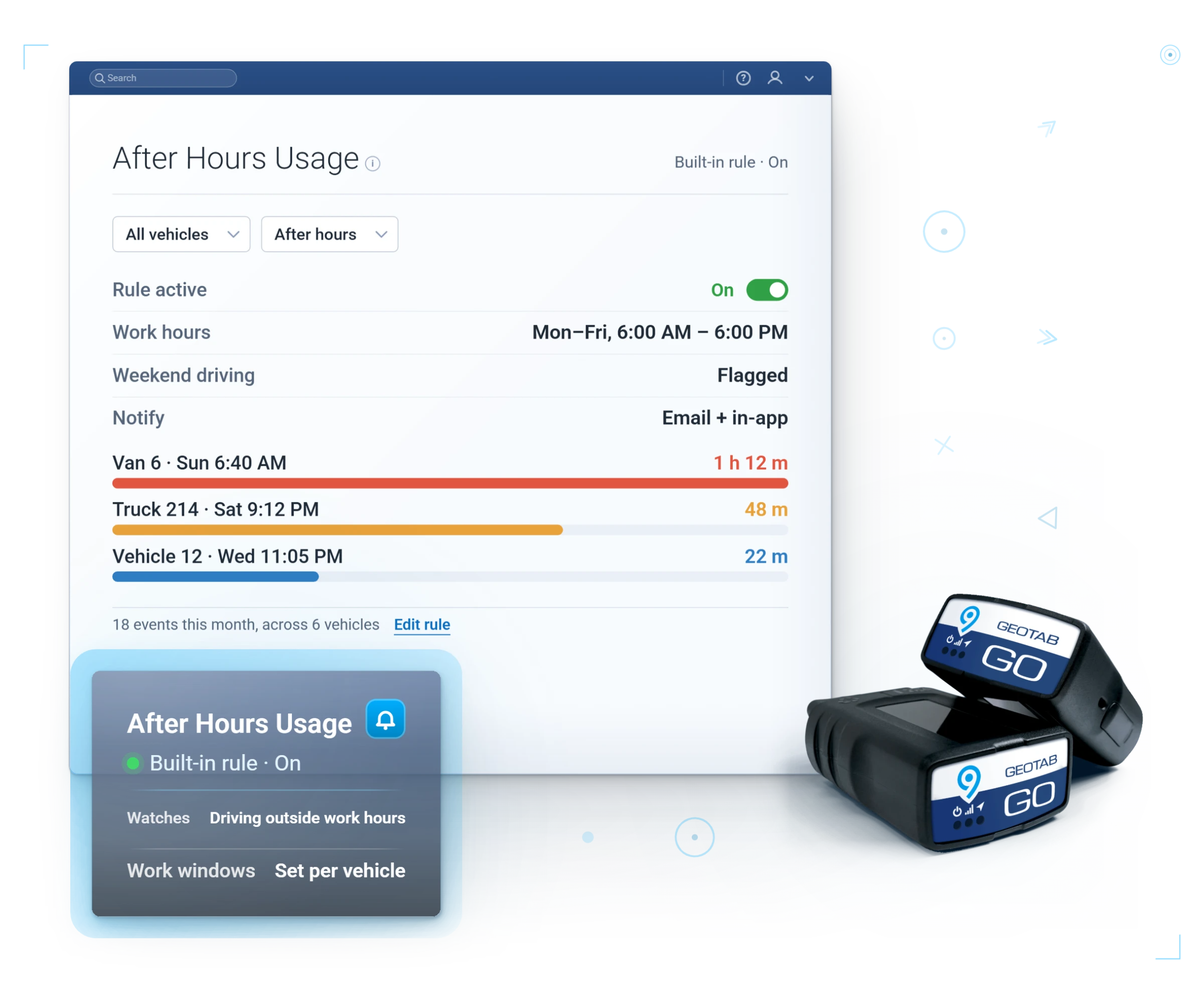
Catch unauthorized use and possible theft immediately.

Smart routing

Send each alert to the person who can act on it, by text or email.

What Changes

What your fleet gets out of it

Respond in minutes

Problems surface while there is still time to fix them.

See it in MyGeotab
Real MyGeotab widget: rules engine
No dashboard babysitting

The system watches the fleet so your team can do their jobs.

See it in MyGeotab
Real MyGeotab widget: alert notification
Fewer costly surprises

Small exceptions get handled before they become big invoices.

See it in MyGeotab
Real MyGeotab widget: notification setup

Rules That Act

An alert that files its own paperwork

The best alert is one that starts the fix.

Rules can open a maintenance work request from a threshold you set: 5,000 miles since the last oil service, or a fault twice in a week. They take context too (zone, idling, time of day), and the same builder runs geofence and speed rules for secure transport.

The driver hears it before the manager does

When a rule breaks, Geotab Drive messages the driver in-app the moment it happens, and most exceptions end there.

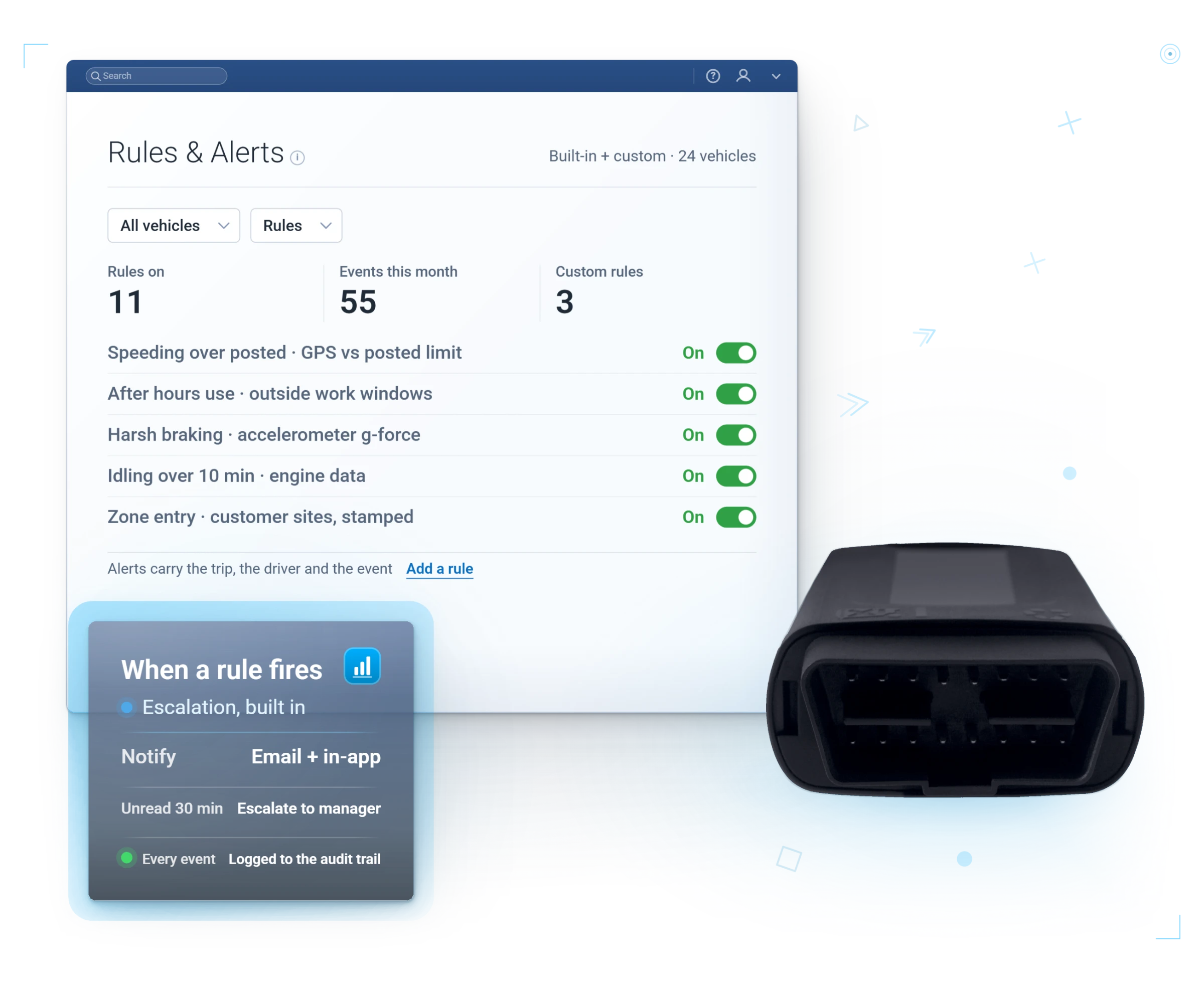
Escalation stays in your control: notify the driver instantly, the supervisor only on the third event.

Geotab custom rules and alerts dashboards with a GO device

In MyGeotab

The rule library, live

Stock rules ship editable, and your custom zones, thresholds, and escalation paths sit beside them in one list.

Two Kinds of Watching

Built-in detection vs your custom rules. You want both.

New Safety Events, built in

  • Setup: none. Works out of the box.
  • Calibration: auto-calibrated to each asset type, fewer false positives
  • Covers: harsh acceleration, braking, cornering, speeding
  • Best for: the driver safety baseline, day one

Custom rules, yours

  • Setup: you define it, we configure it with you
  • Calibration: whatever threshold your operation needs
  • Covers: zones, after-hours use, idling, seatbelt, unplug, fault codes, combinations
  • Best for: the things only your fleet cares about

A closer look

Rules that watch the fleet for you

You decide what matters. MyGeotab watches every vehicle against those rules around the clock.

Custom rule builder

Set exactly what counts as an exception, and which group, vehicle, or driver it applies to.

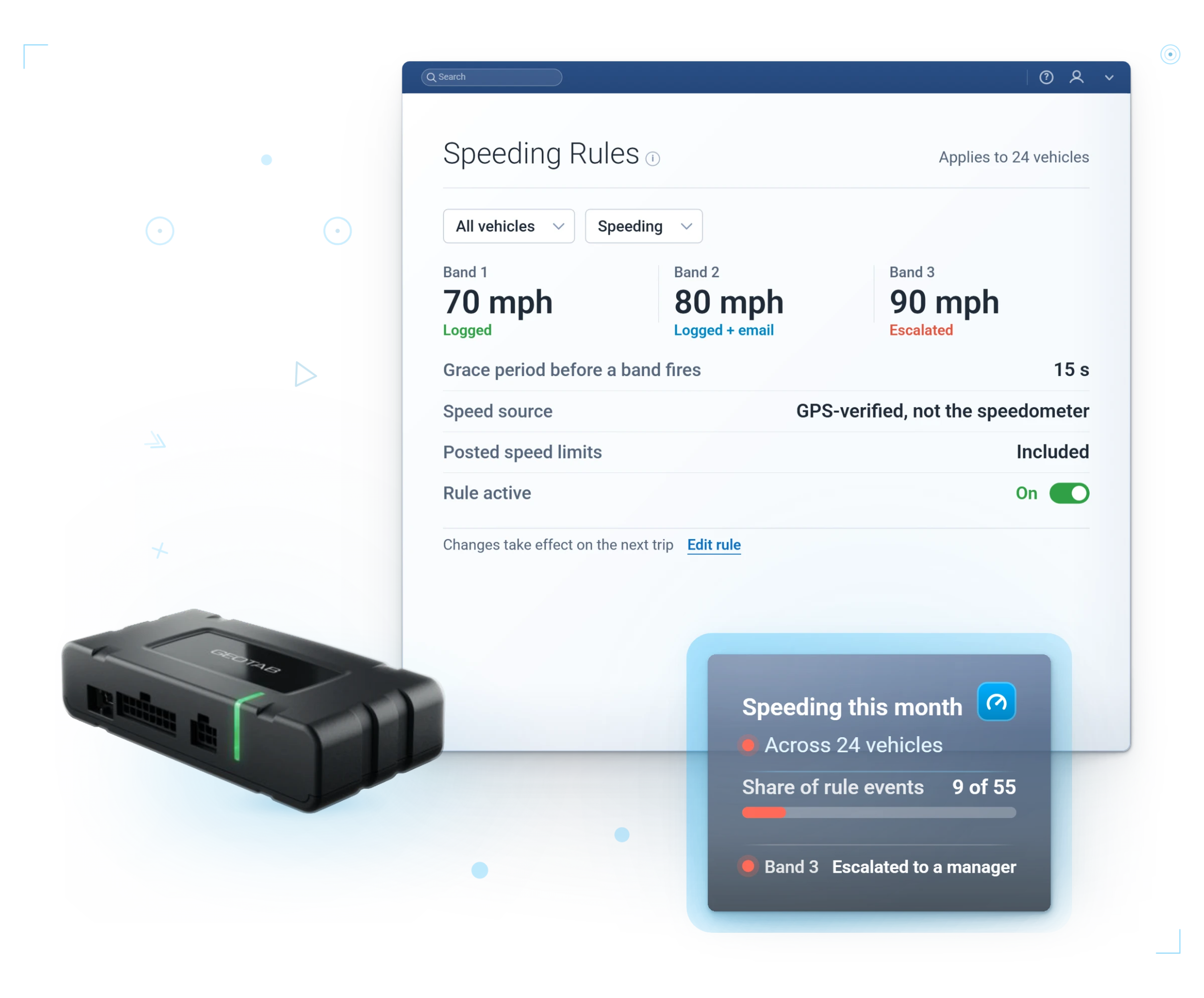
Speed thresholds

Posted road speed or a custom cap, enforced consistently across the fleet.

Exceptions dashboard

Every triggered rule logged, trended, and reviewable in one place.

Posted-Speed Aware

Speeding measured against the posted road speed

MyGeotab compares each vehicle's GPS speed to the posted road speed from Geotab's map data, with the GO Focus clip linked to the event.

Questions

Alerts and rule sets FAQ

What can trigger an alert?

Speeding, harsh driving, idling, after-hours movement, geofence entry or exit, a device unplug, and many more, alone or combined.

How are alerts delivered?

By email or in-app notification the moment a rule is broken.

Can rules differ by group?

Yes. Apply different rule sets to different groups, vehicles, or drivers.

Can an alert do something, not just tell someone?

Yes. A rule can open a maintenance work request on its own, so the alert starts the fix instead of just flagging the problem. The Rules That Act section above shows how.

Will we drown in false positives?

Not if the rules are set up right. Custom rules route each alert to one person who can act, not a distribution list that tunes it out. Pair them with the built-in Safety Events covered above and the noise stays down.

Can rules combine conditions?

Yes. Zone plus time of day, idling plus location, speeding plus vehicle group. That is how "in the yard after hours" becomes one precise alert instead of two noisy ones.

Inside MyGeotab

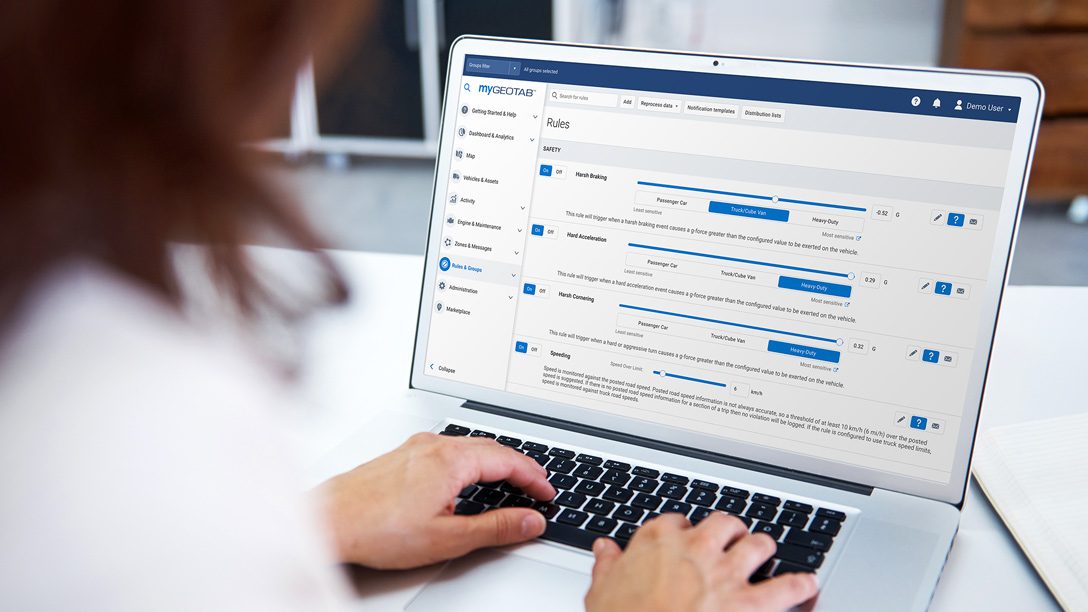
Every rule on one switchboard

Toggle, tune, and publish rules for the whole fleet. This is one category of the dozens MyGeotab ships ready-made, plus unlimited custom rules of your own.

Illustrative MyGeotab screen with fictional data

Set up rules that watch your fleet

Tell us what keeps you up at night and we will build alerts for it during your free demo.

Prefer to talk? Call (877) 771-2236. No spam, ever.

We reply within one business day. No obligation.