How Fleet Management Pricing Works

Geotab Pricing, Explained

A monthly rate per vehicle, plus the device. Here is what raises or lowers that number, what is included, and how public fleets buy on pricing that is already public record.

  • The four variables that set the per-vehicle rate
  • What the subscription includes, and what is priced as its own line
  • What the platform gives back: idle fuel, routing hours, maintenance caught early
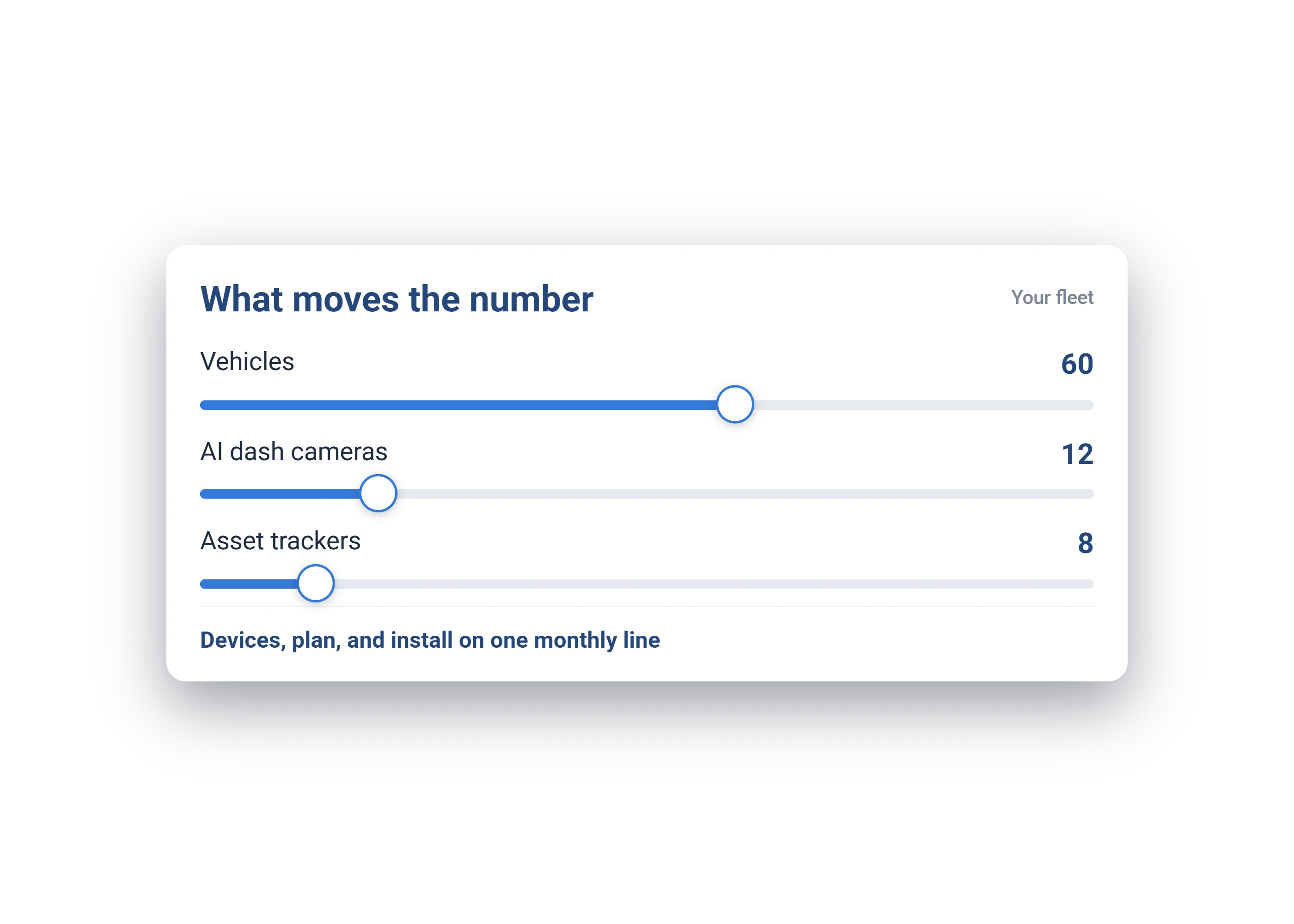
What moves the number: 60 vehicles, 12 AI dash cameras and 8 asset trackers, with devices and plan on one monthly line

How much does Geotab cost? There is no single rate card, because the number is built per fleet from four variables: how many vehicles, which plan each one runs, how you take the hardware, and the term. The sections below show how each one moves the price, and what the platform gives back once it is running.

What Moves the Number

Four Things Set the Per-Vehicle Rate

1Fleet size

Per-vehicle rates step down as the vehicle count goes up.

2Rate plan

GO Core or GO Plan, chosen vehicle by vehicle, so a pickup and a camera truck run on different rates. Compare the two below.

3Hardware, and how you take it

Buy the devices up front or roll them into the monthly rate. Cameras and asset trackers are their own lines, and everything is Plug-N-Play, with zero downtime and no professional installation.

4Term

A longer commitment lowers the monthly rate. You see the rate for each term side by side.

Rate Plans

GO Core or GO Plan, Vehicle by Vehicle

Both plans run on the same Plug-N-Play device, with a limited lifetime device warranty, conditions apply. GO Core is essential visibility and control. GO Plan adds advanced safety, compliance, predictive maintenance and sustainability tools. Plans are set per vehicle, so only the vehicles that need the depth pay for it.

What you get GO Core GO Plan Full platform
Live tracking, trip history, trip replay
Zones, groups, and rule notifications
Built-in rulesSpeeding, after-hours, productivity, custom rulesAdds seatbelt, collision, backup-when-leaving, over-revving, dangerous-driving detection
In-vehicle audible driver alertsSpeeding, idling and rule alertsAdds seatbelt, reverse, aggressive driving, high RPM
AI dash camera support (GO Focus)
Collision detection & reconstructionCollision detectionAdds forensic reconstruction
Engine and diagnostic dataOdometer, engine hours, ignition detect, fuel economyAdds coolant temp, RPM, fault codes, total and idle fuel
EV data: battery %, charging status, charging energy
Vehicle battery health: weak-battery and drain alerts
Fuel tracking and fuel card integrationFuel economy onlyAdds idle fuel, fuel-up detection, fuel-card matching
Bluetooth tool-tag and beacon monitoring (IOX-BT)
Asset inspections (Drive App)
Hours of Service (ELD)
Reports30+ built-in reports, plus custom reportsAdds California Clean Truck Check reporting
Data Connector for Power BI and TableauAvailable at an added rate

The in-vehicle Wi-Fi hotspot is GO Plan only, at an added rate, in the US and Canada. Hours of Service runs in the Geotab Drive app on a phone or tablet with its own data plan and a USB adapter, priced separately. GO Anywhere asset trackers run on their own asset plan, and Keyless is a separate add-on. GO devices carry a limited lifetime device warranty, conditions apply.

What Is in the Rate

Included, and Priced as Its Own Line

Included in the monthly rate

  • The platform, on the plan each vehicle runs
  • Software updates and new features as they release
  • 30+ built-in reports, with scheduled delivery to your inbox
  • Account setup, configured before the first device ships
  • Training for your team
  • U.S.-based support from a named specialist, answering in minutes during business hours, for the life of the account

Priced as its own line

  • GO devices, bought outright or rolled into the monthly rate
  • AI dash cameras (the GO Focus family), on GO Plan
  • Asset trackers (the GO Anywhere family), on their own asset plan
  • Bluetooth tool tags for small equipment
  • Hours of Service, through the Geotab Drive app with a USB adapter
  • In-vehicle Wi-Fi hotspot, GO Plan only
  • Data Connector for Power BI and Tableau
  • Expansion add-ons: spoken in-cab coaching, driver ID and sensors

Installation is not a line. Everything ships Plug-N-Play, cameras included, so there is no installer to schedule and no vehicle out of service.

What It Gives Back

The Return, Estimated on Your Own Fleet

The return shows up in three places: idle fuel, routing and overtime hours, and maintenance caught before it becomes a repair. Set the sliders to your fleet. This counts idle fuel alone, so treat it as a floor.

60 vehicles
$3.75 / gal
−20% idling
Estimated annual fuel savings $12,960 about $1,080 back every month
  • Your annual fuel spend $324,000
  • Burned while idling $64,800
See It on Your Own Vehicles First

Illustrative estimate from your inputs only, not a price or a guarantee.

Public Record

Government Pricing Is Already Published

Public fleets buy on cooperative contracts, and the awarded pricing on those contracts is public record. Where your procurement rules allow, your agency buys against a contract that has already been competitively solicited.

Questions, Answered

Cost and Return, Answered

How much does Geotab cost per vehicle?

It is a monthly rate per vehicle, and what matters more is what comes back against it: idle fuel, routing and overtime hours, and maintenance caught before it becomes a repair. The estimator above runs those numbers on your own fleet, and a free demo unit reports the real ones within days.

Where does the return actually come from?

The same three the estimator counts, in the order fleets usually see them: idle fuel drops first, then routing and overtime hours, then maintenance caught before it becomes a repair. Insurance and claims follow once camera footage settles disputes. See where the savings come from.

What is the difference between GO Core and GO Plan?

GO Core is the essentials: live tracking, trip history and replay, zones, rules and notifications, 30+ reports and engine basics. GO Plan adds the advanced safety rule set and in-cab alerts, collision reconstruction, deeper engine and fault data, EV and fuel tracking, camera support, Hours of Service and California Clean Truck Check. The row-by-row table is above, and plans are set per vehicle.

What do cameras and asset trackers add?

GO Focus cameras add the footage that settles a disputed claim and the coaching that prevents the next event. GO Anywhere trackers extend the same map to trailers, generators and equipment that has no engine to plug into. Both are Plug-N-Play, and both ride the account you already run.

What comes with the platform?

The platform on each vehicle's plan, software updates as they release, 30+ reports with scheduled delivery, account setup configured before the first device ships, training for your team, and U.S.-based support from a named specialist for the life of the account. Installation is not a line at all.

How do public agencies buy it?

On cooperative contracts. Sourcewell 102924-GEO and NASPO ValuePoint MA3695 are competitively solicited, with awarded pricing on public record. Where your procurement rules allow, your agency buys against them.

How do we see the numbers for our own fleet?

After the demo. A free unit goes on one of your vehicles and reports within days of arriving. Once it is live, you are reading your own idle, routing and engine data, and we walk you through what it means, with nothing owed.

See It on Your Own Vehicles First

A free demo unit, configured for your fleet before it ships, live on one of your vehicles within 72 hours. Watch your own truck on your own map, see what it gives back, then decide.

No obligation. The unit ships within 72 hours, Plug-N-Play, and a U.S.-based specialist stays on the account. Prefer to talk? (877) 771-2236

Keep exploring