The Screens Your Team Will Actually Use

MyGeotab, Screen by Screen

Every dashboard, report, and scorecard below is a screen fleets work in daily. Click any of them to take a closer look.

Inside MyGeotab

One Platform, Every Answer

Figures shown are illustrative. These images are free to republish under our image usage terms.

Live, in Motion

MyGeotab live map: Vehicle 21 driving the Cincinnati street grid, its record card showing speed, driving and idling time, collision risk, and maintenance due
Live fleet map

Every vehicle moving on one map, status by colour.

Next-Gen GO10

GO9 · zone dispatch, the closest tech routed to the job
Zone dispatch

A vehicle crosses a zone; the rule fires; the record writes itself.

Geotab GO9

GO Anywhere · tools and trailers on the map
Asset map

Trailers and equipment reporting in from the yard and the field.

GO Anywhere

Small-tool tag · geofence alert the moment a tool leaves the zone
Tool geofence alert

A tagged tool leaves the job site; the alert lands before the truck does.

Small tool tracking

GO Focus Plus · coaching events with AI insight, paging through the queue
Coaching events

Camera events queued for review, clip by clip.

GO Focus

Predicted collision risk ticking live: fleet ranking and scored events per 100,000 miles
Collision risk

Predictive risk by driver, trending week over week.

Predictive safety

Straight From MyGeotab

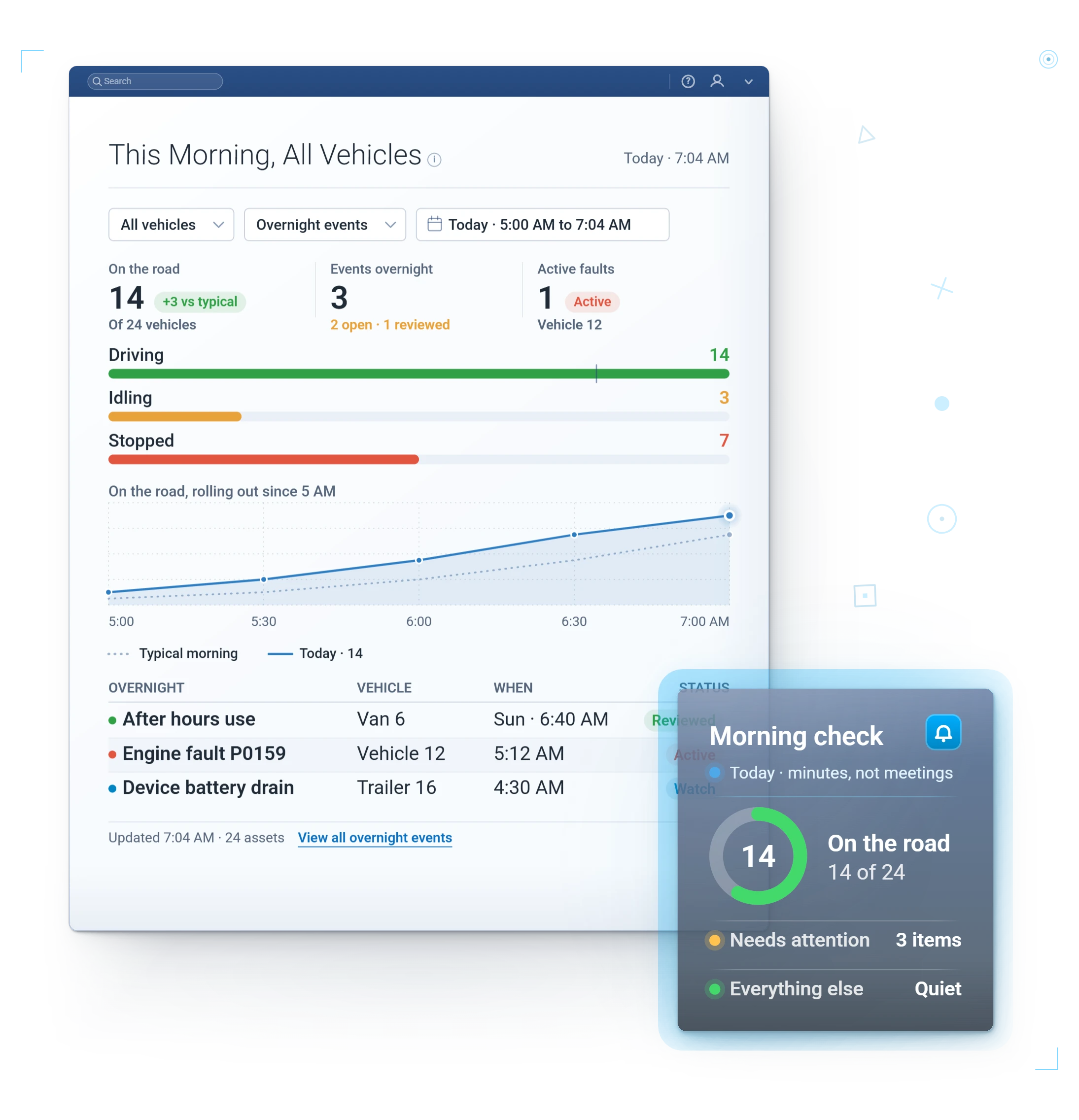
MyGeotab screen: Morning dashboard
Morning dashboard

The fleet at 7 a.m.: who is rolling, who is idling, what needs attention.

All-in-one platform
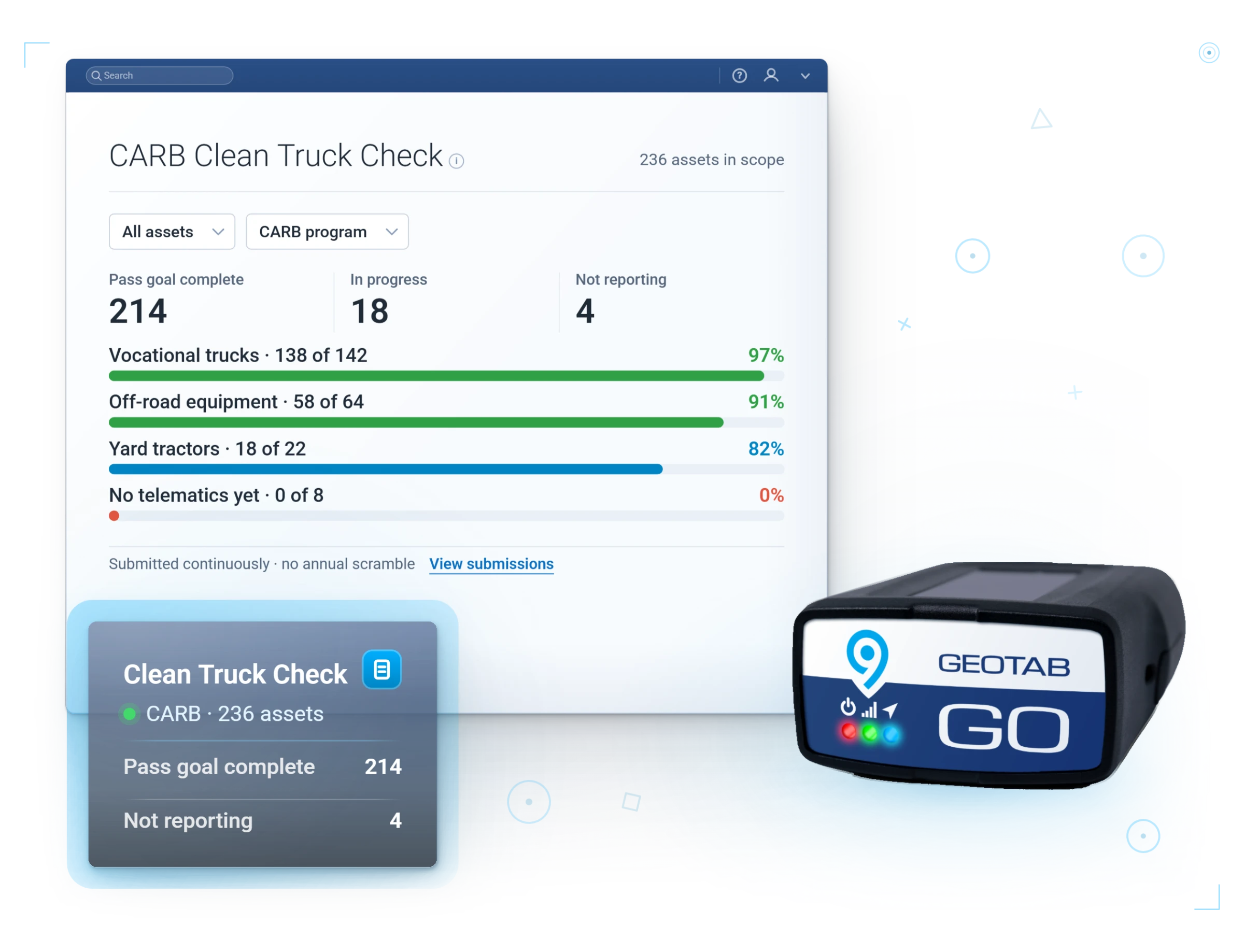
CARB Clean Truck Check · pass counts across 236 assets, with the Geotab GO9
CARB Clean Truck Check

Pass status across the fleet, ready when the submission window opens.

CARB compliance
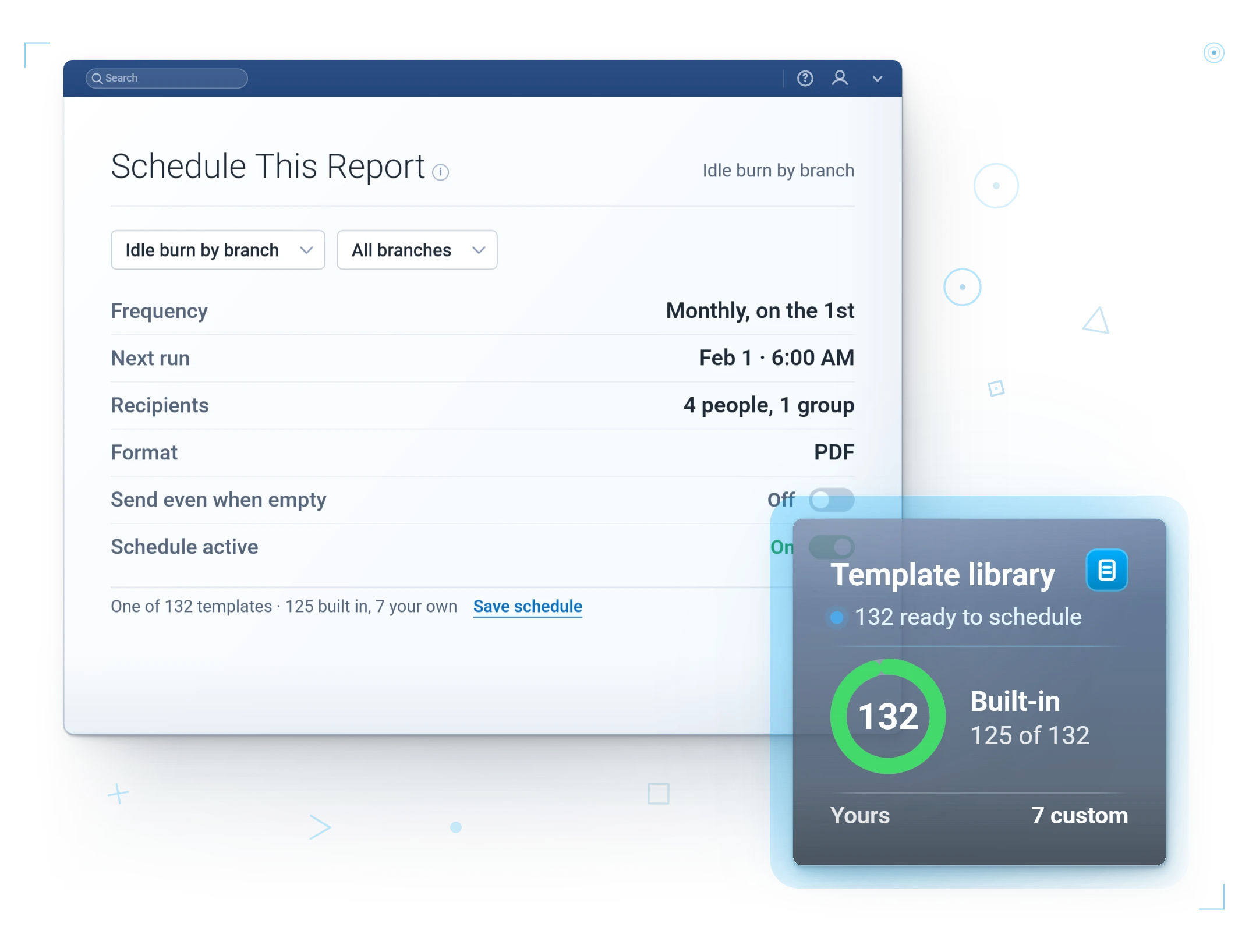
Scheduled reports · schedule and coverage
Scheduled report setup

Cadence, recipients, and coverage set once.

Scheduled reports
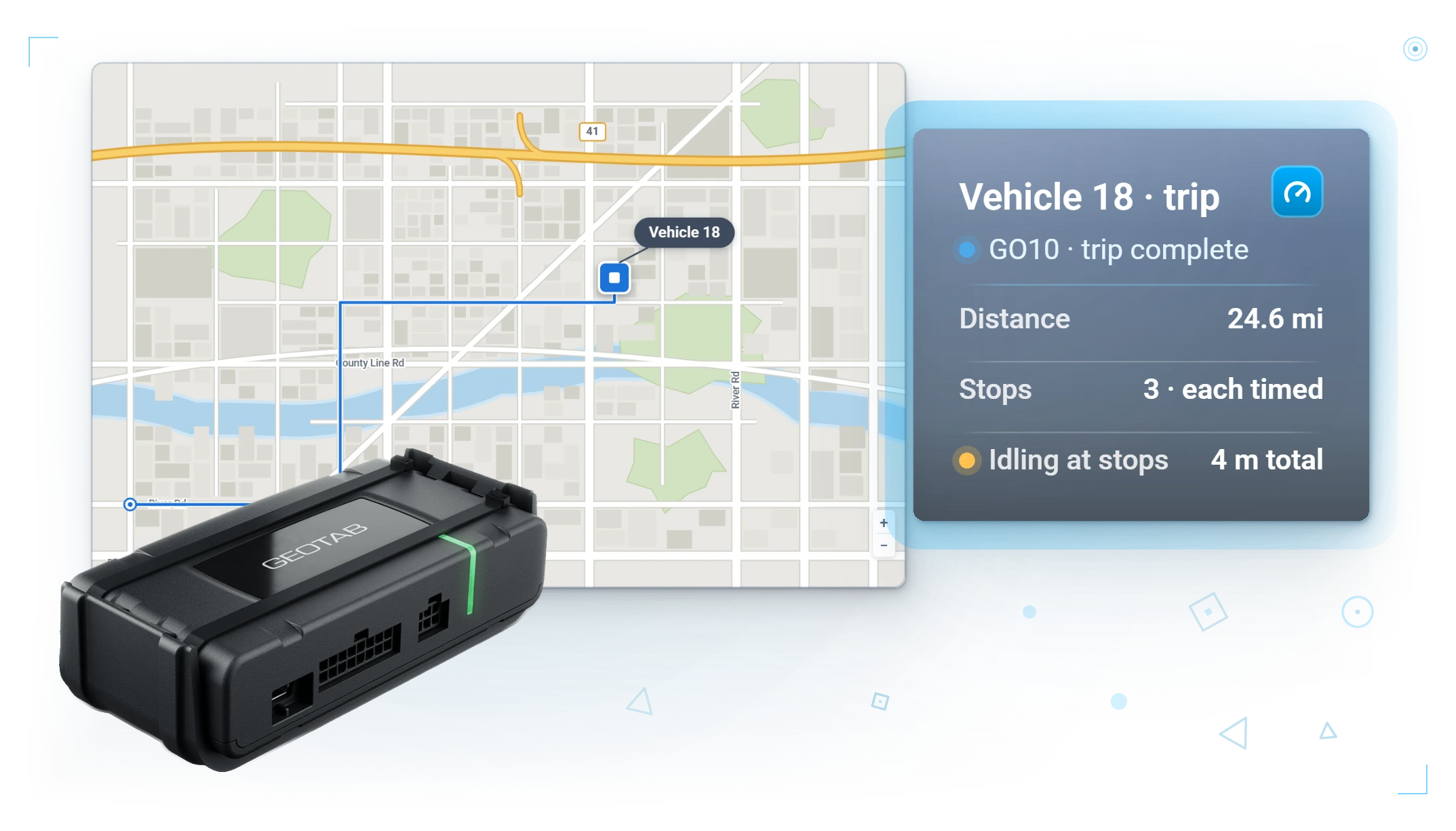
GO10 trip record: the route on the map with distance, timed stops and idling logged
Trip route replay

Every stop in order, stamped as it happened.

Vehicle tracking
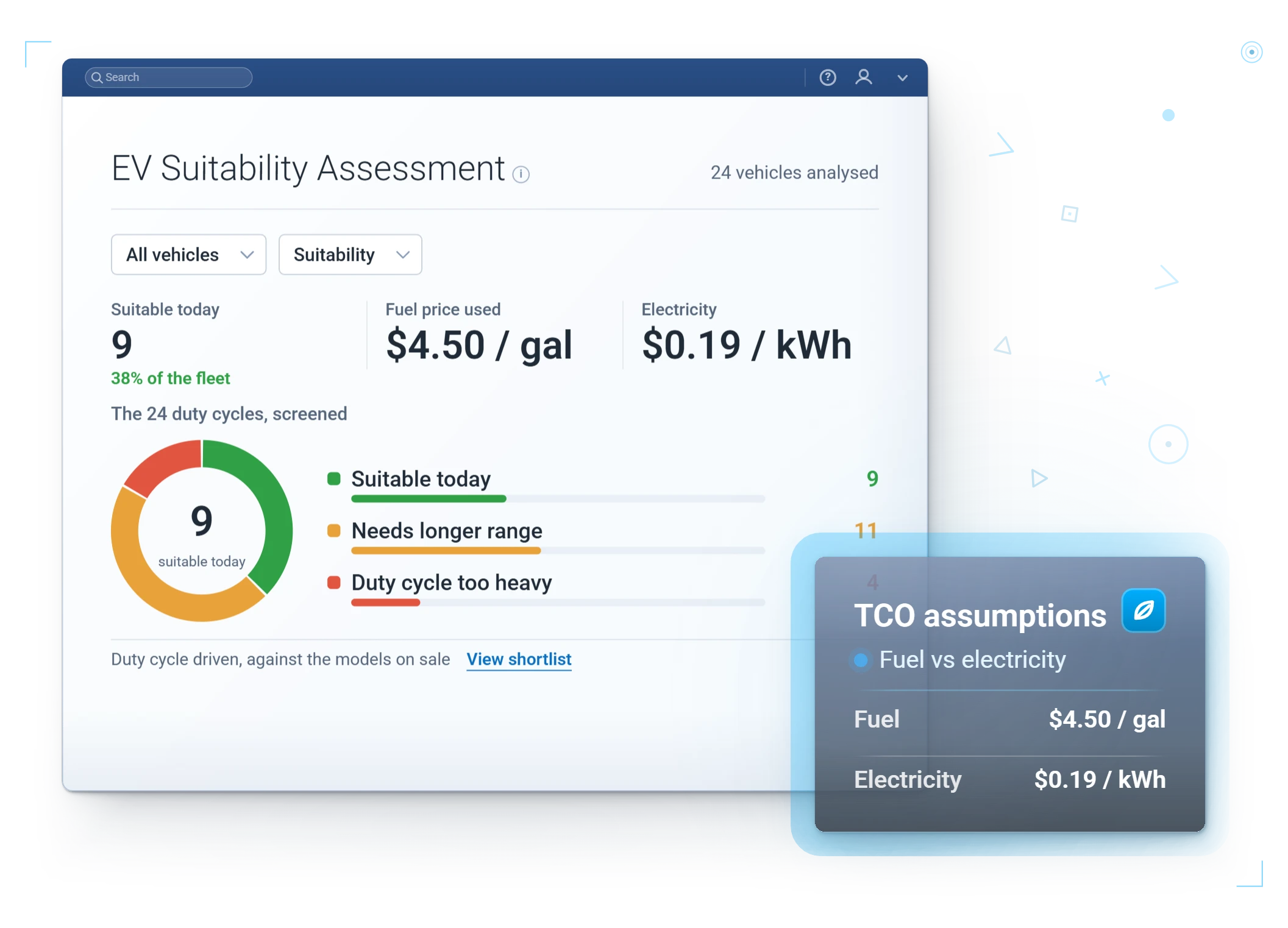
EV Suitability Assessment · pass and fail per vehicle
EV suitability

Which vehicles can go electric today, on your own duty cycles.

Electrification
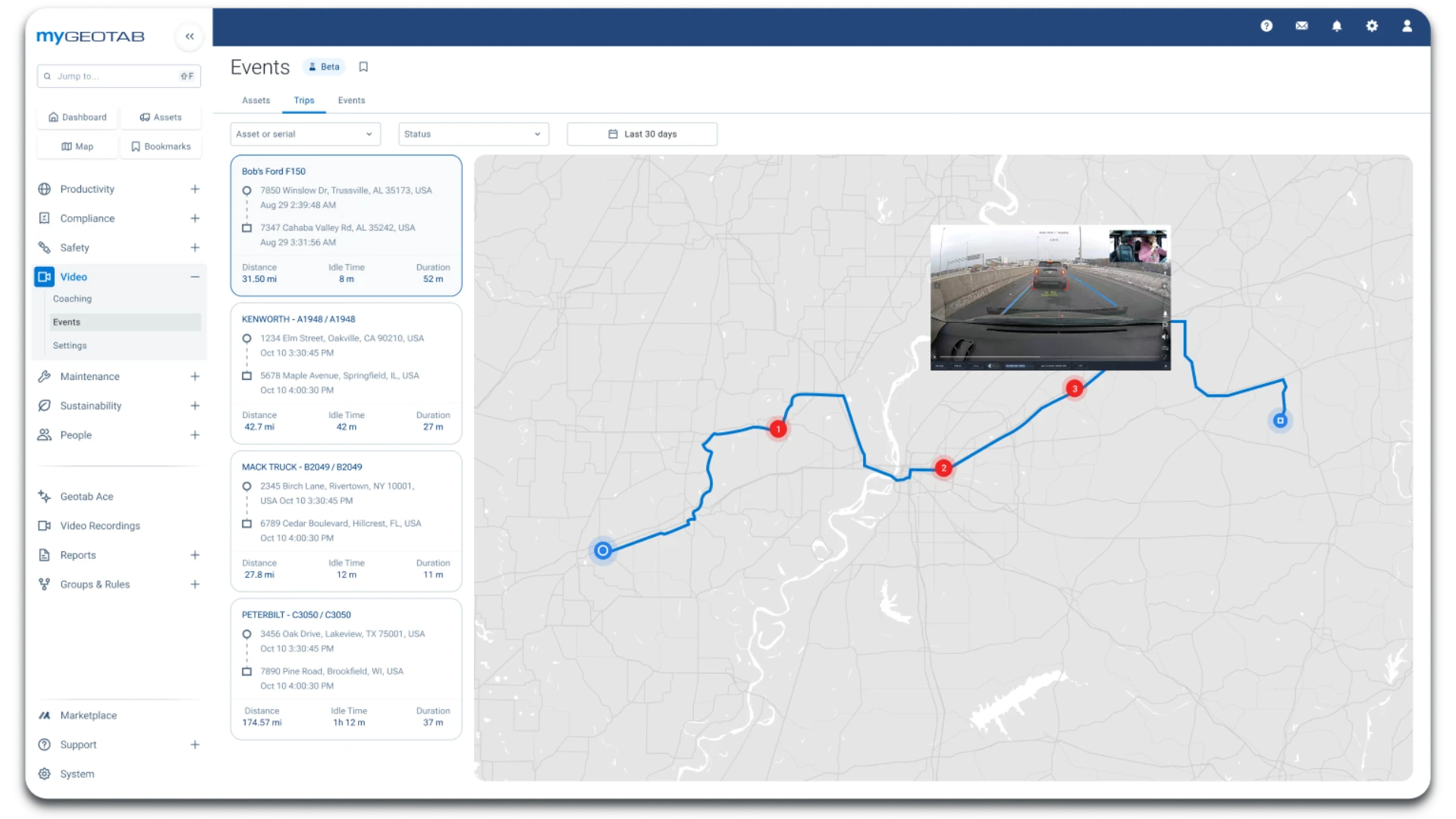
MyGeotab Video Events: trips listed with distance, idle time and duration beside a route map, with a flagged dual-facing clip opened on the trip
Video events on the trip map

A flagged dual-facing clip, opened on the trip that produced it.

GO Focus Plus

Tracking & Dispatch

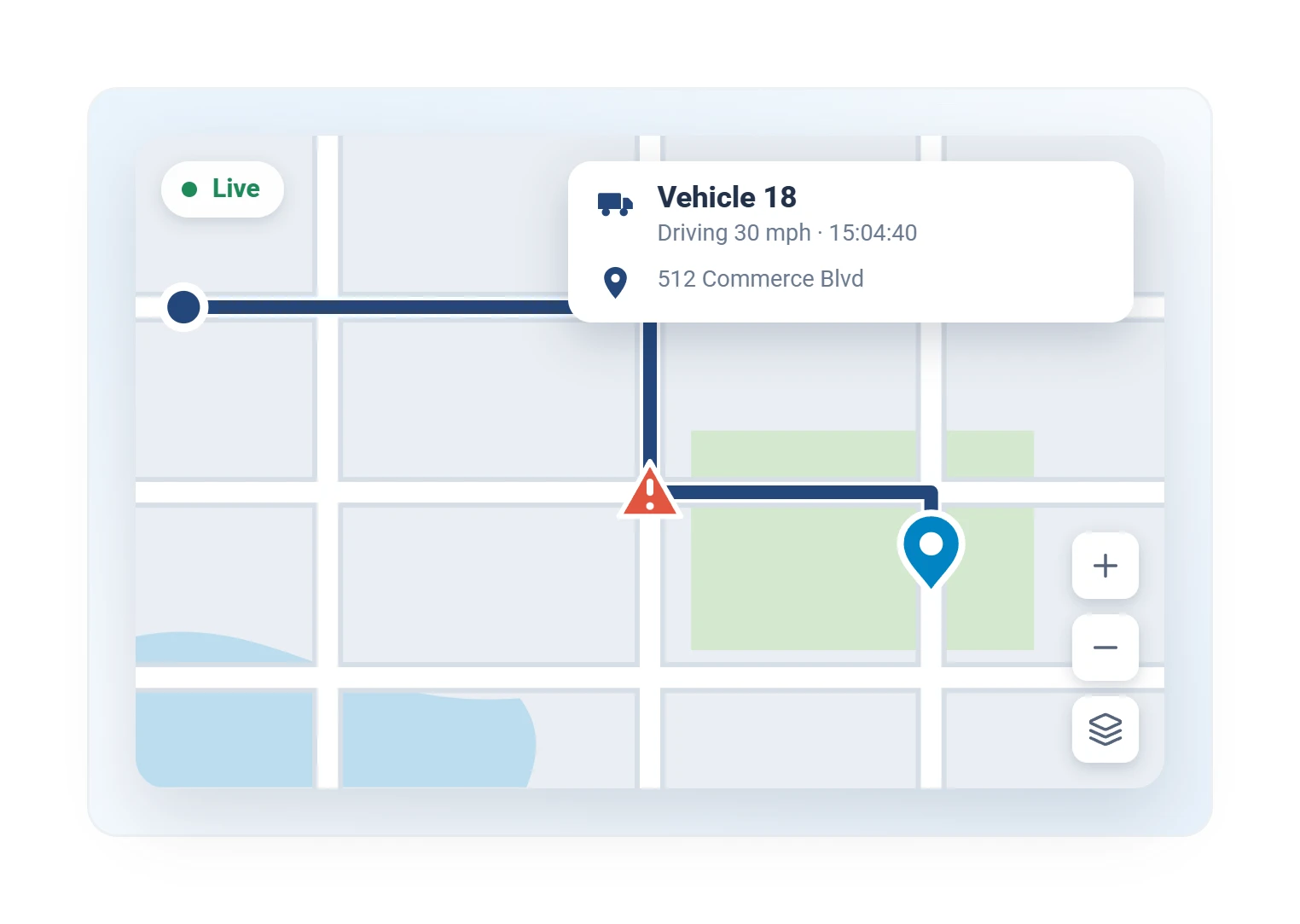
Geotab live tracking map with a vehicle callout showing speed and current street address
Live map

Every vehicle, speed, and street-level position.

Vehicle tracking
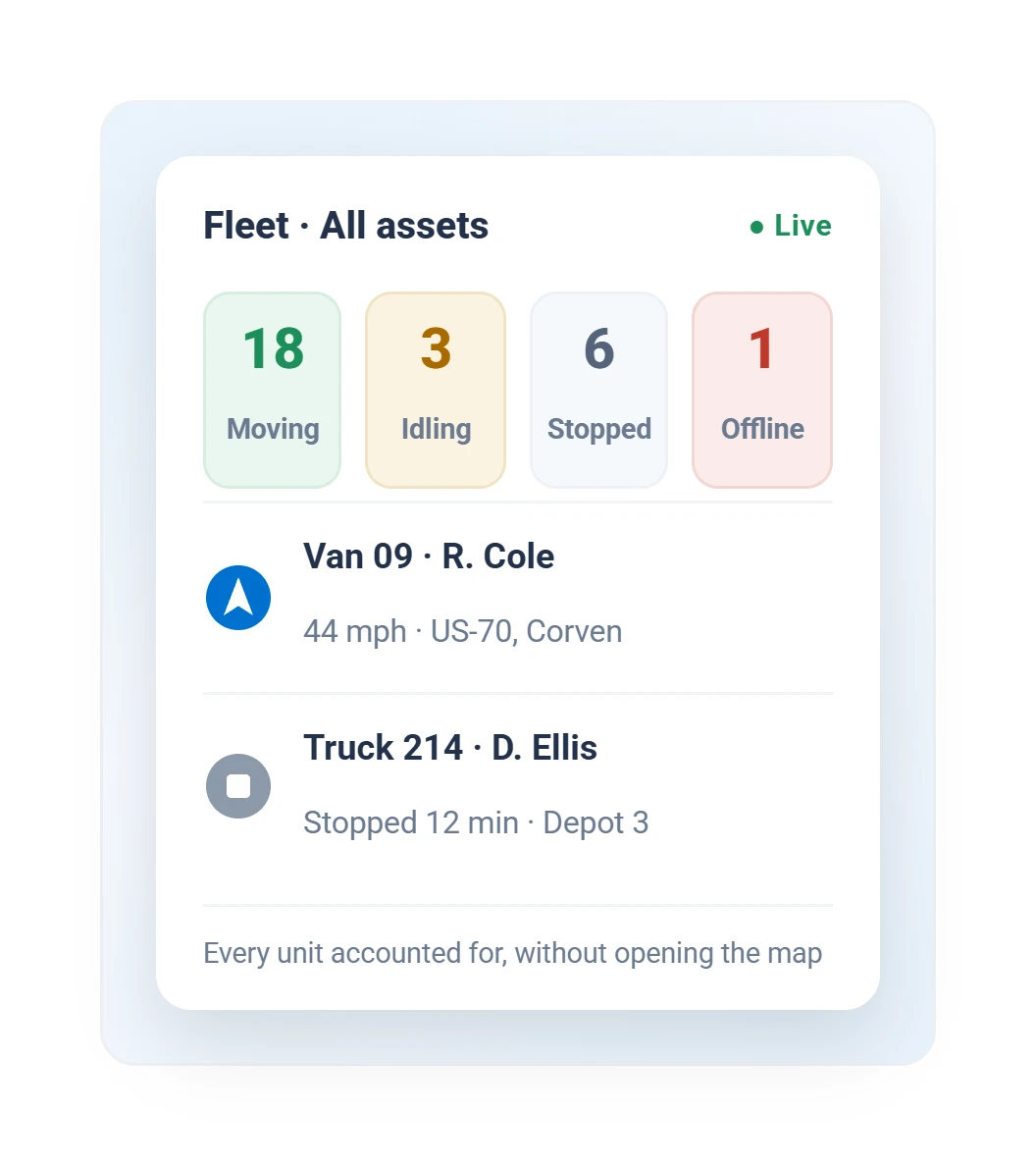
Geotab live fleet status board showing driving, idling, stopped, and unaccounted vehicle counts
Live fleet status board

Every unit accounted for, without opening the map.
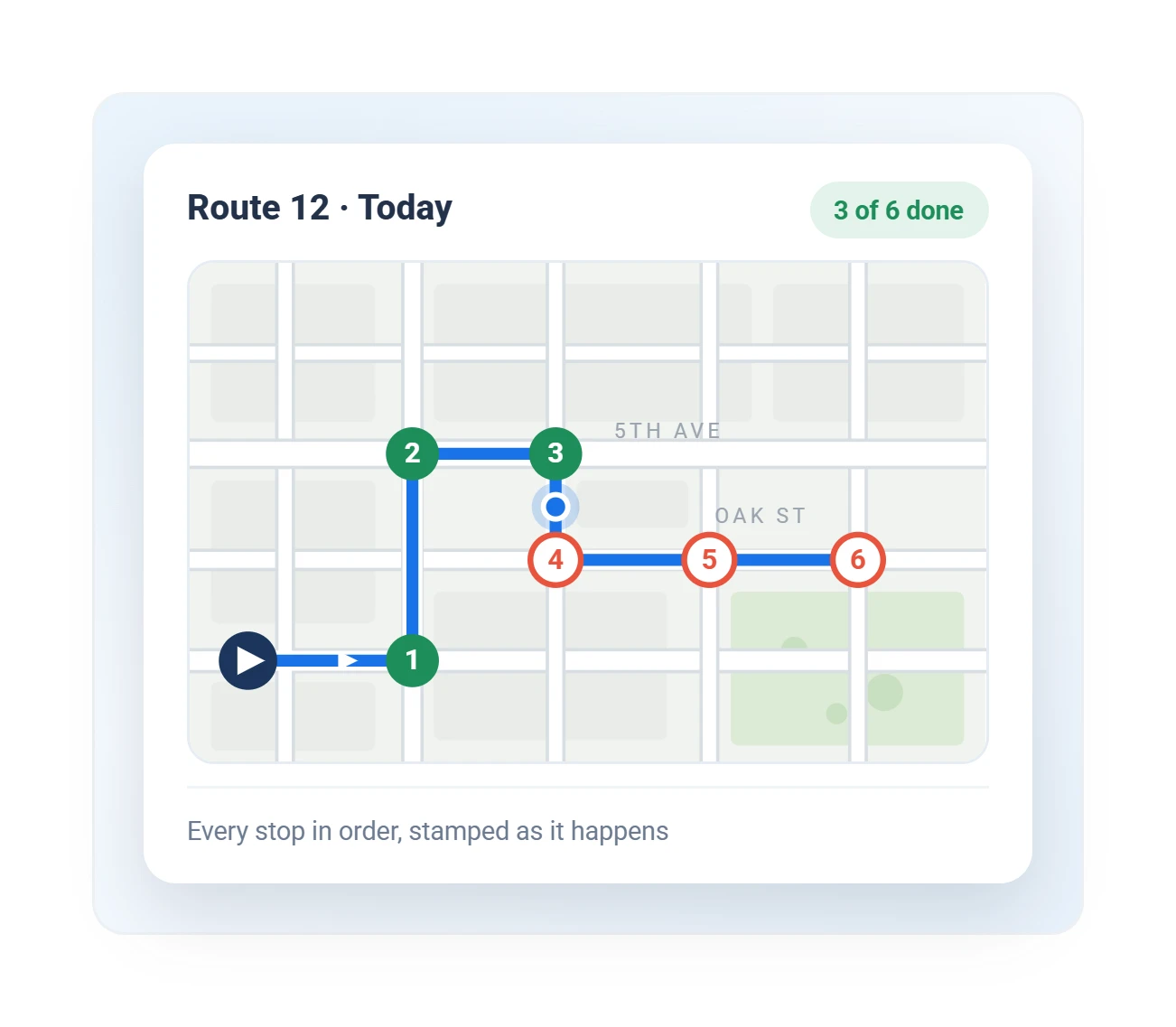
Geotab route map with numbered stops, three completed and three remaining, tracked in order on today’s route
Route and stops

Every stop in order, stamped as it happens.
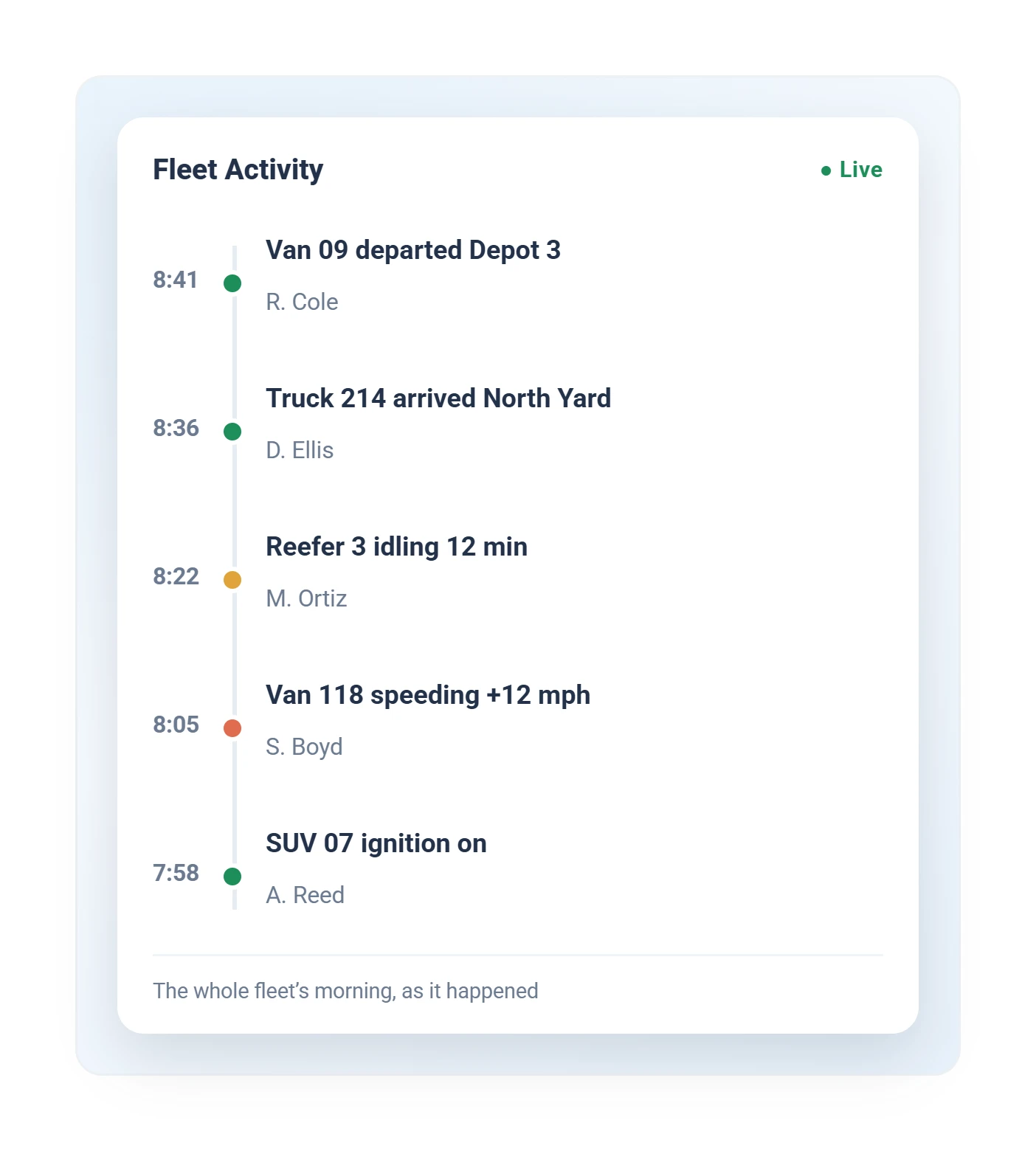
Geotab live fleet activity feed listing departures, arrivals, idling, and speeding events by time
Live activity feed

The whole fleet's morning, as it happened.
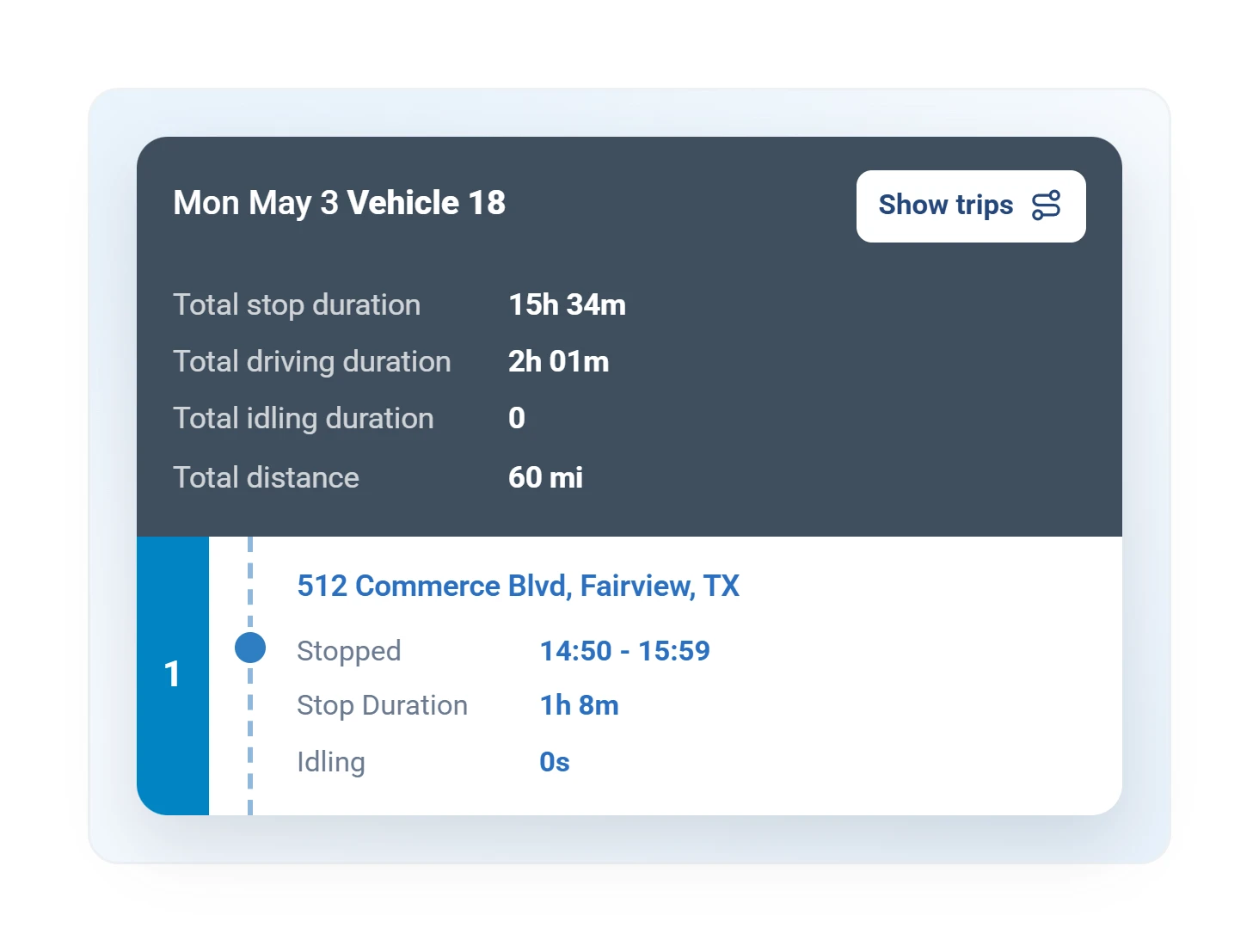
Geotab trip history summary with stop duration, driving time, idling, and distance for one vehicle
Trip history

Every trip replayable: stops, duration, idling, distance.
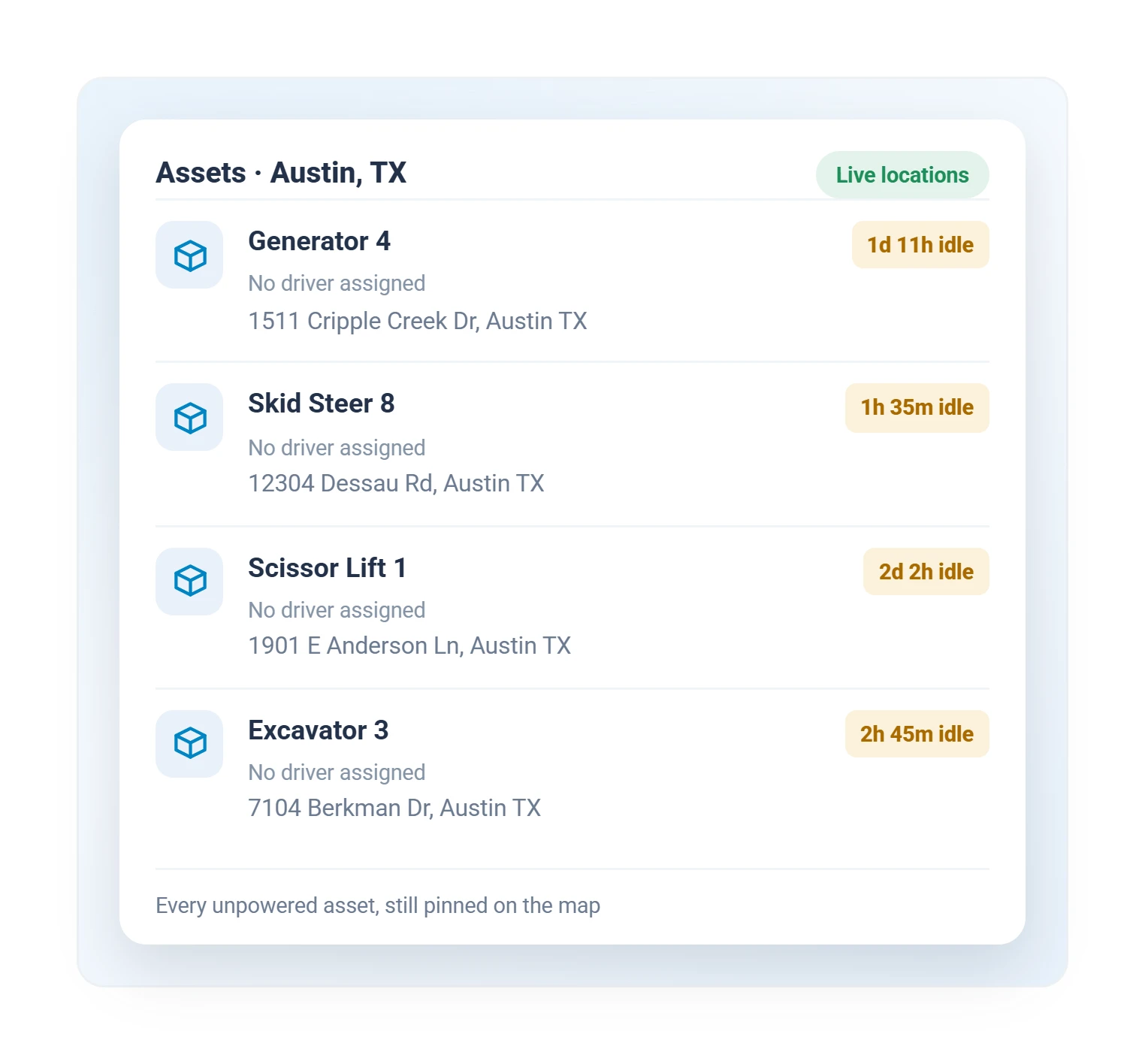
Geotab asset tracking list showing equipment locations and idle time in Austin, Texas
Asset locations

Every unpowered asset, pinned with its idle time.

Asset tracking

Safety & Coaching

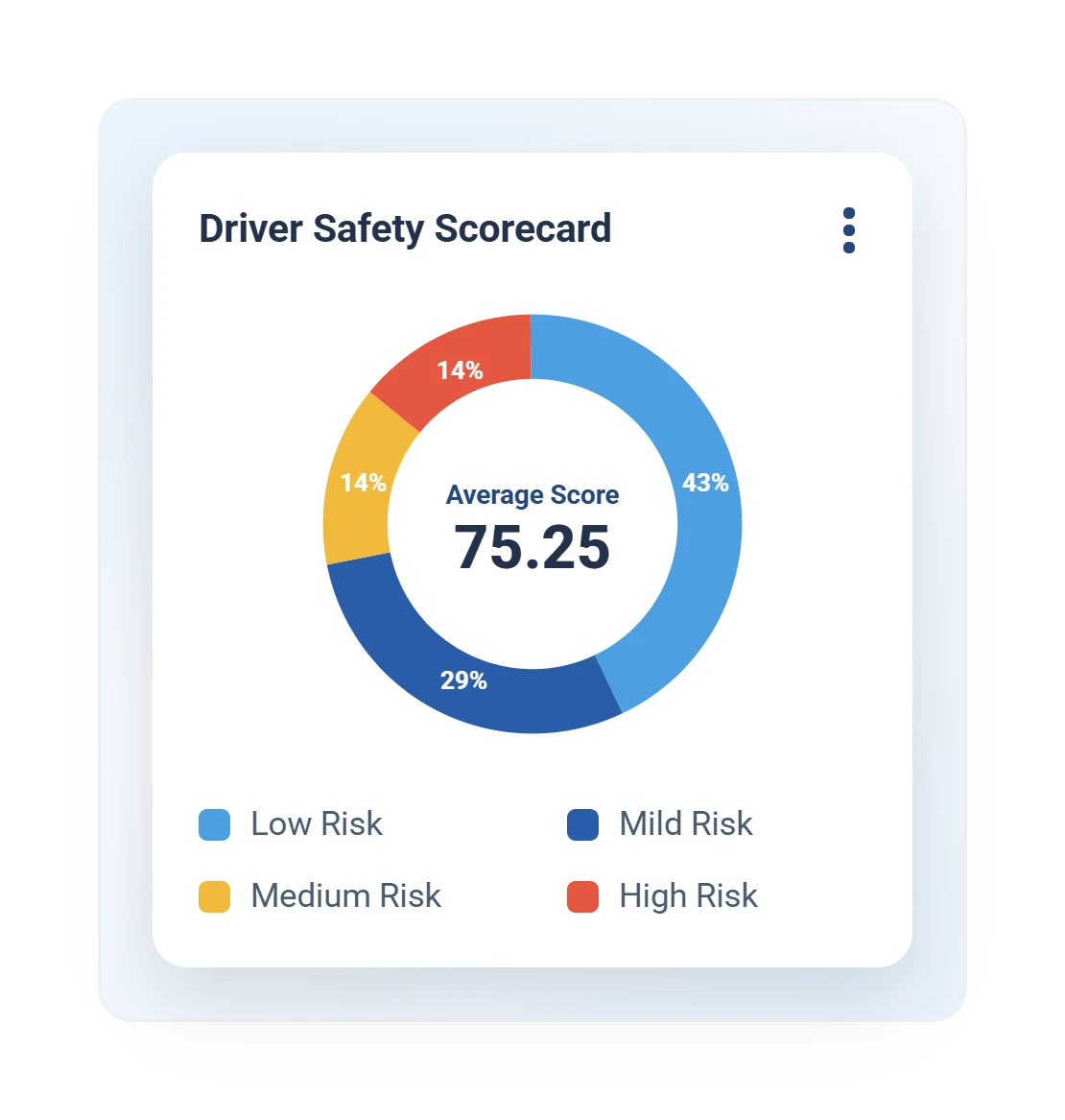
Geotab driver safety scorecard donut chart breaking down the fleet safety score by event type
Driver safety scorecard

One score per driver, from the events that predict risk.

Driver safety
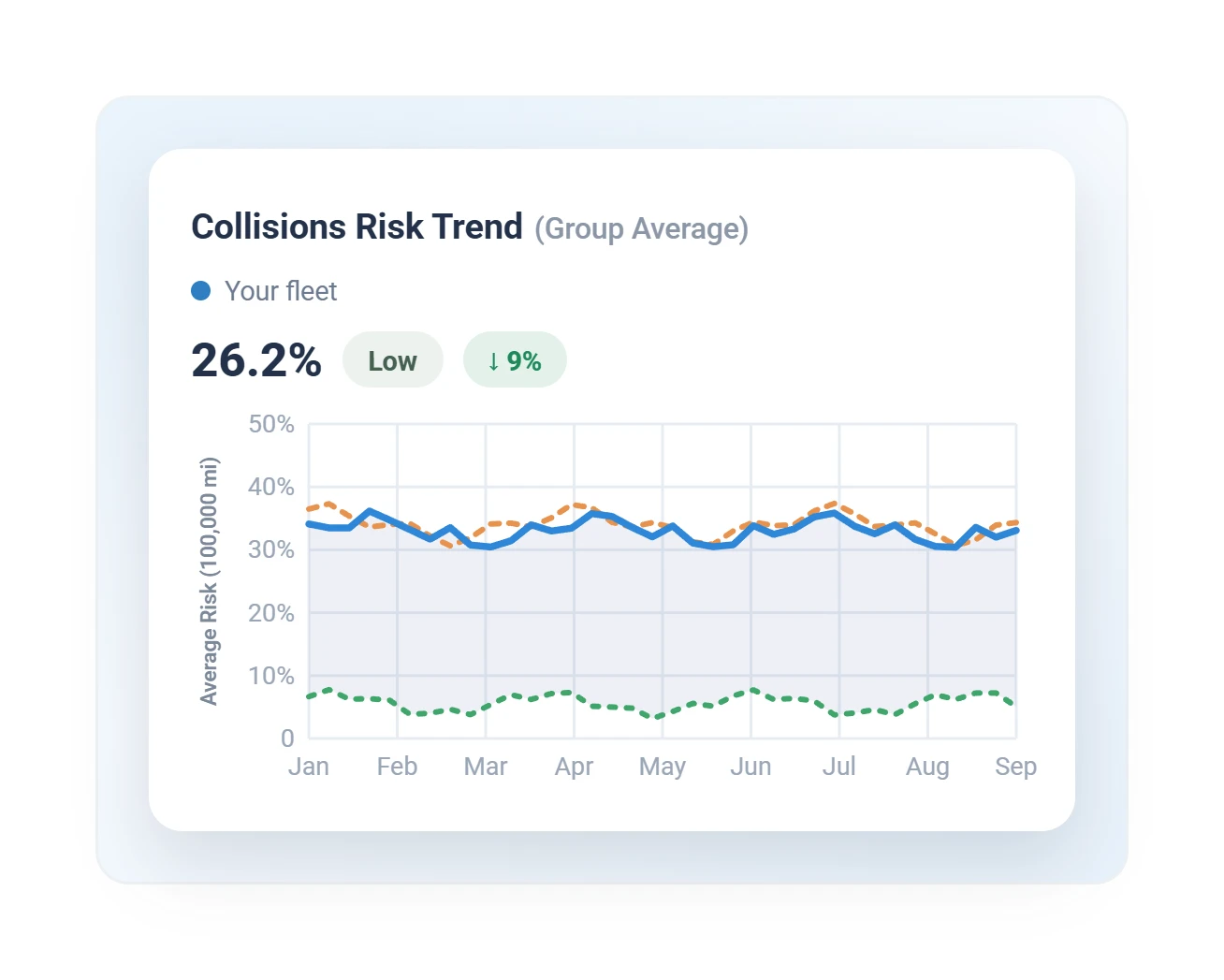
Geotab collision risk trend line chart showing fleet risk falling against the group average
Collision risk trend

Watch fleet risk fall as coaching takes hold.

Predictive safety
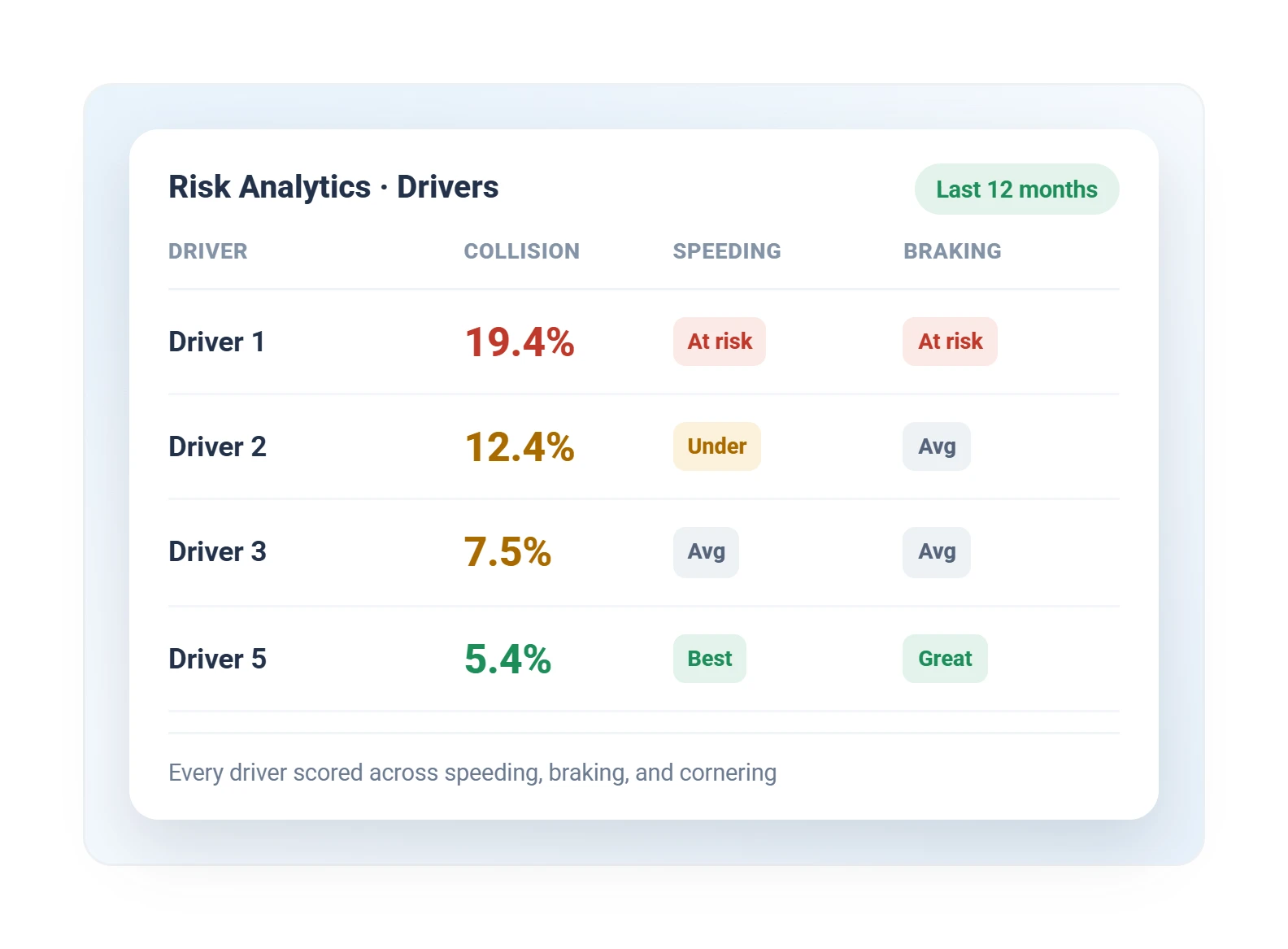
Geotab risk analytics table showing predicted collision risk, speeding, and braking rating per driver
Collision risk by driver

Who is trending toward an incident.

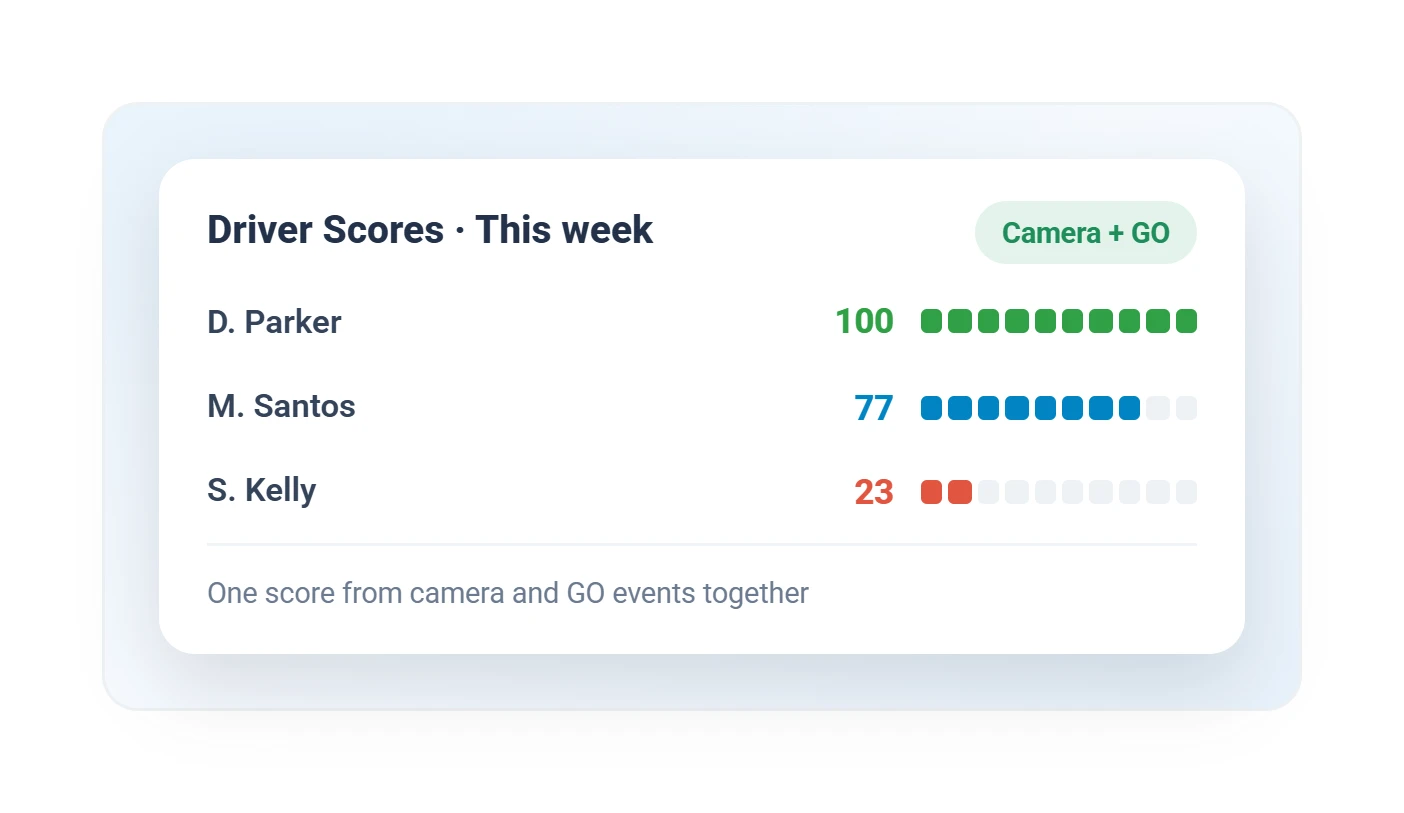
Geotab weekly driver safety scores list combining dash camera and GO telematics events
Driver scores

Camera and tracker events, one score per driver.
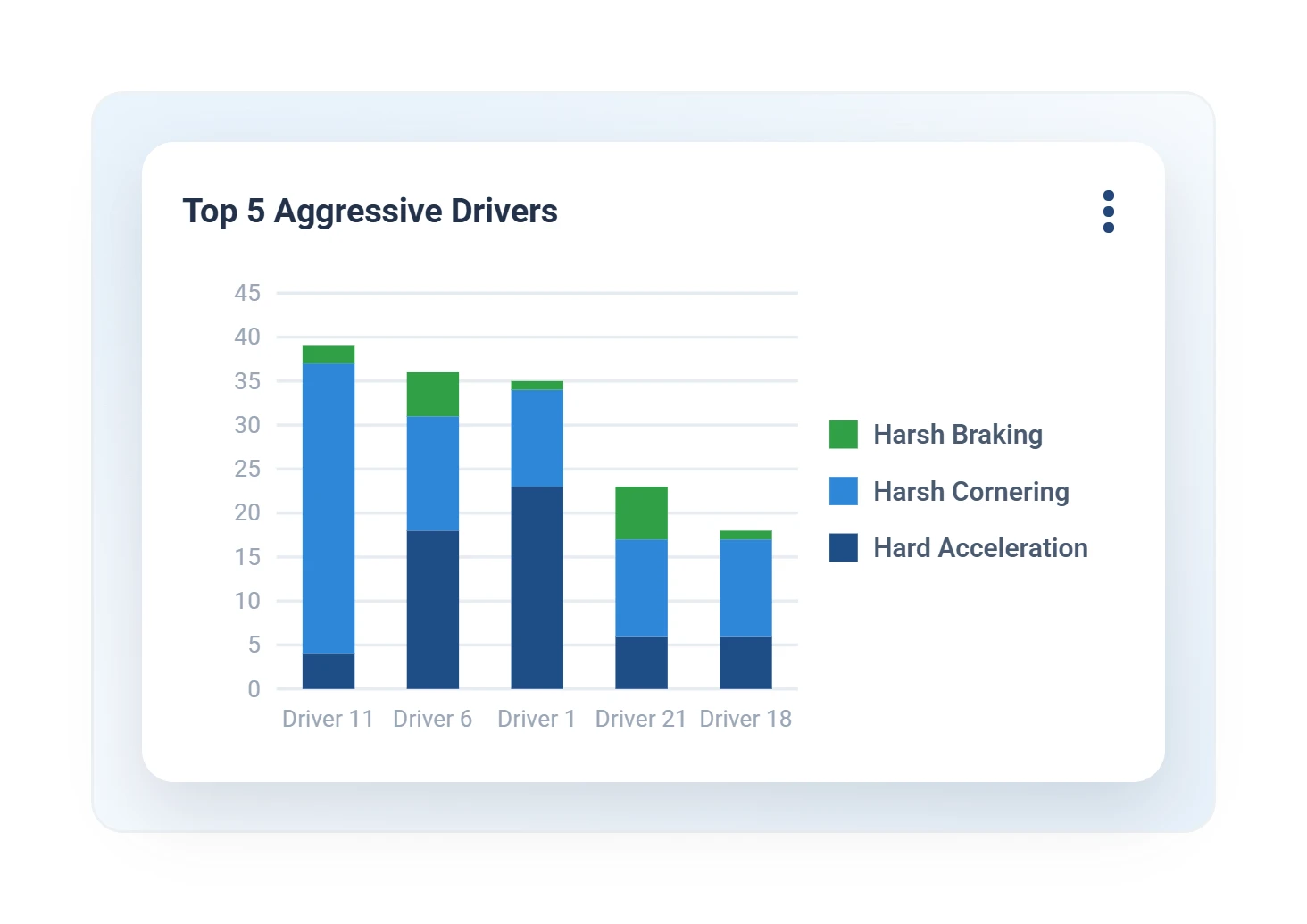
Geotab top aggressive drivers chart stacking harsh braking, harsh cornering, and hard acceleration events
Aggressive driving

Harsh braking, cornering, and acceleration by driver.
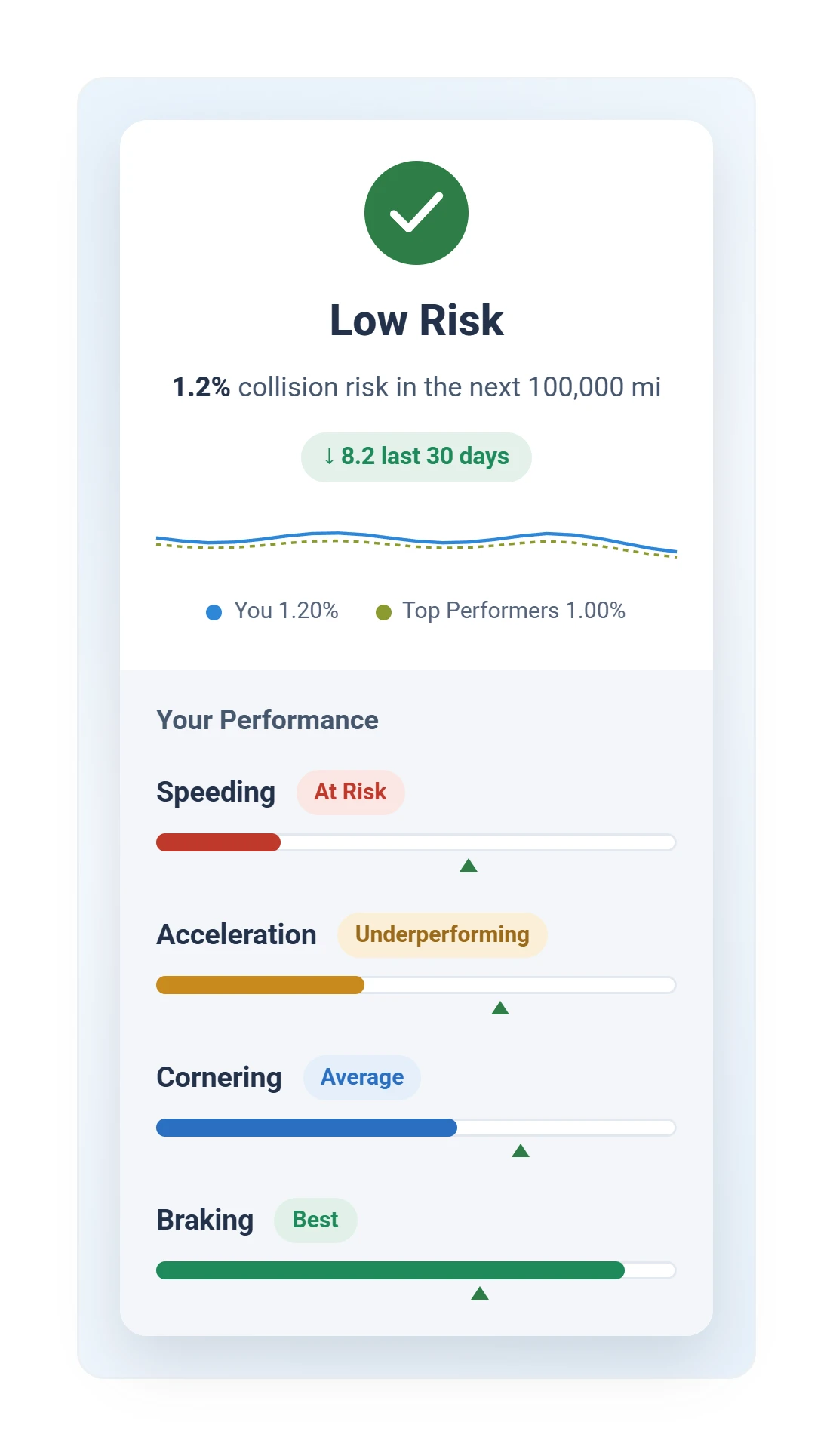
Geotab driver app safety scorecard showing low collision risk and per-behavior performance bars
Driver app: scorecard

Each driver sees their own risk.

Driver app

Alerts & Rules

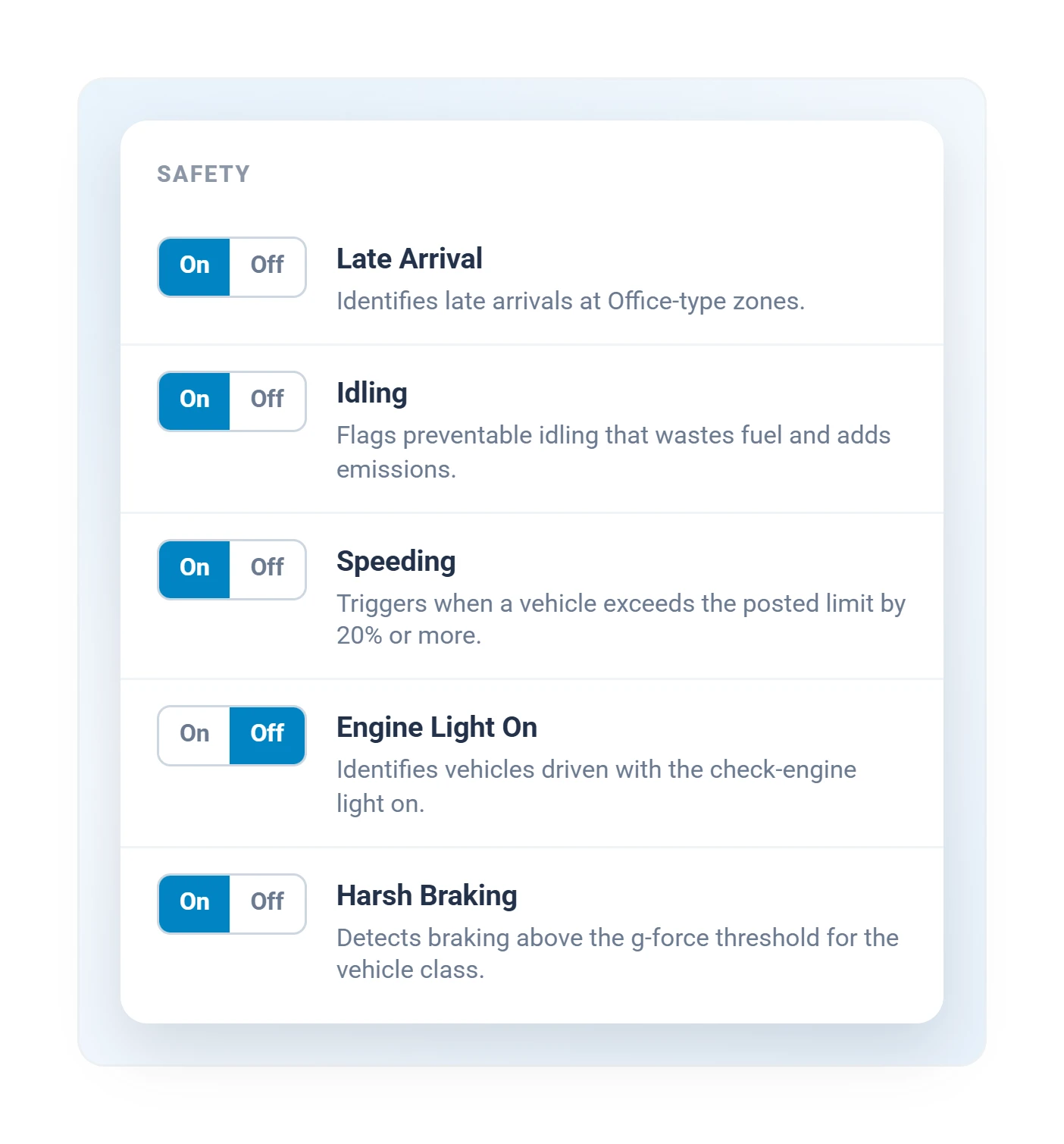
Geotab safety rules settings with on-off toggles for late arrival, idling, speeding, and harsh braking
Safety rules

Each rule set once, enforced around the clock.

Alerts and rules
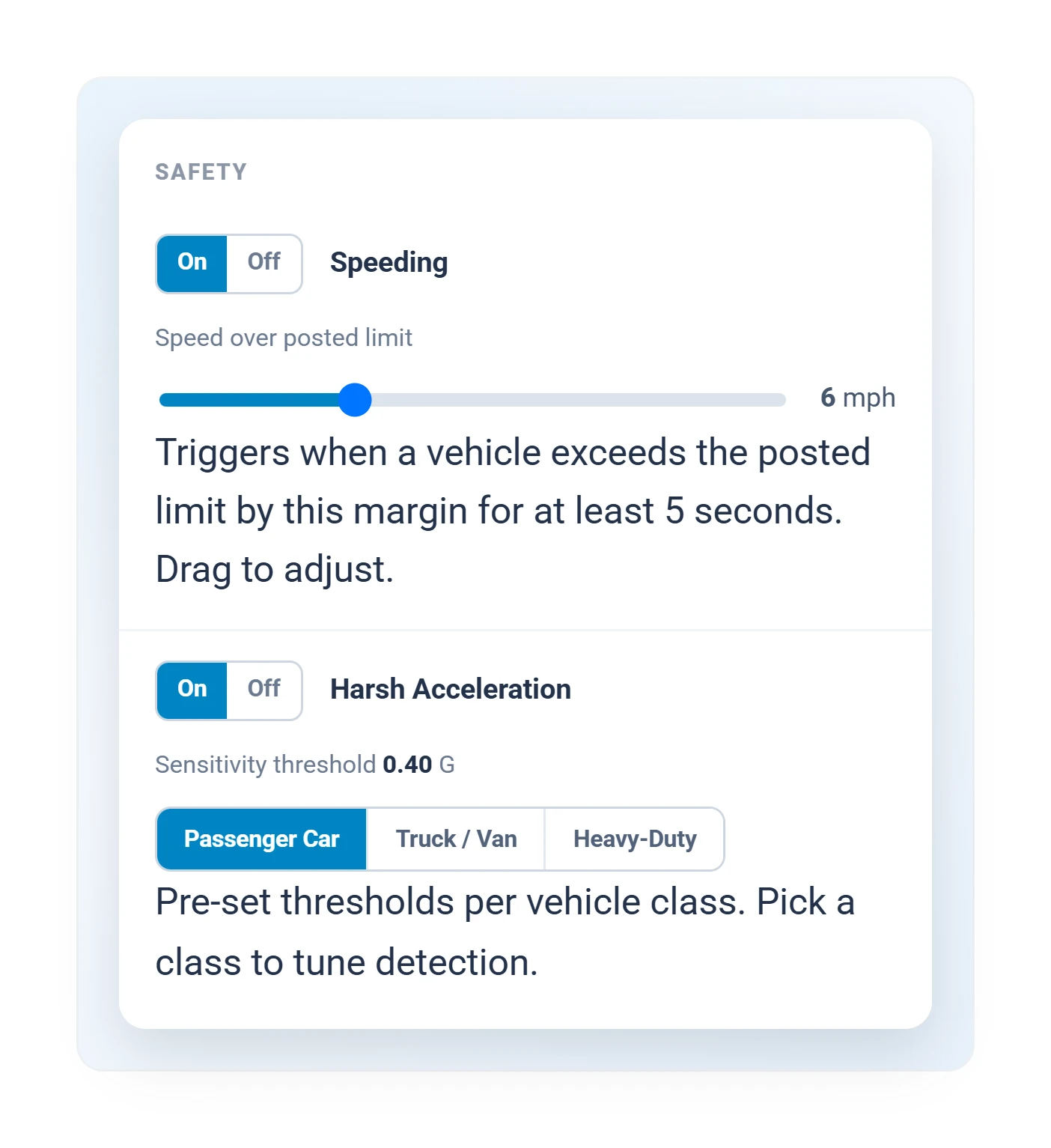
Geotab rule threshold settings with a speeding margin slider and harsh acceleration sensitivity by vehicle class
Detection thresholds

What counts as speeding, tuned per vehicle class.
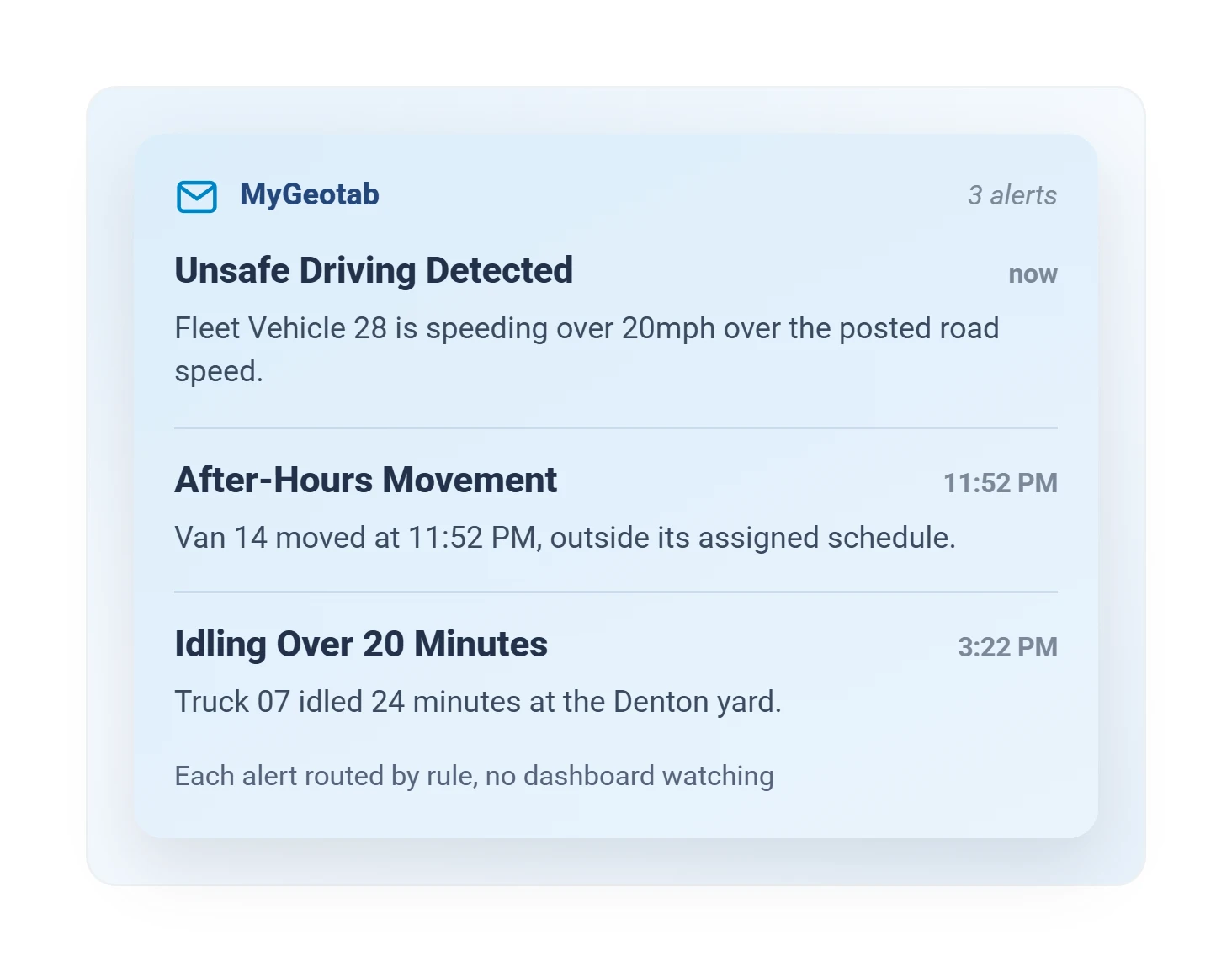
Geotab automated alert emails for unsafe driving, after-hours movement, and excessive idling
Automated alerts

Rule-based emails, so nobody watches a dashboard.
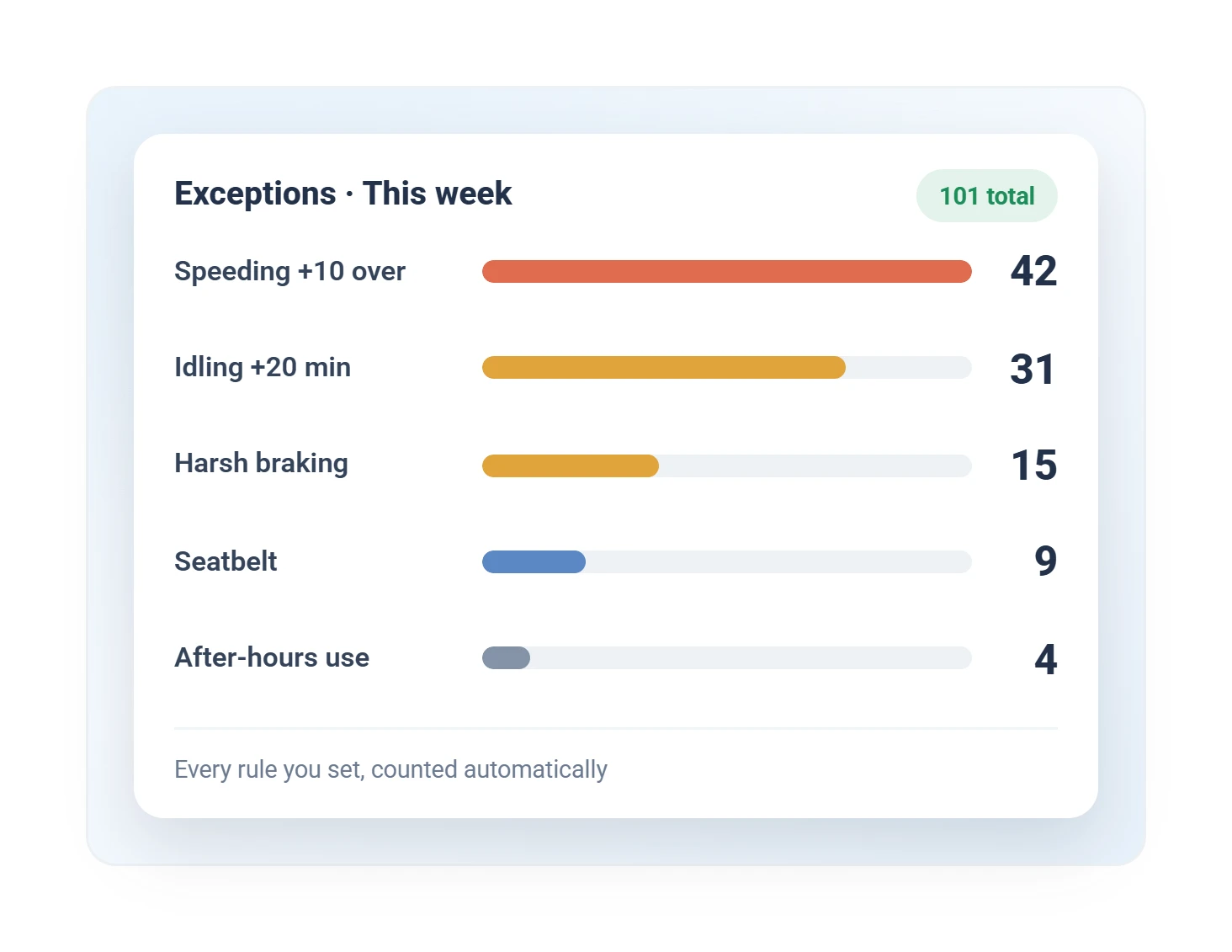
Geotab exceptions report ranking rule violations by count: speeding, idling, harsh braking, seatbelt
Events this week

Every broken rule, counted automatically.

Maintenance & Diagnostics
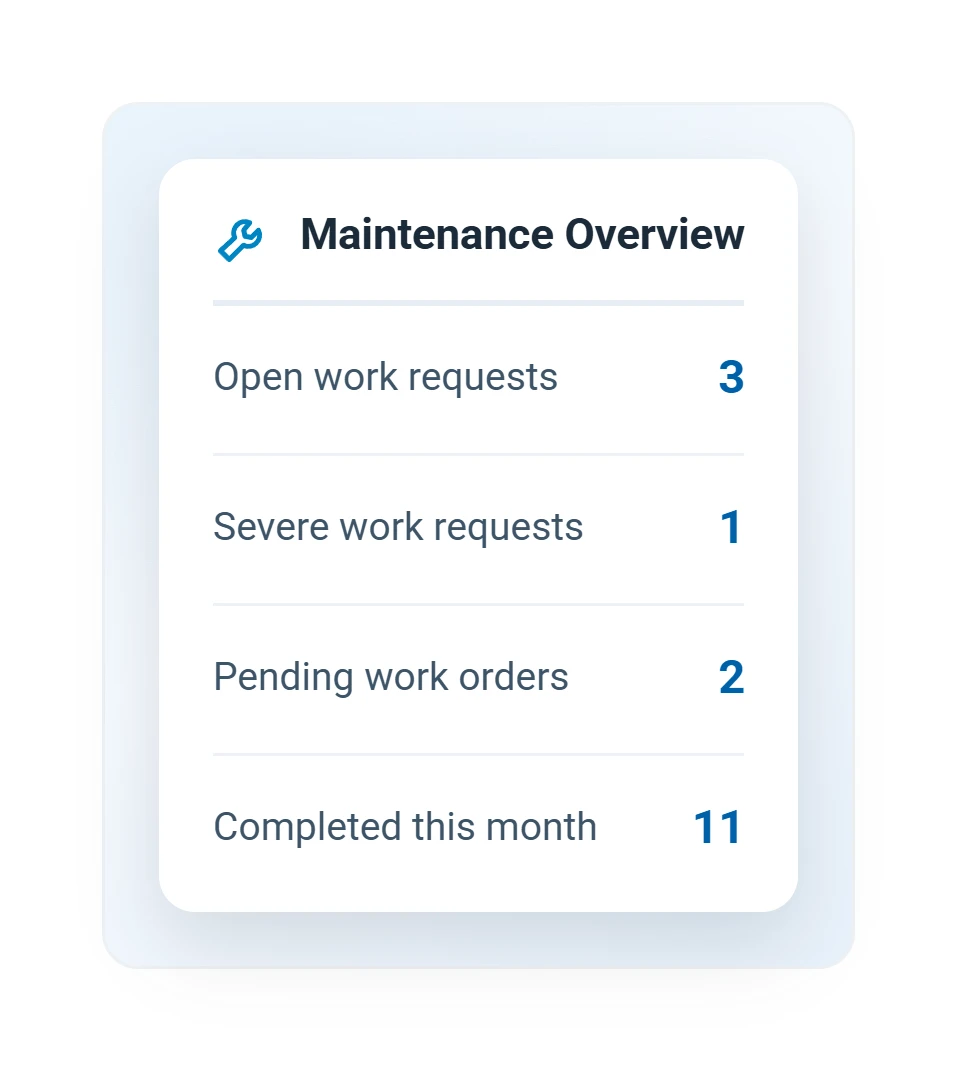
Geotab fleet maintenance overview with open work requests, severe items, and pending work orders
Maintenance overview

Open requests, severe items, pending work orders.

Maintenance
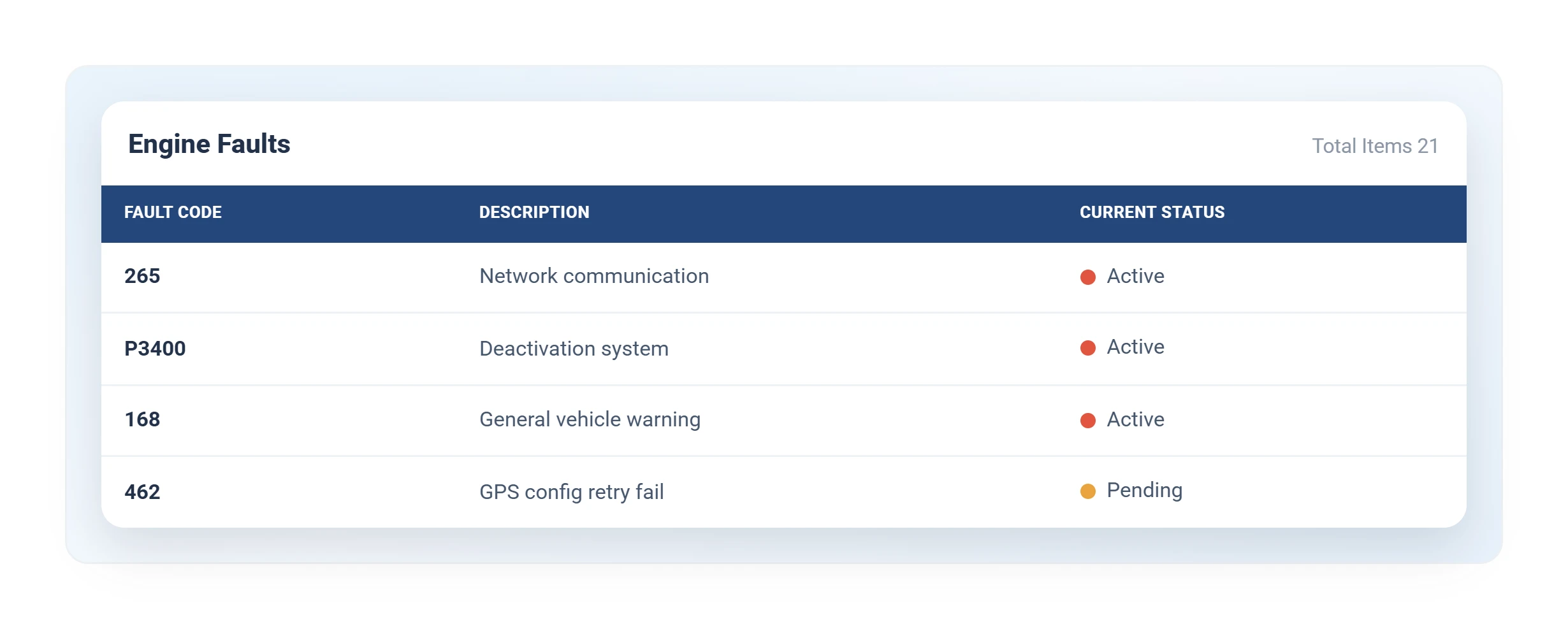
Geotab engine fault code diagnostics table with descriptions and current status
Engine fault codes

Faults straight from the engine, described and prioritized.

Diagnostics
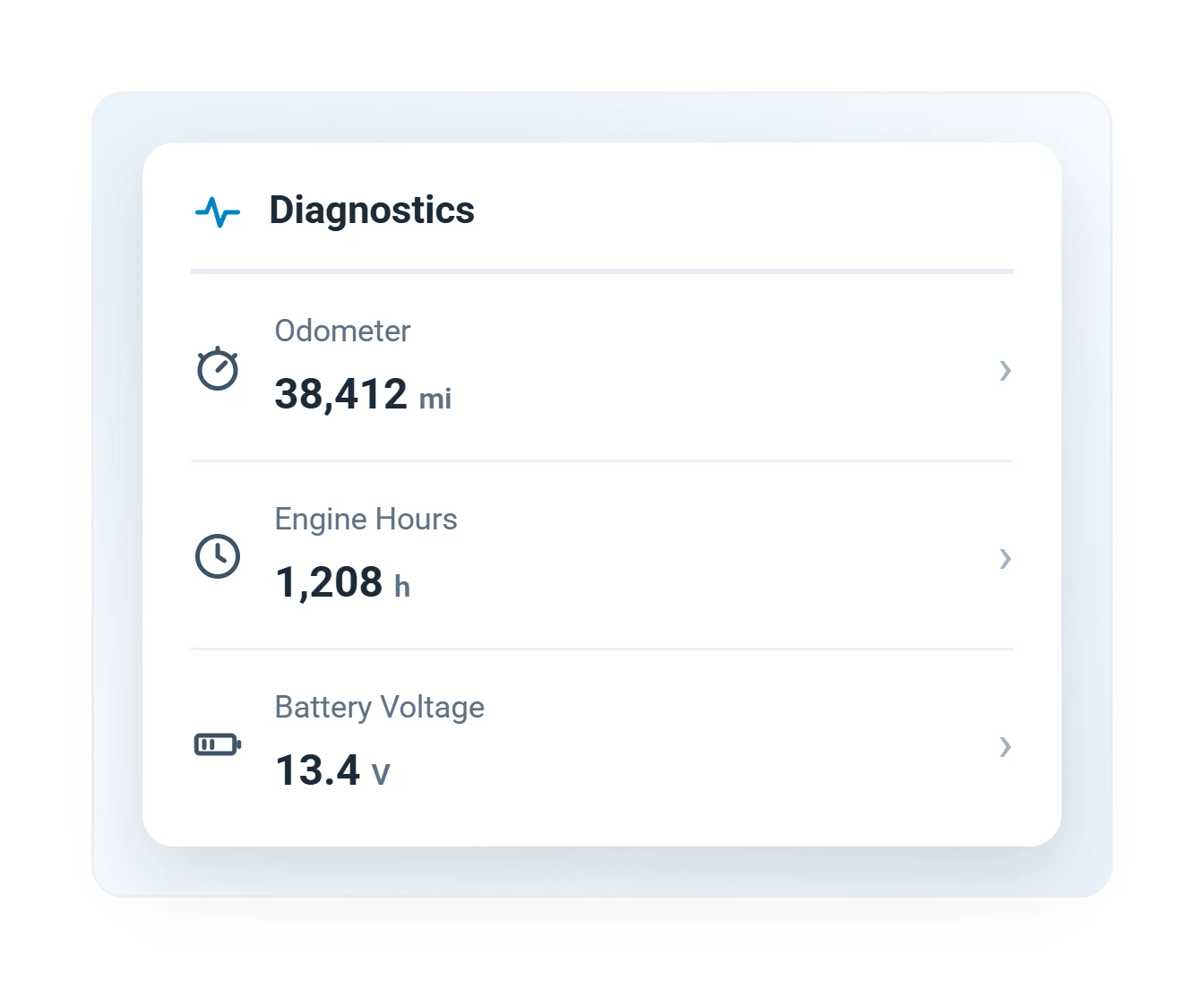
Geotab vehicle diagnostics card with live odometer, engine hours, and battery voltage readings
Vehicle diagnostics

Odometer, engine hours, and battery voltage, live.
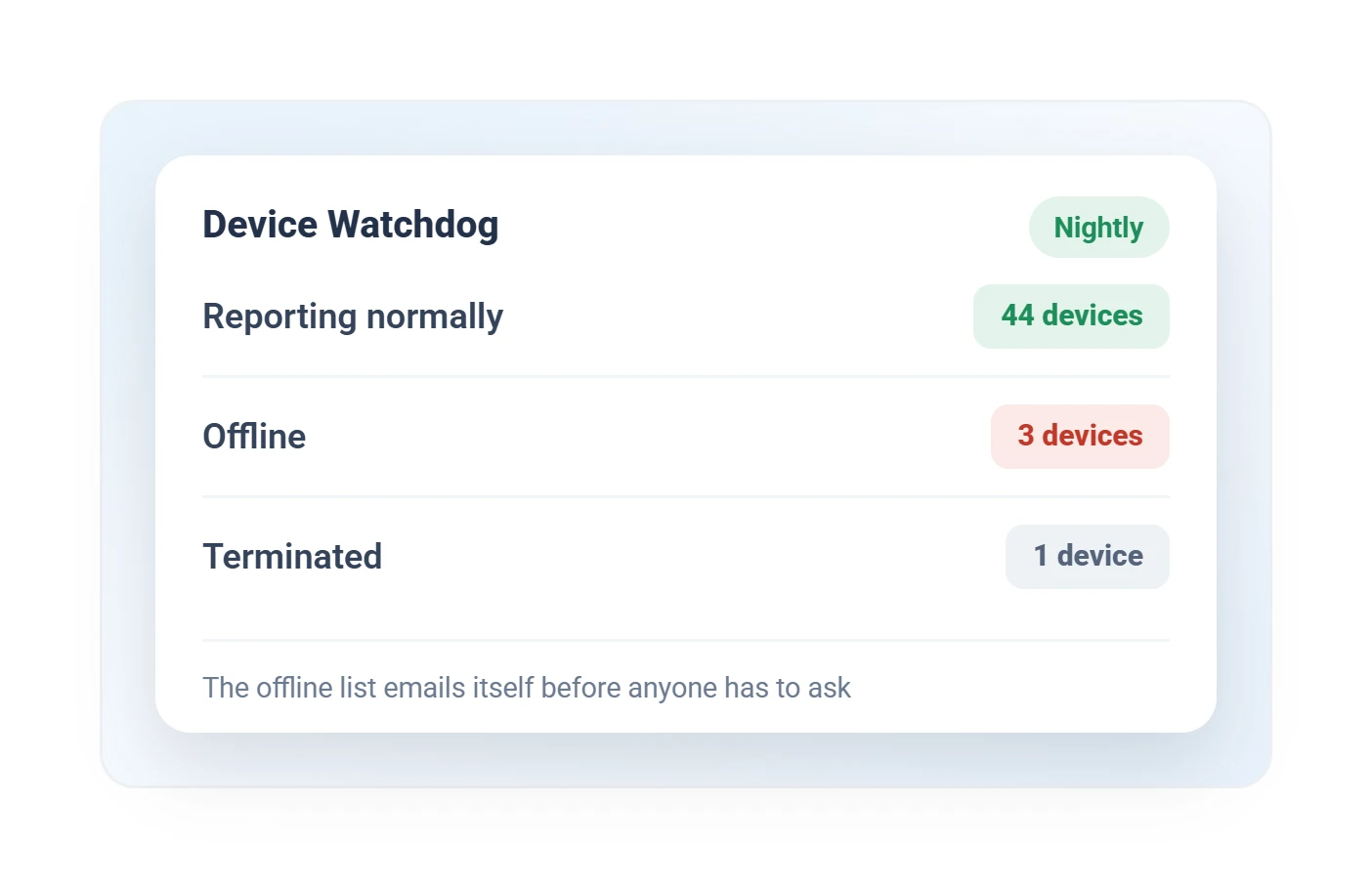
Geotab GO device health monitor showing devices reporting normally, offline, and terminated
Device health

Every tracker reporting, flagged when quiet.

Install support

Every screen above arrives configured for your fleet, not out of the box.

Drivers & Compliance
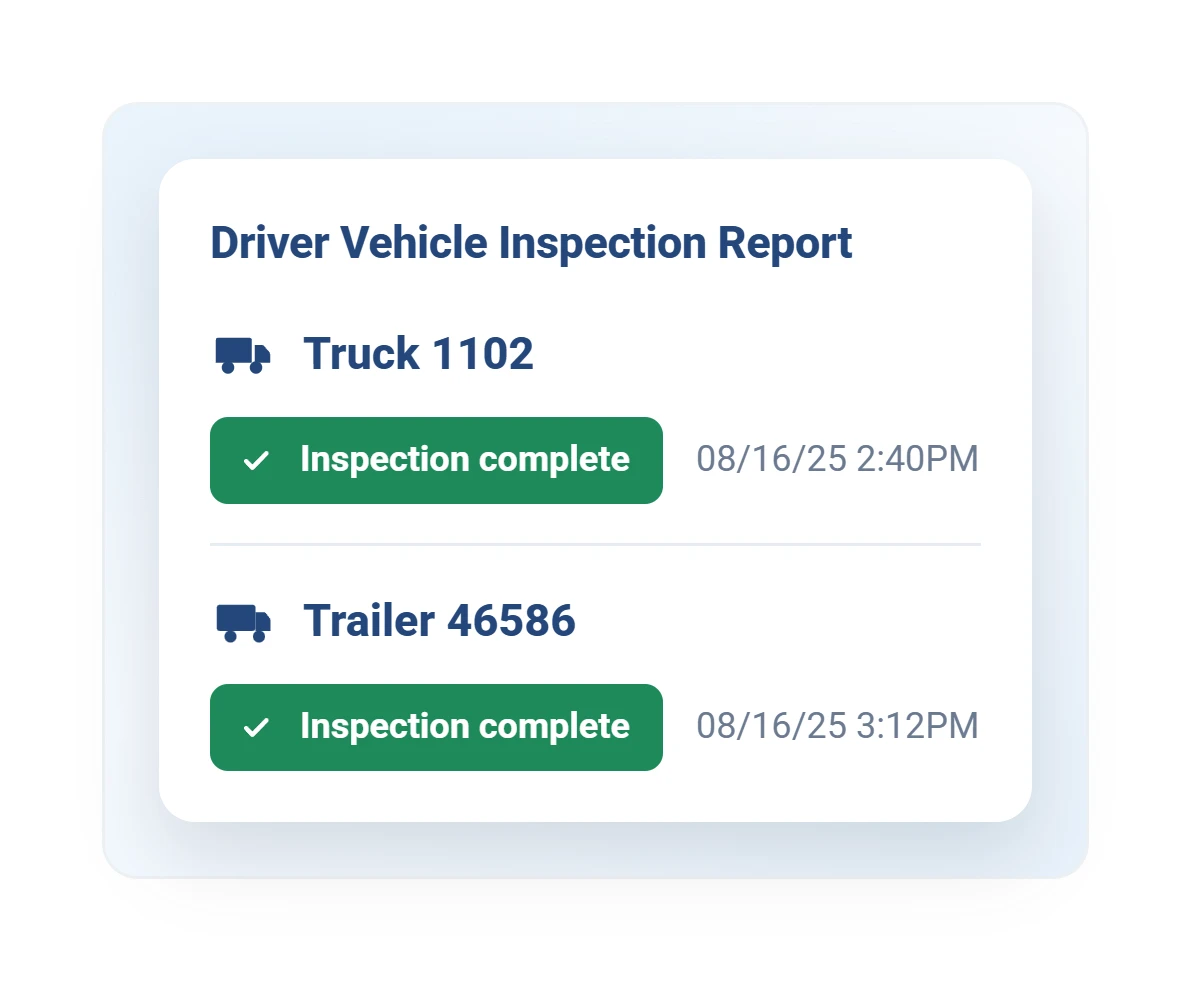
Geotab DVIR driver vehicle inspection report status for truck and trailer
Vehicle inspections

Truck and trailer walkarounds, logged and defect-tracked.

Driver app
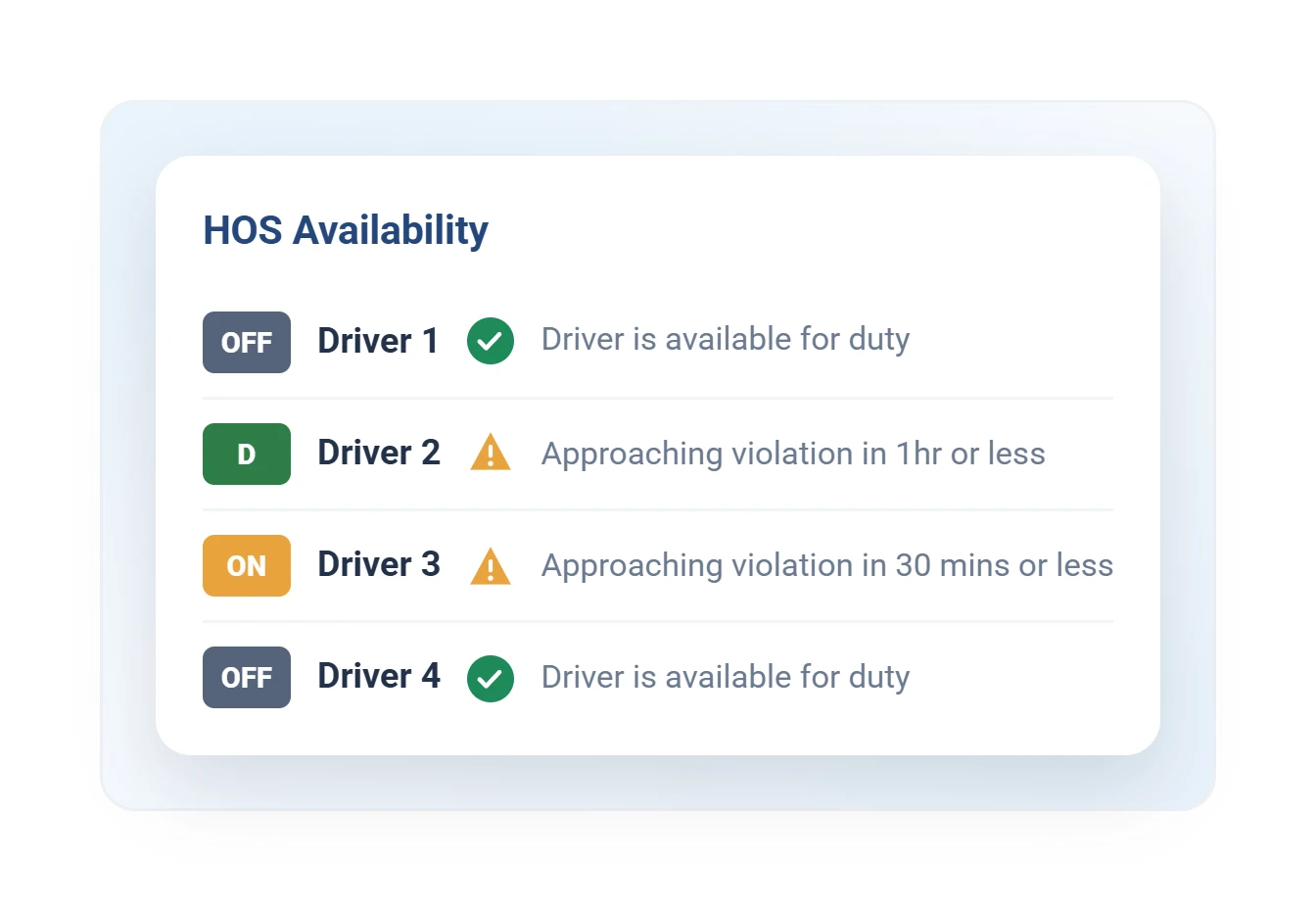
Geotab hours of service availability dashboard by driver
HOS availability

Who can legally drive, and how long.

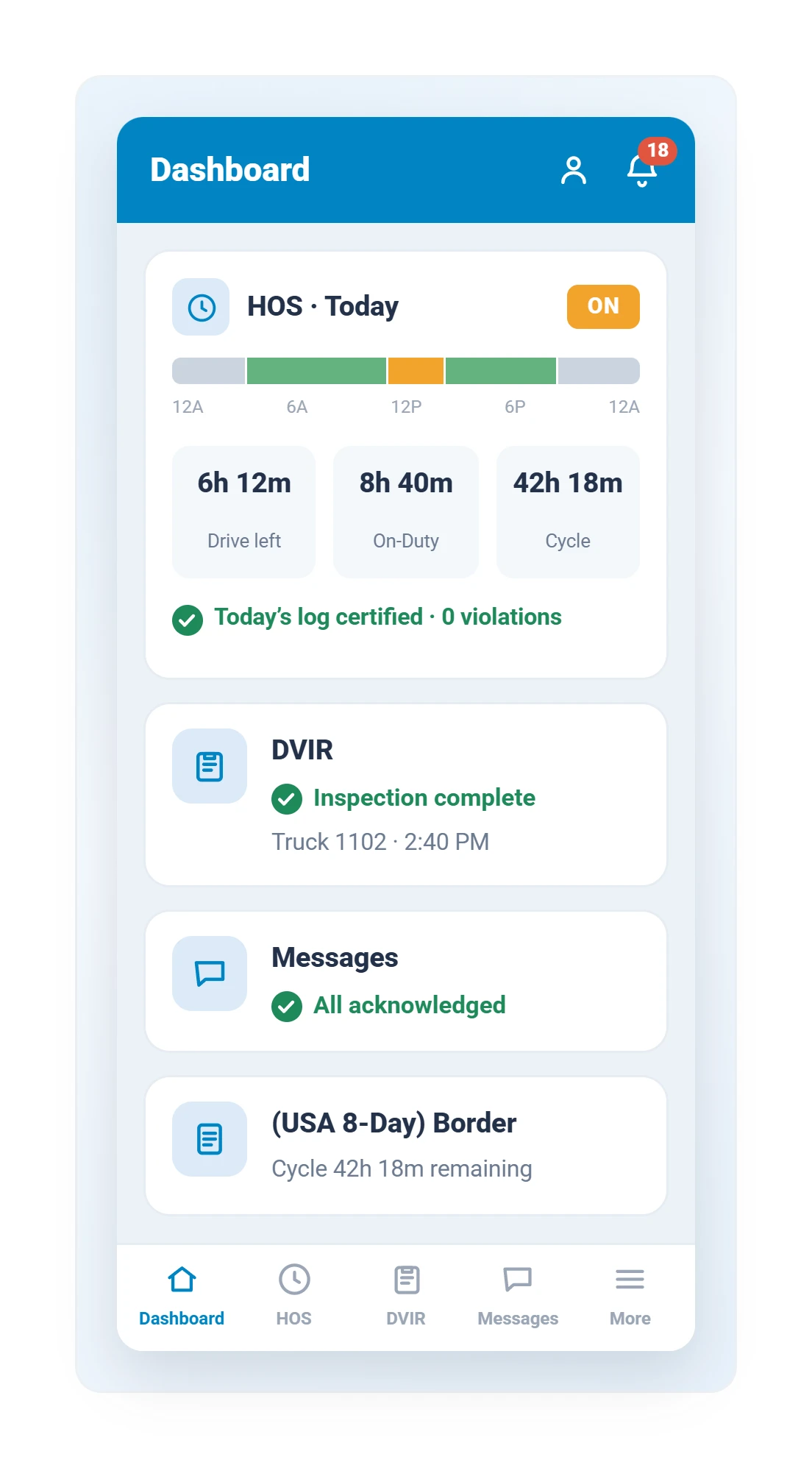
Geotab Drive app dashboard with hours of service availability, completed DVIR inspection, and messages
Driver app: HOS

Hours, inspections, and messages in the driver's pocket.
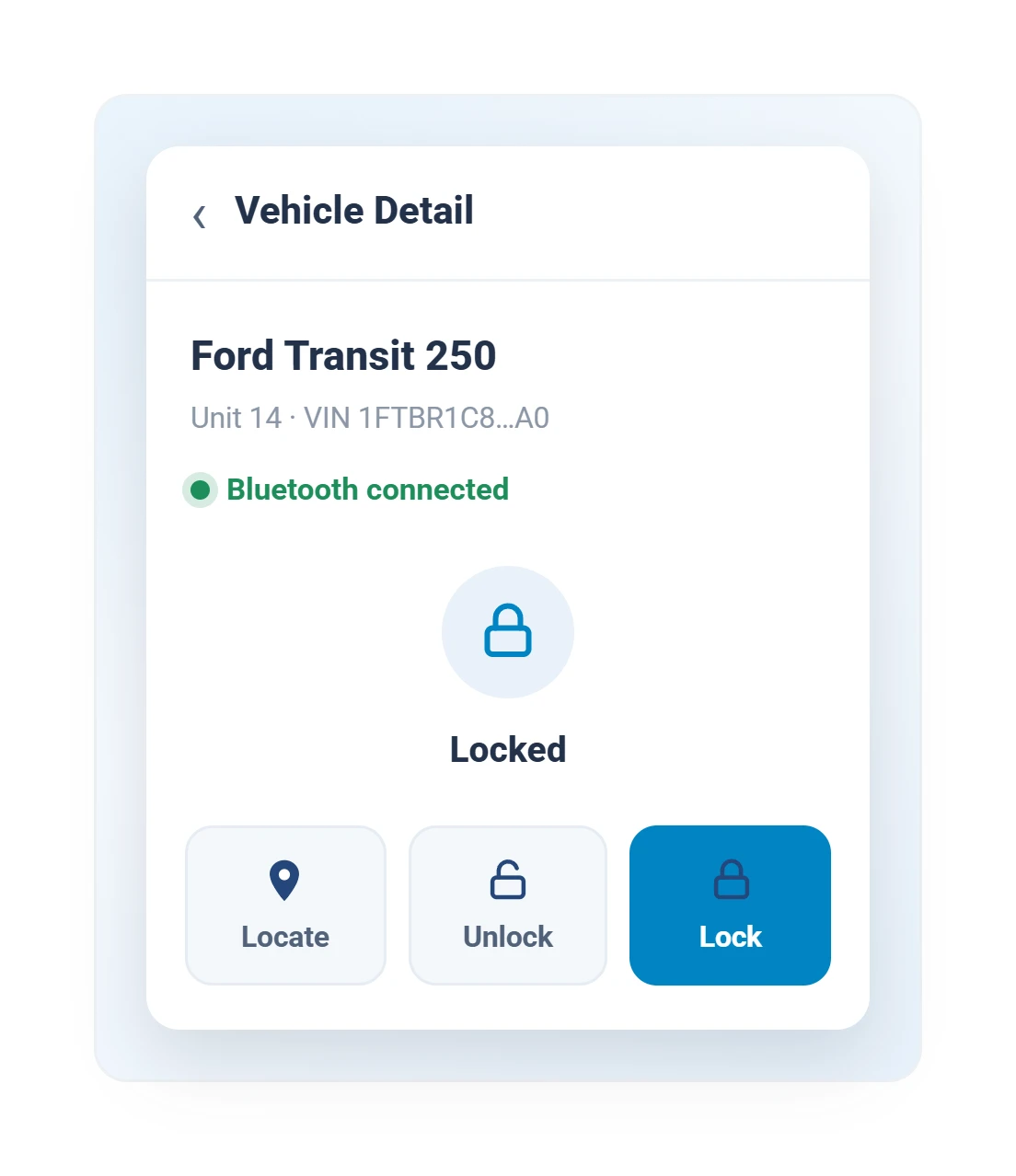
Geotab keyless digital key screen locking and unlocking a Ford Transit from a phone
Digital key

Lock, unlock, and assign vehicles from a phone.

Keyless access

Costs, Fuel & Sustainability

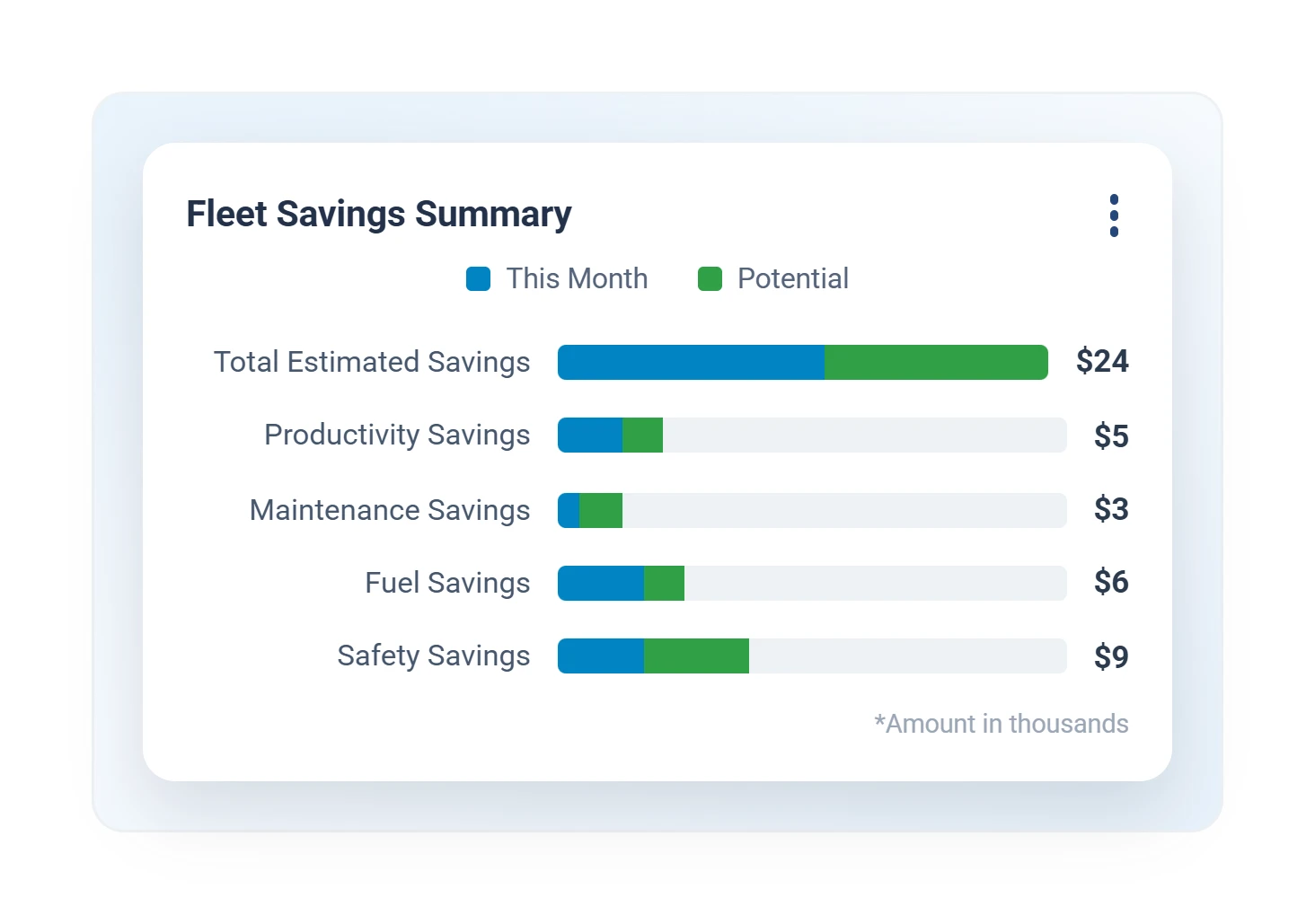
Geotab fleet savings summary report comparing this month’s savings to potential across productivity, maintenance, fuel, and safety
Fleet savings summary

This month's savings, category by category.

Cost savings
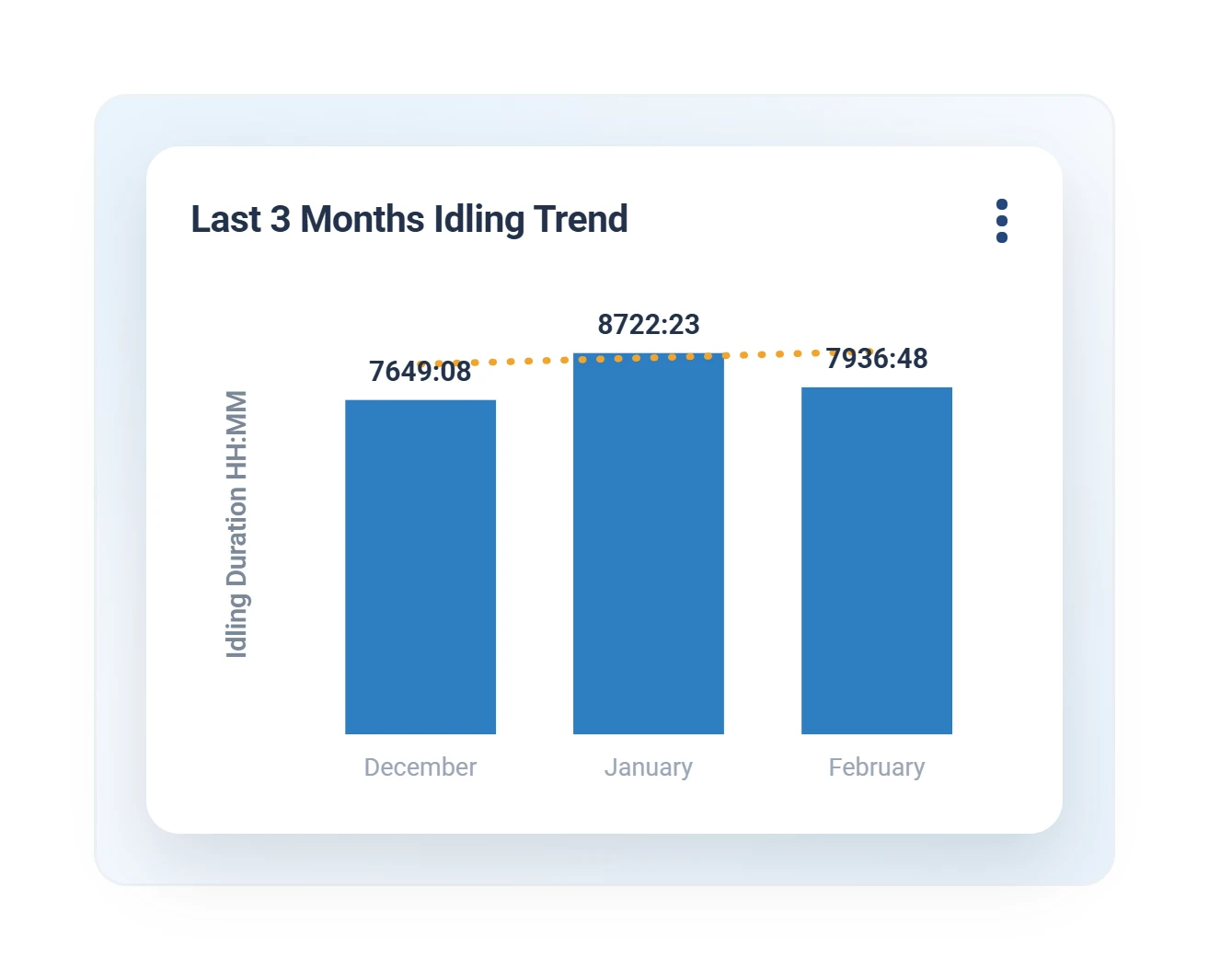
Geotab monthly idling trend report bar chart
Idling trend report

Idle time by month, explained.

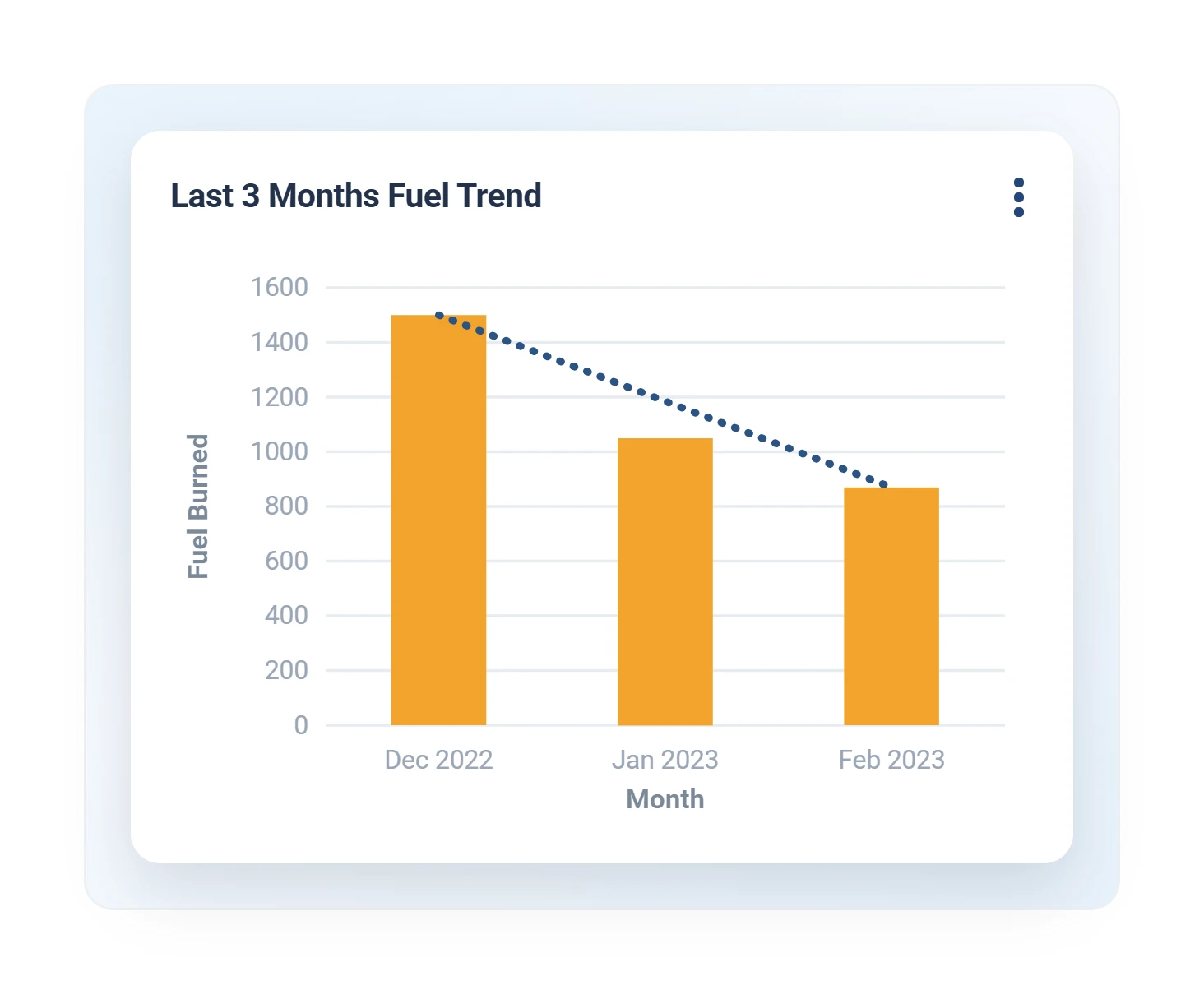
Geotab three-month fuel trend report with declining fuel burned per month
Fuel trend

Three months of fuel burn, trending down.
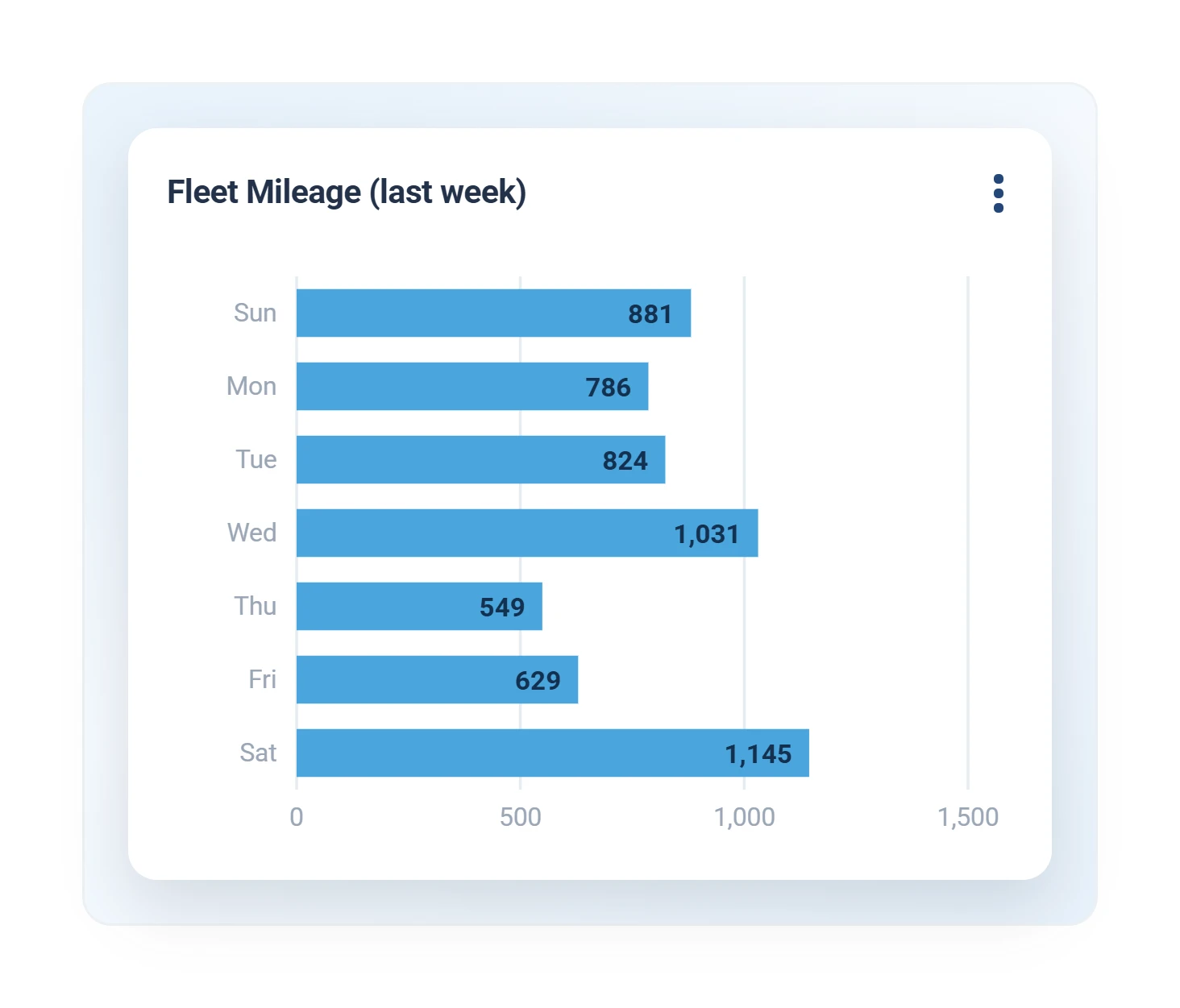
Geotab weekly fleet mileage report charting miles driven per day
Fleet mileage

Miles by day, straight to your inbox.

Scheduled reports
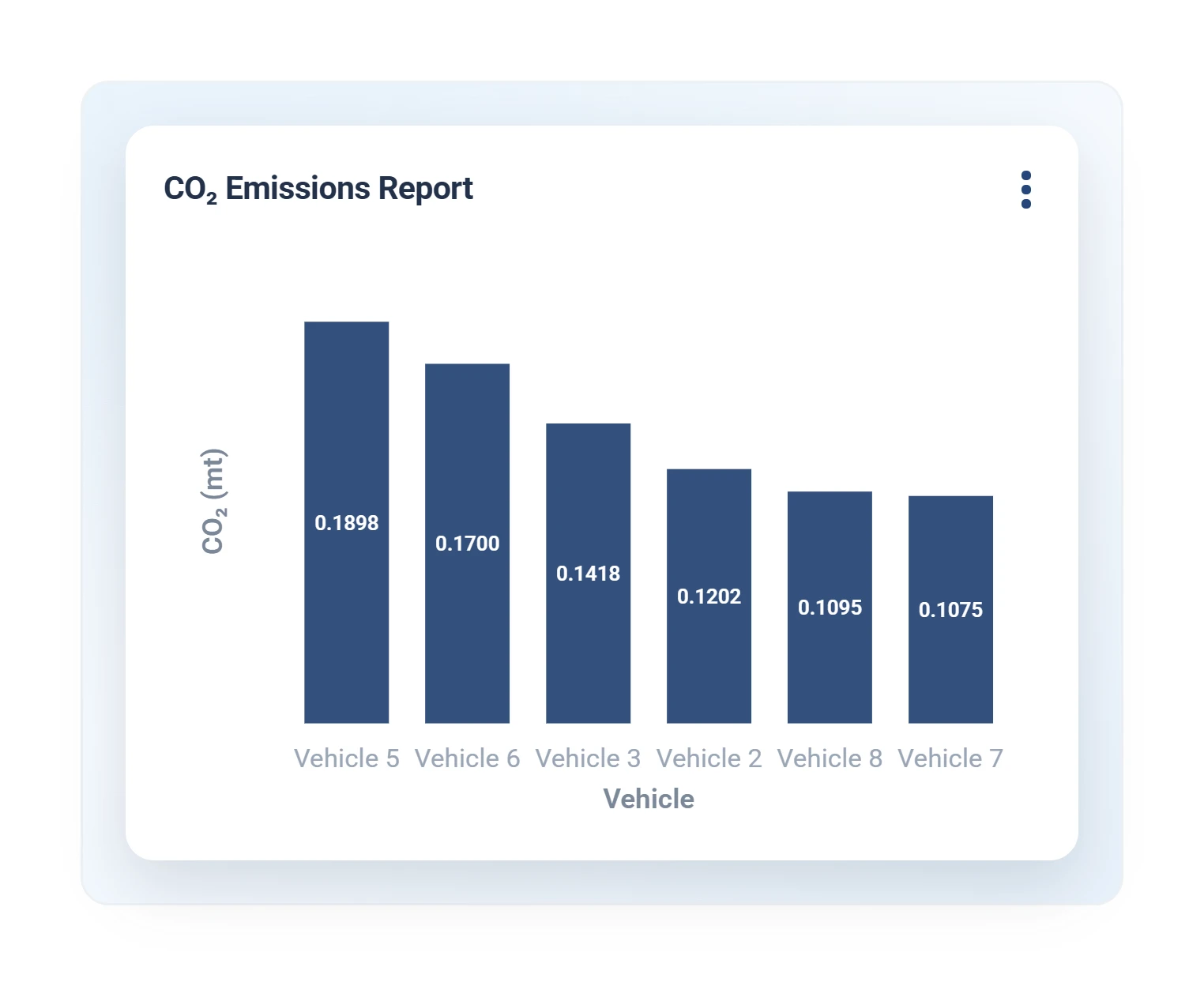
Geotab CO2 emissions report charting metric tons per vehicle
CO2 emissions

Emissions by vehicle for sustainability reporting.

Electrification
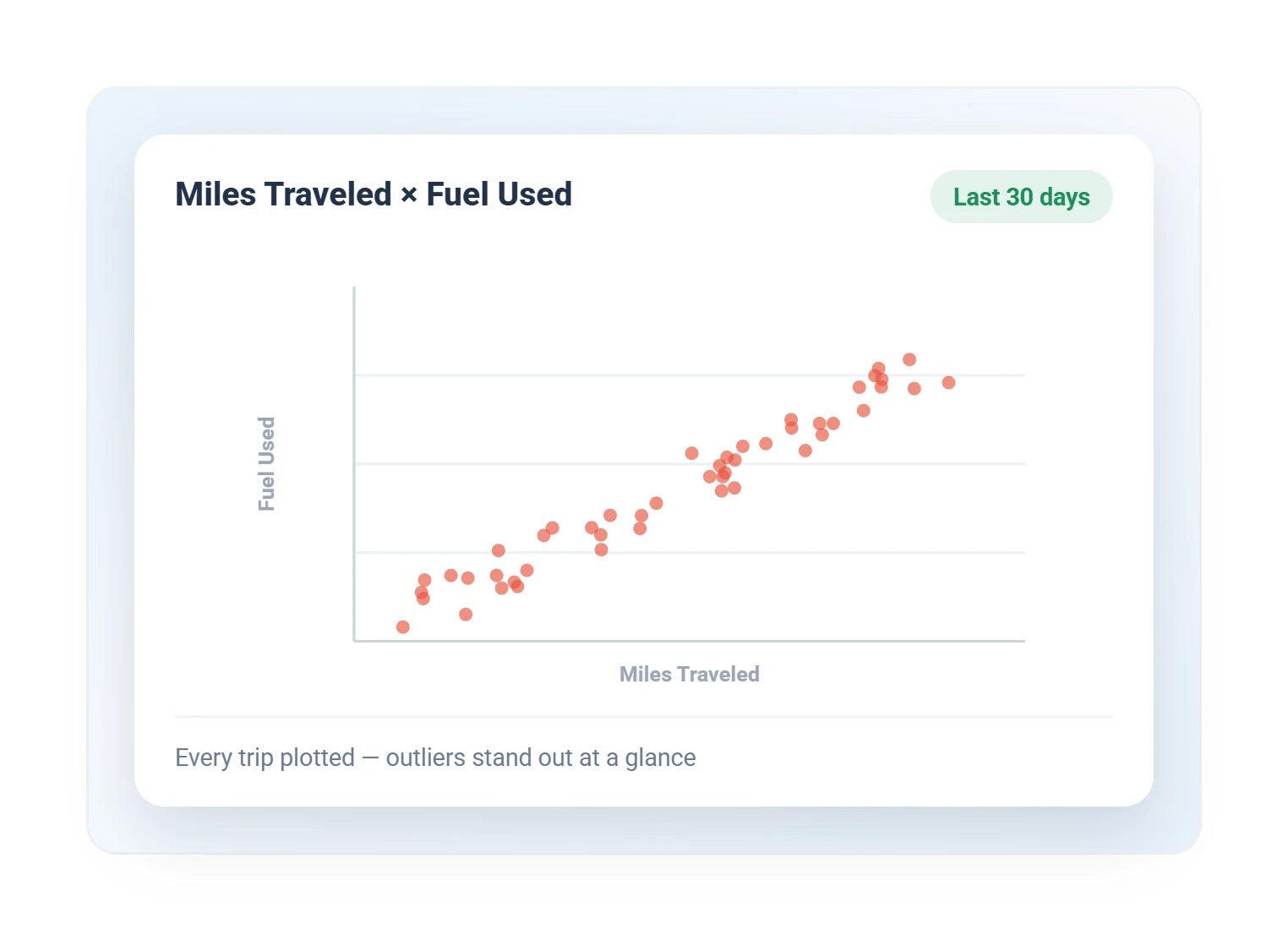
Geotab miles traveled versus fuel used scatter chart for the last 30 days
Miles versus fuel

Every trip plotted, so outliers stand out.
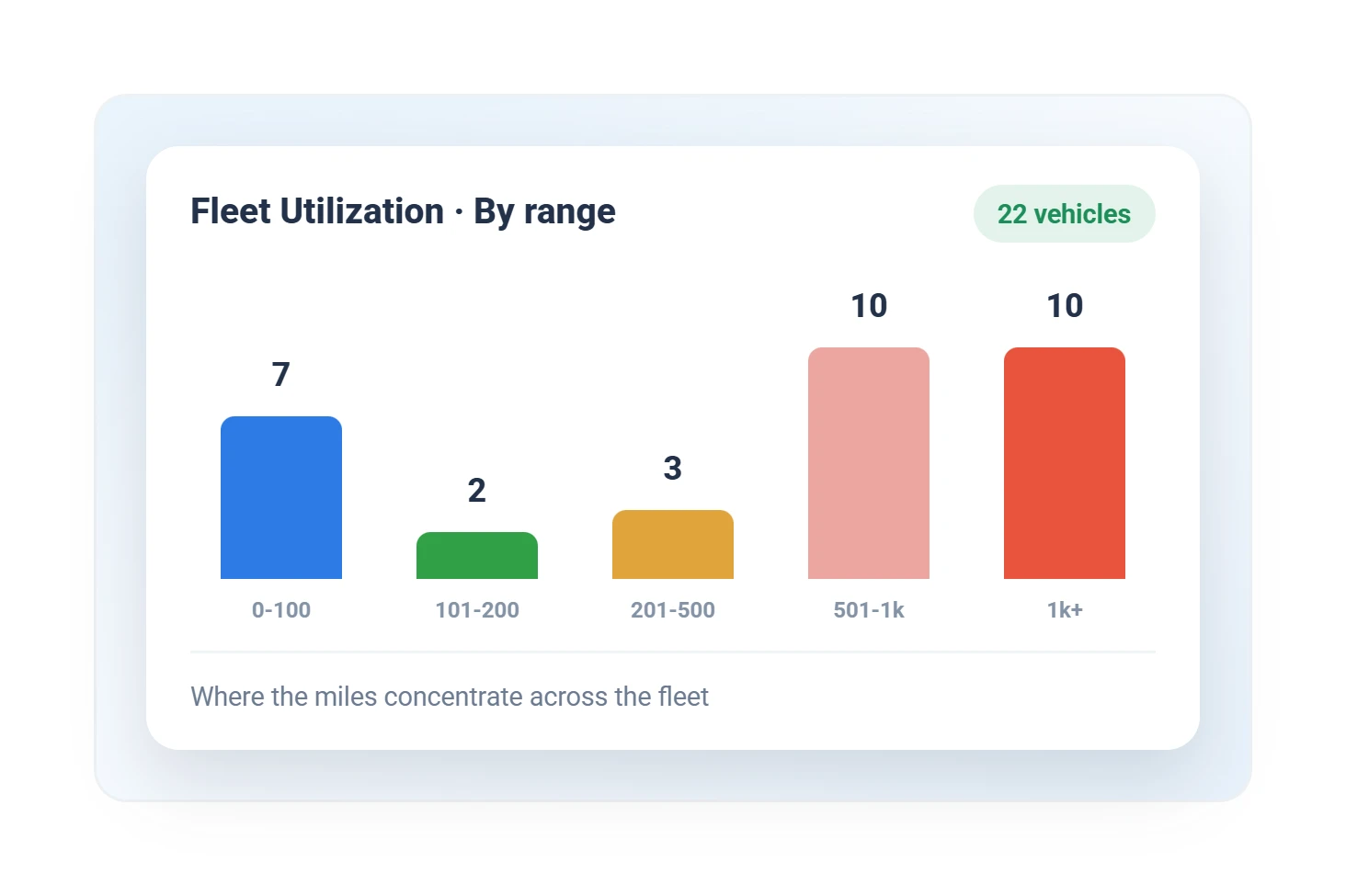
Geotab fleet utilization histogram grouping vehicles by mileage range
Fleet utilization

Where miles concentrate, and which units sit.
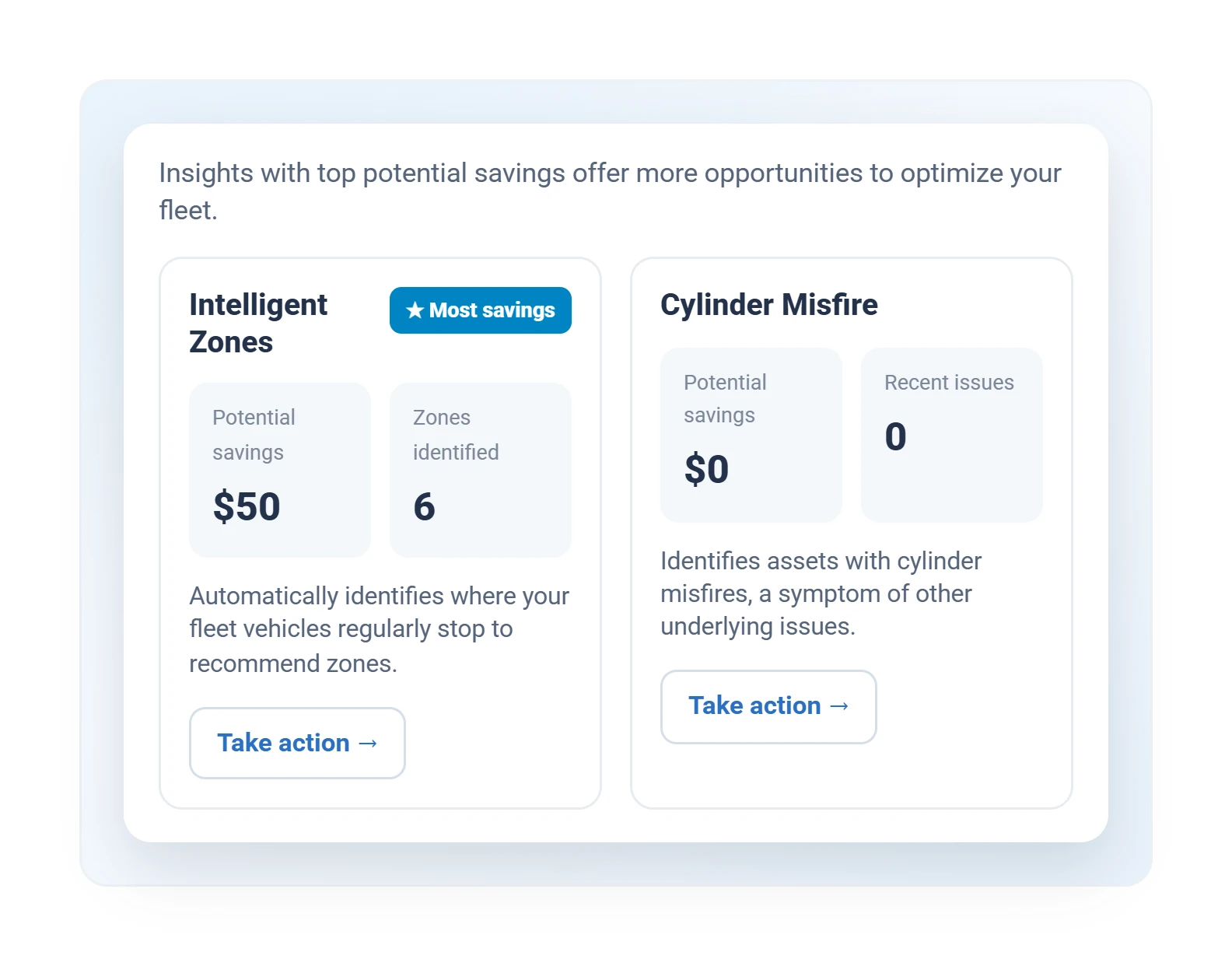
MyGeotab Insights cards recommending intelligent zones and flagging cylinder misfire with potential savings
Savings insights

The software finds the savings and suggests the fix.
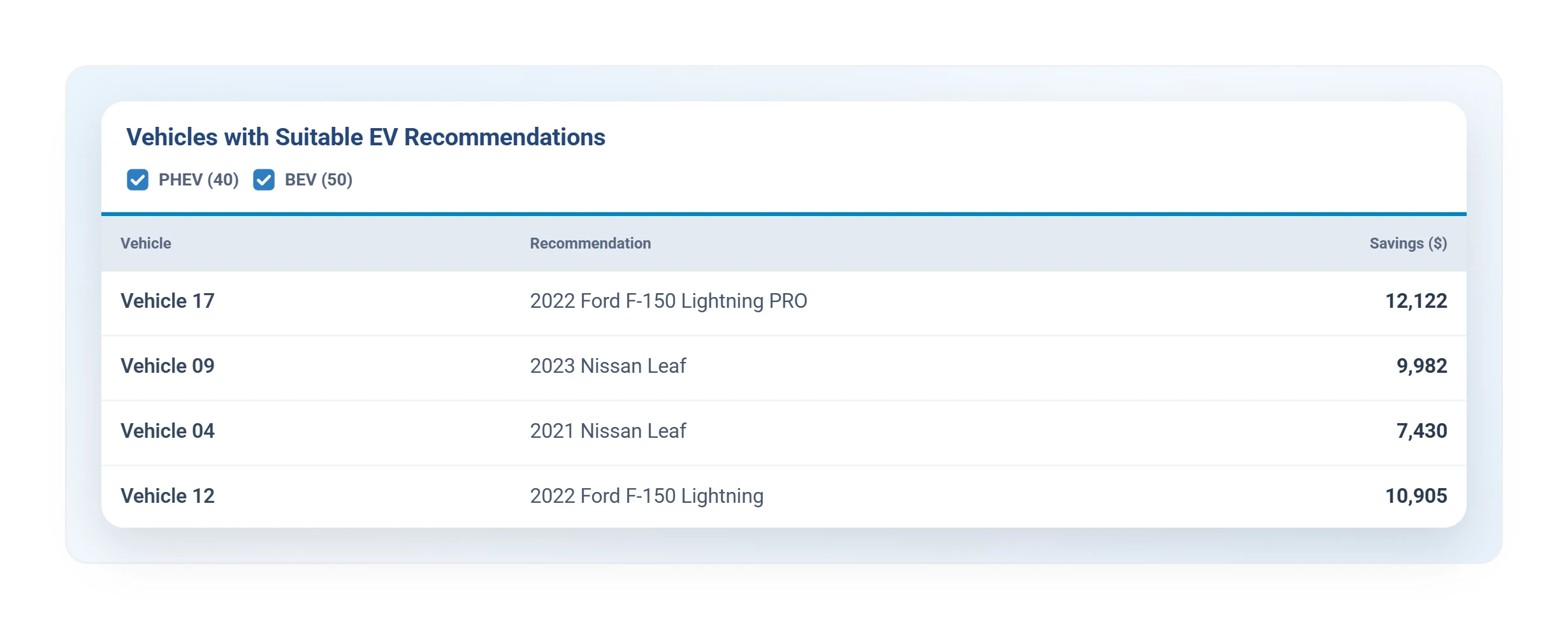
Geotab EV suitability assessment recommending electric replacements with projected savings by vehicle
EV suitability assessment

Which vehicles could go electric, and the savings.

Factory-Connected Vehicles
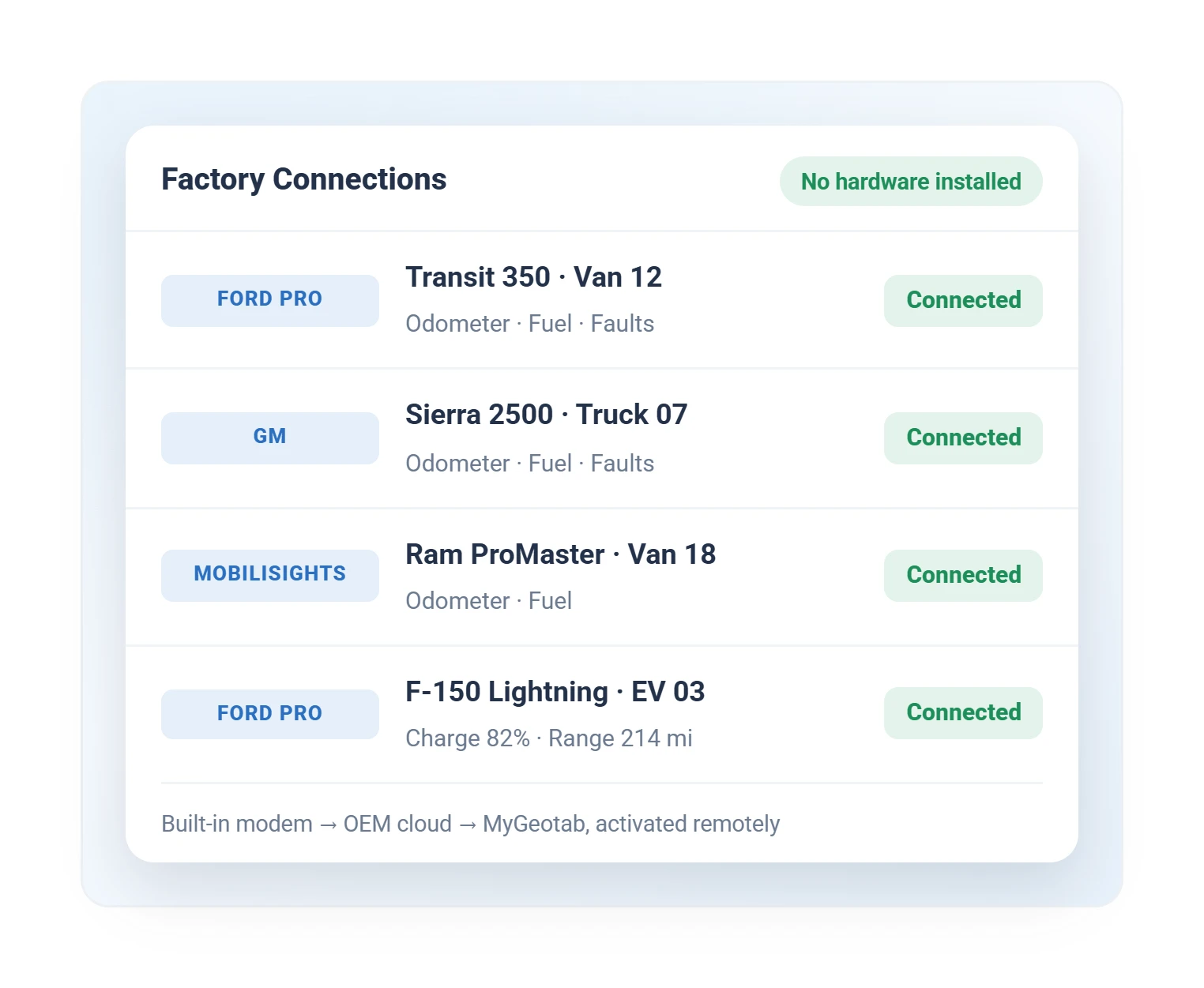
Geotab OEM factory telematics connections listing Ford Pro, GM, and Mobilisights vehicles as connected with no hardware
Factory telematics connections

Ford, GM, and Stellantis reporting, no hardware.

OEM integrations
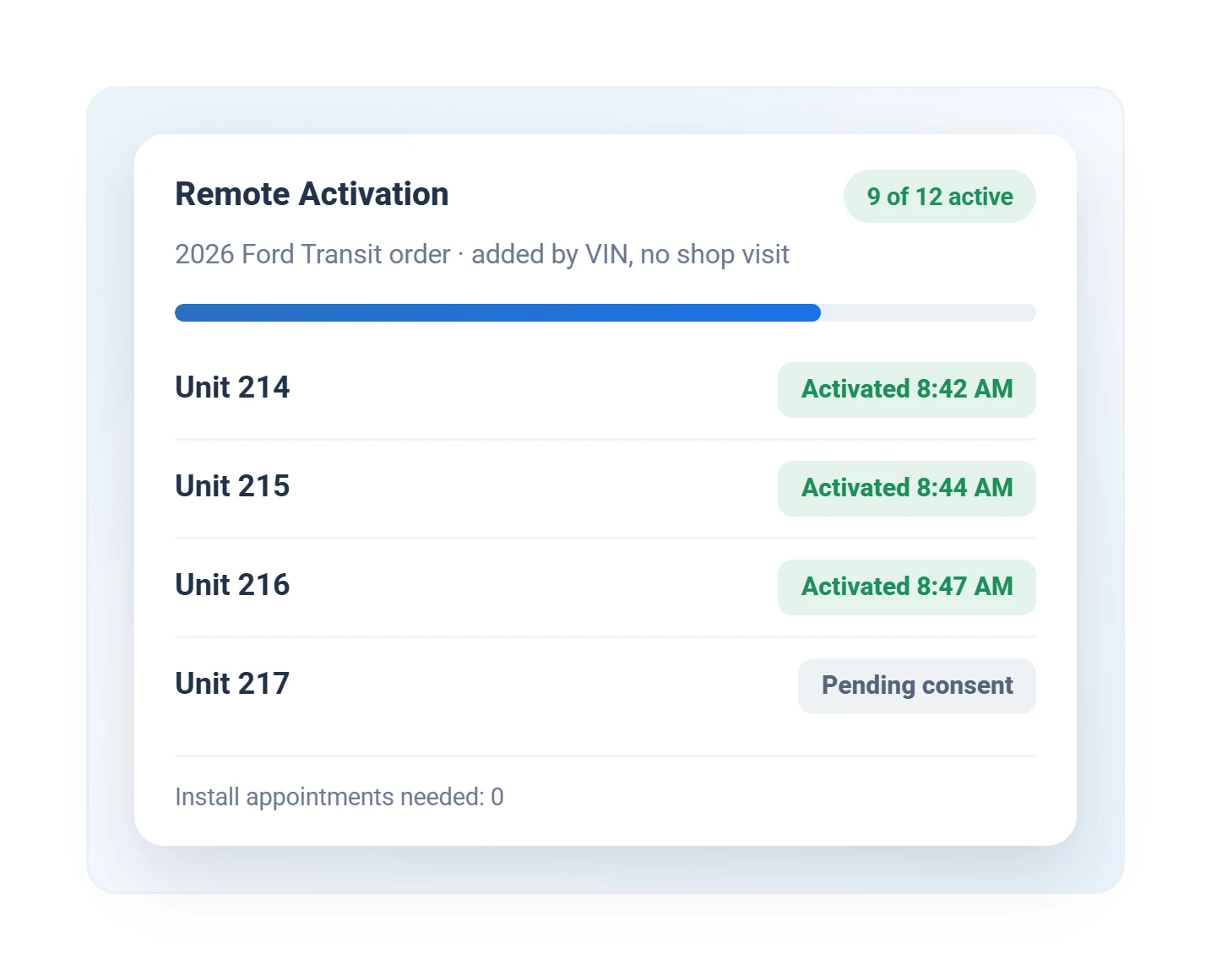
Geotab OEM remote activation progress for a Ford Transit order, nine of twelve vehicles active
Remote OEM activation

A factory order activated by VIN.

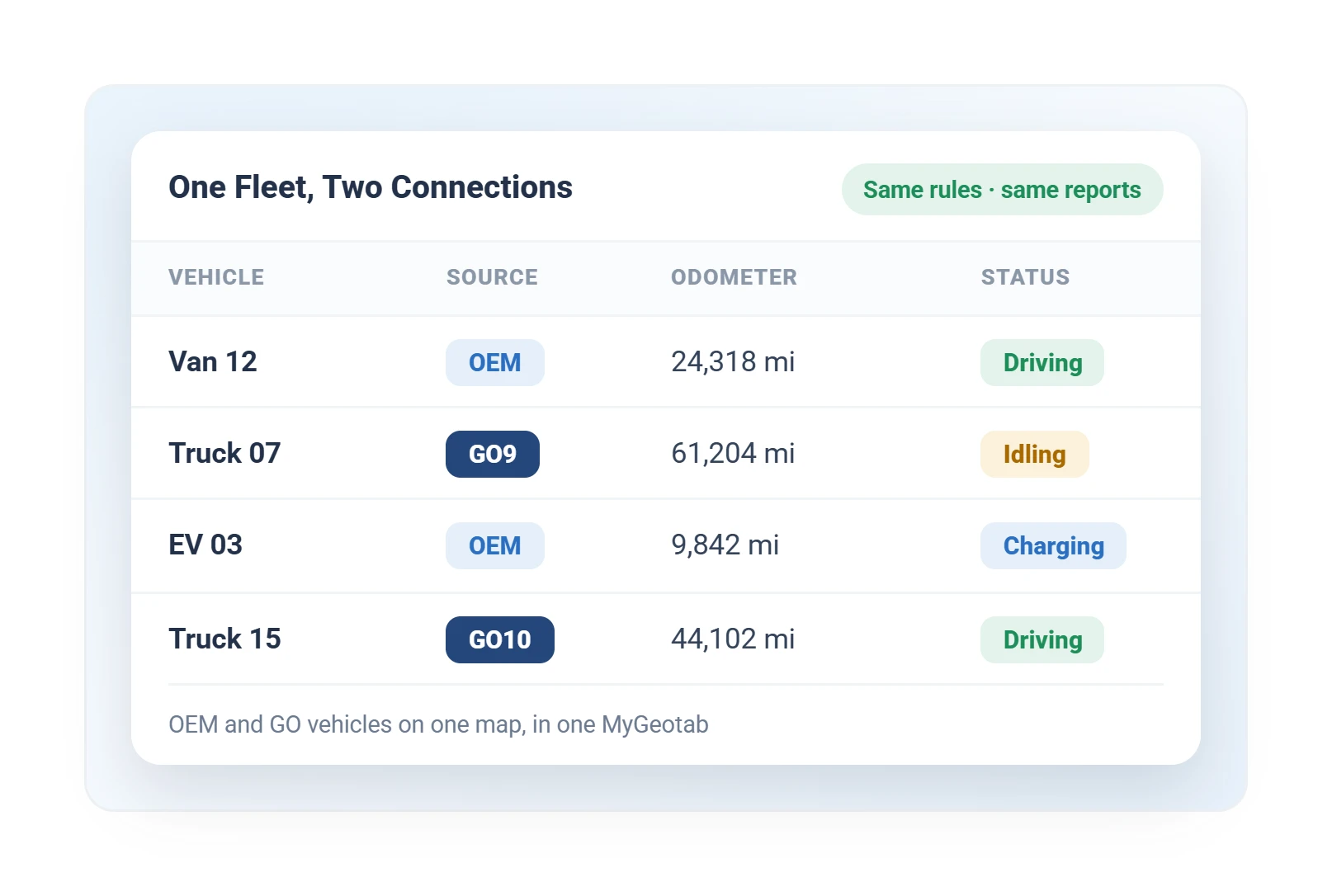
Geotab mixed fleet table showing OEM-connected and GO device vehicles with odometer and live status in one view
Mixed OEM and GO fleet

Factory-connected and plug-in-tracker vehicles in one view.
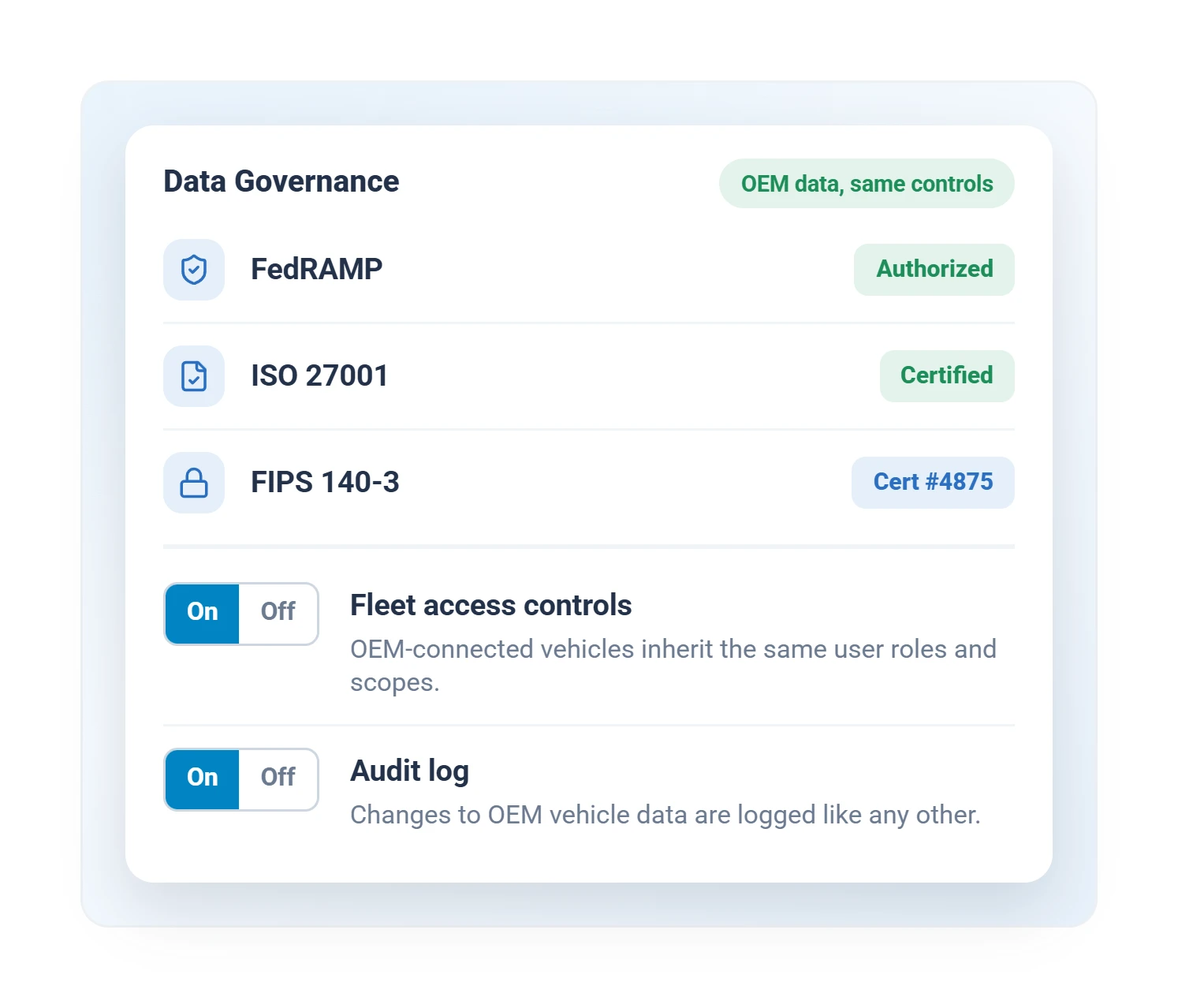
Geotab data governance panel with FedRAMP, ISO 27001, and FIPS 140-3 certifications and fleet access controls
Data governance

FedRAMP, ISO 27001 and FIPS 140-3, one access model.

Data security
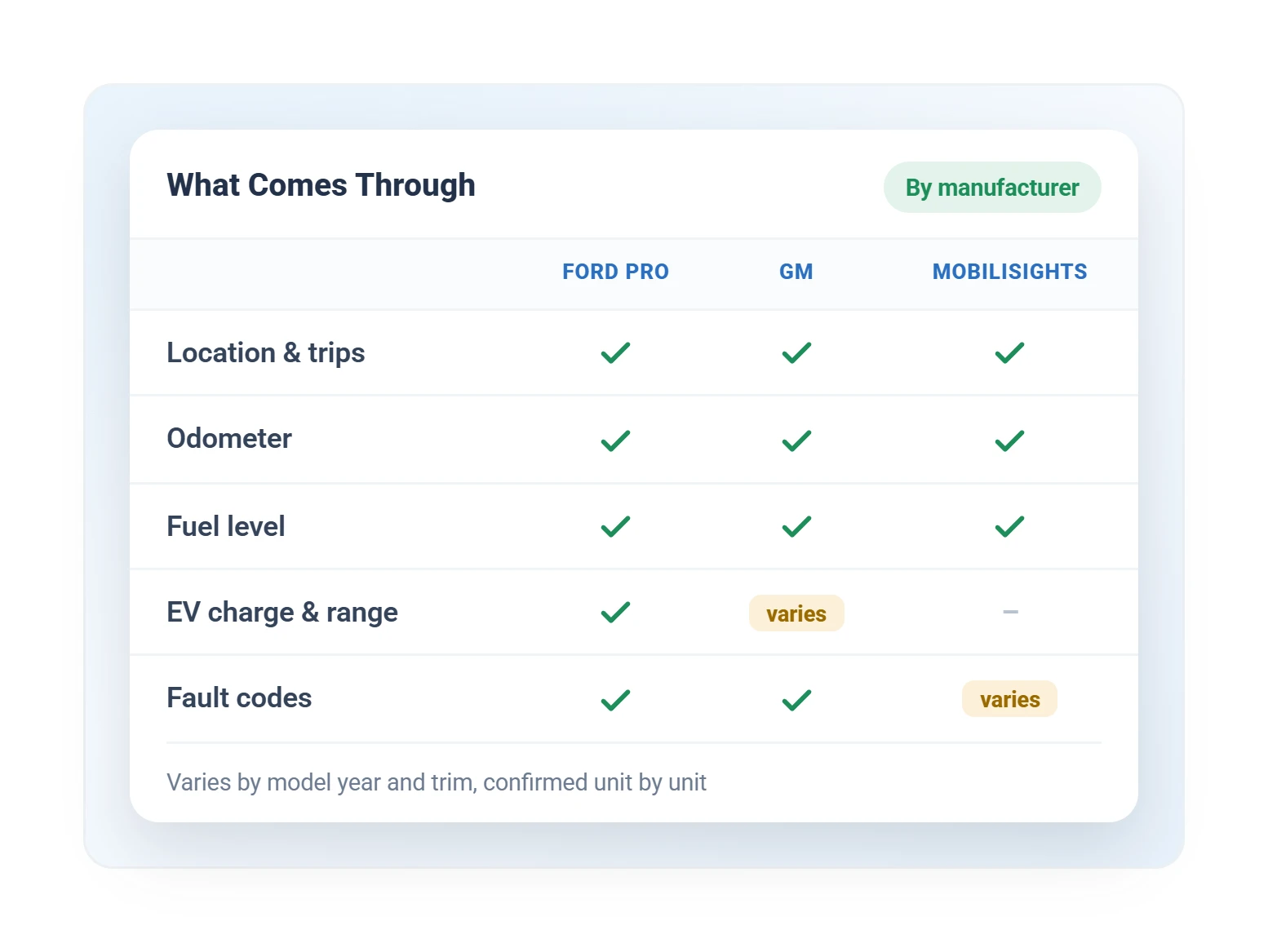
Geotab OEM data matrix showing location, odometer, fuel, EV charge, and fault codes by manufacturer
OEM data by manufacturer

What each factory connection reports, by make.
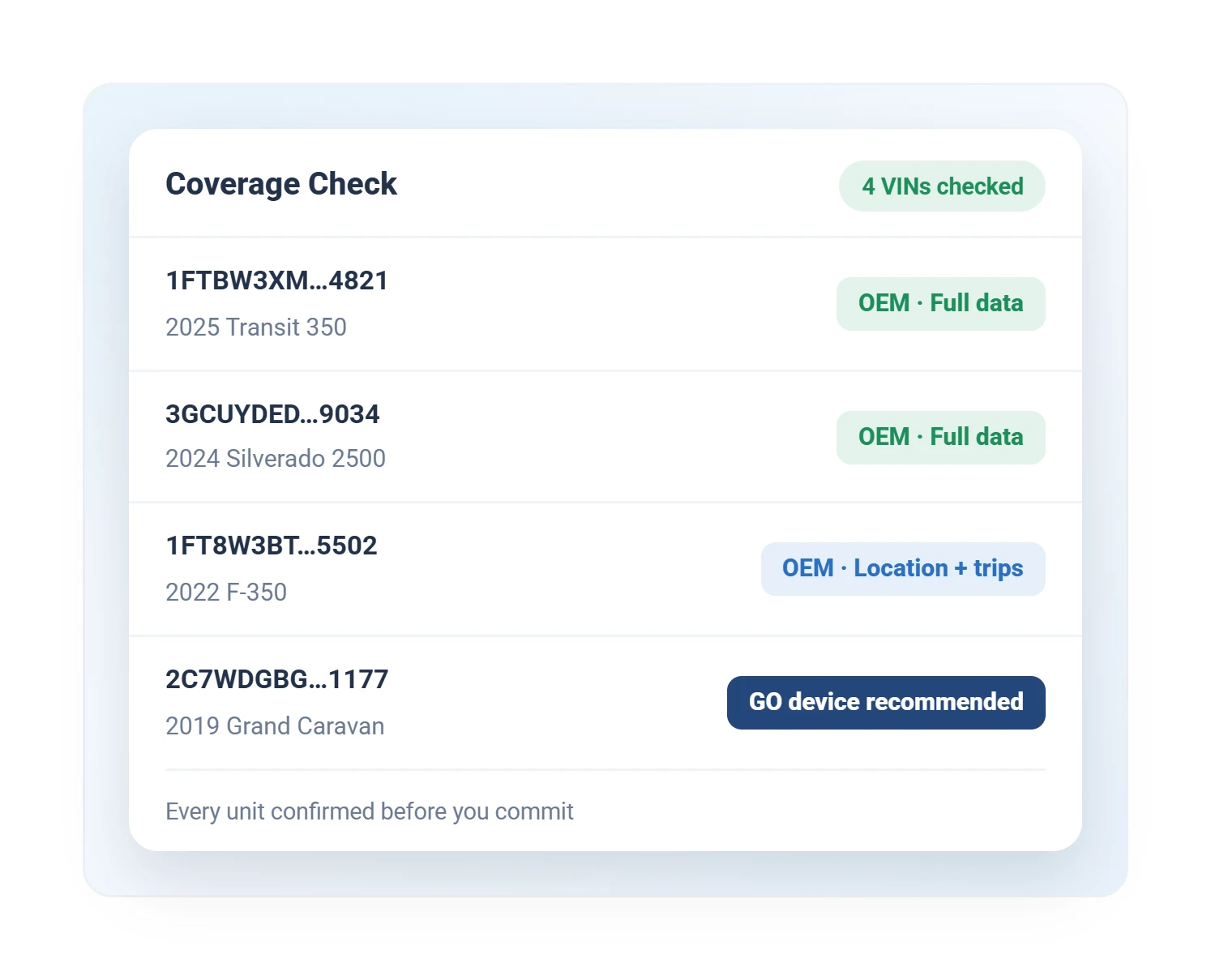
Geotab OEM coverage check listing VINs marked full data, location and trips, or GO device recommended
Coverage check by VIN

Every VIN confirmed before you commit.
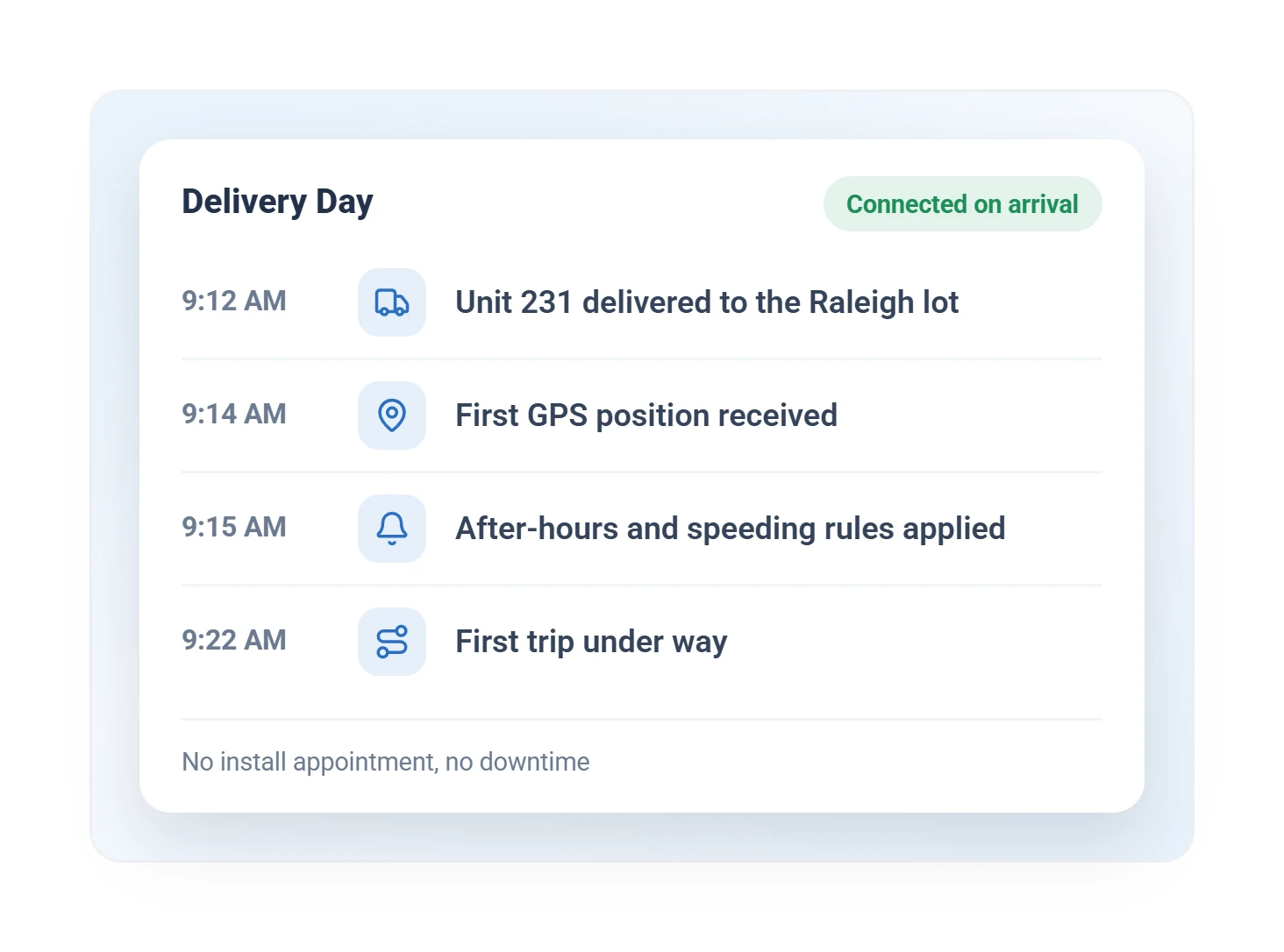
Geotab delivery day timeline showing a new vehicle first GPS position, rules applied, and first trip
Connected on delivery day

A factory-connected unit reporting within minutes of arriving.

Geotab Ace, the AI Assistant
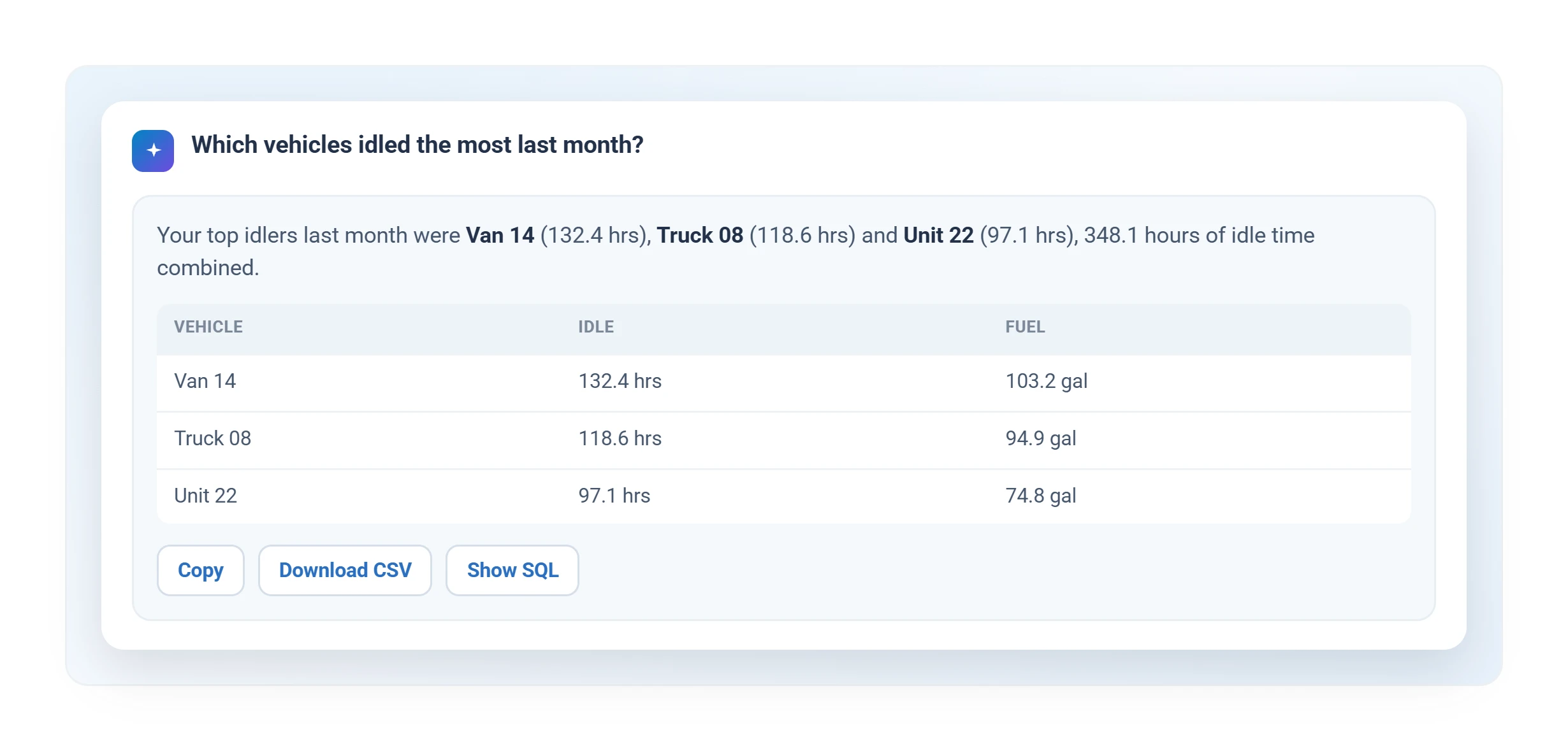
Geotab Ace AI fleet assistant answering which vehicles idled the most last month, with idle hours and fuel by vehicle
Geotab Ace, the AI fleet assistant

Ask in plain language, answered in seconds.

Geotab Ace
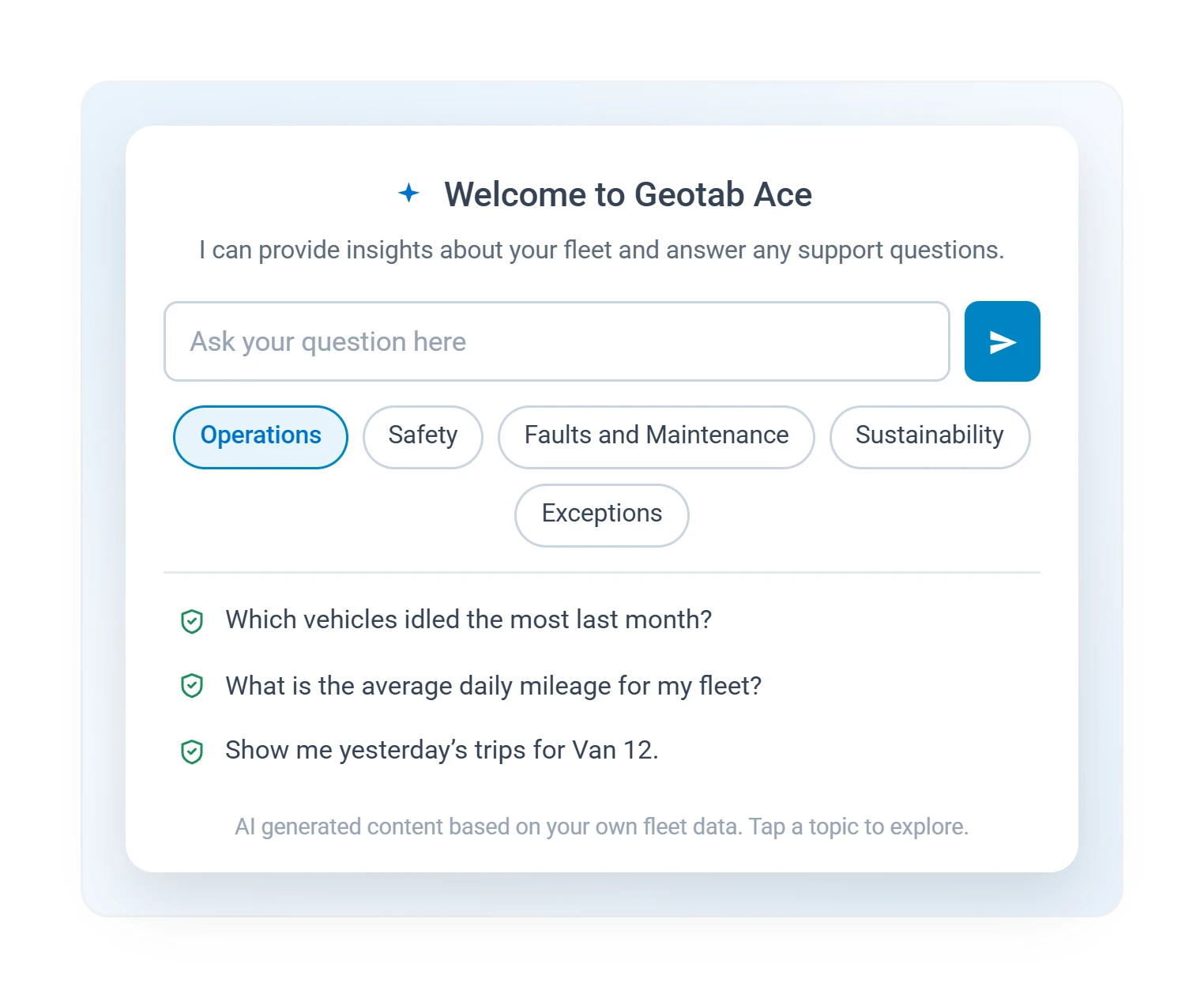
Geotab Ace AI assistant welcome screen with suggested fleet questions by topic
Geotab Ace: ask anything

Suggested questions to start, any question after that.

These Screens, Showing Your Own Fleet

A free demo unit ships to your door, pre-configured. Minutes after you plug it in, every screen above is live with your vehicles on it.

Prefer to talk? Call (877) 771-2236.